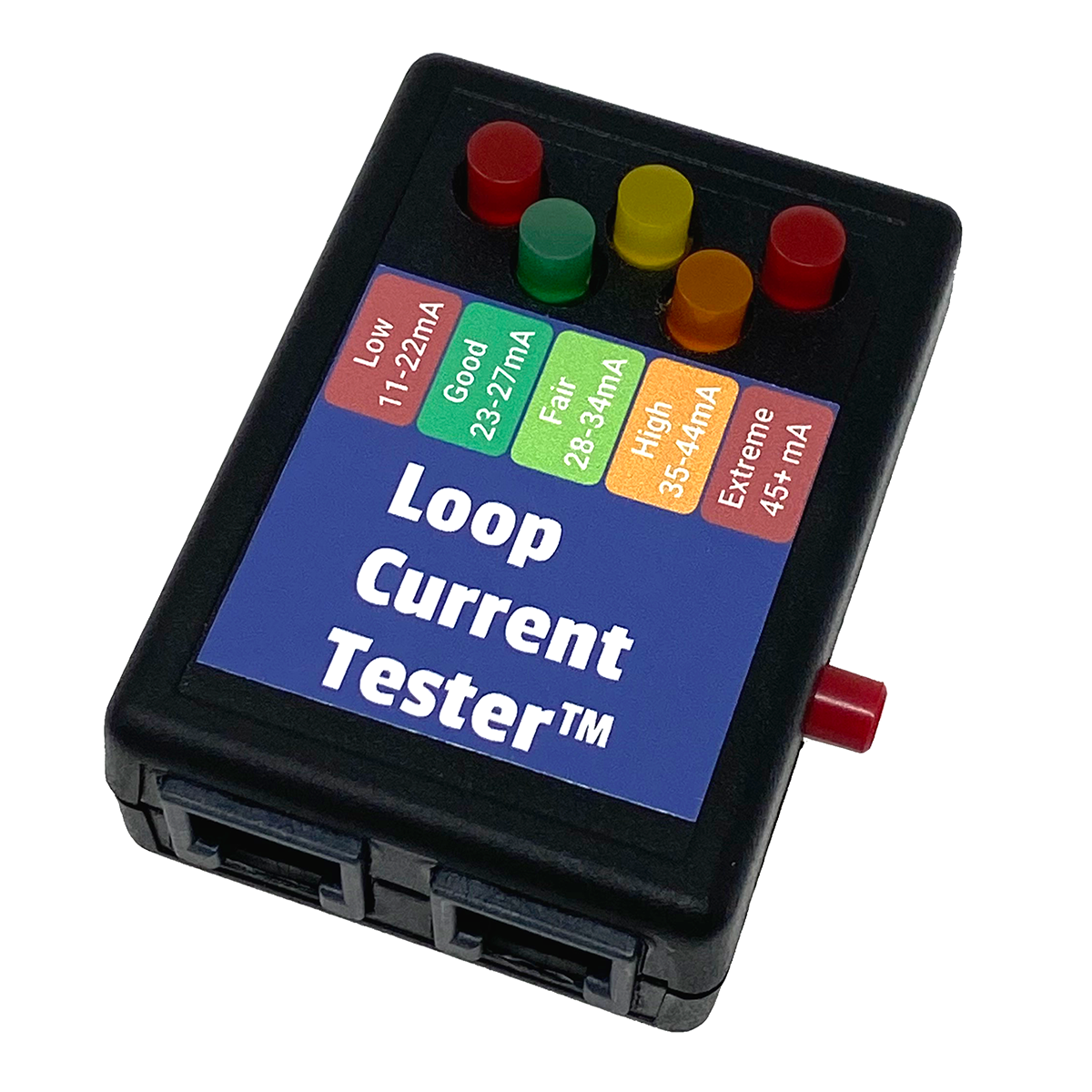
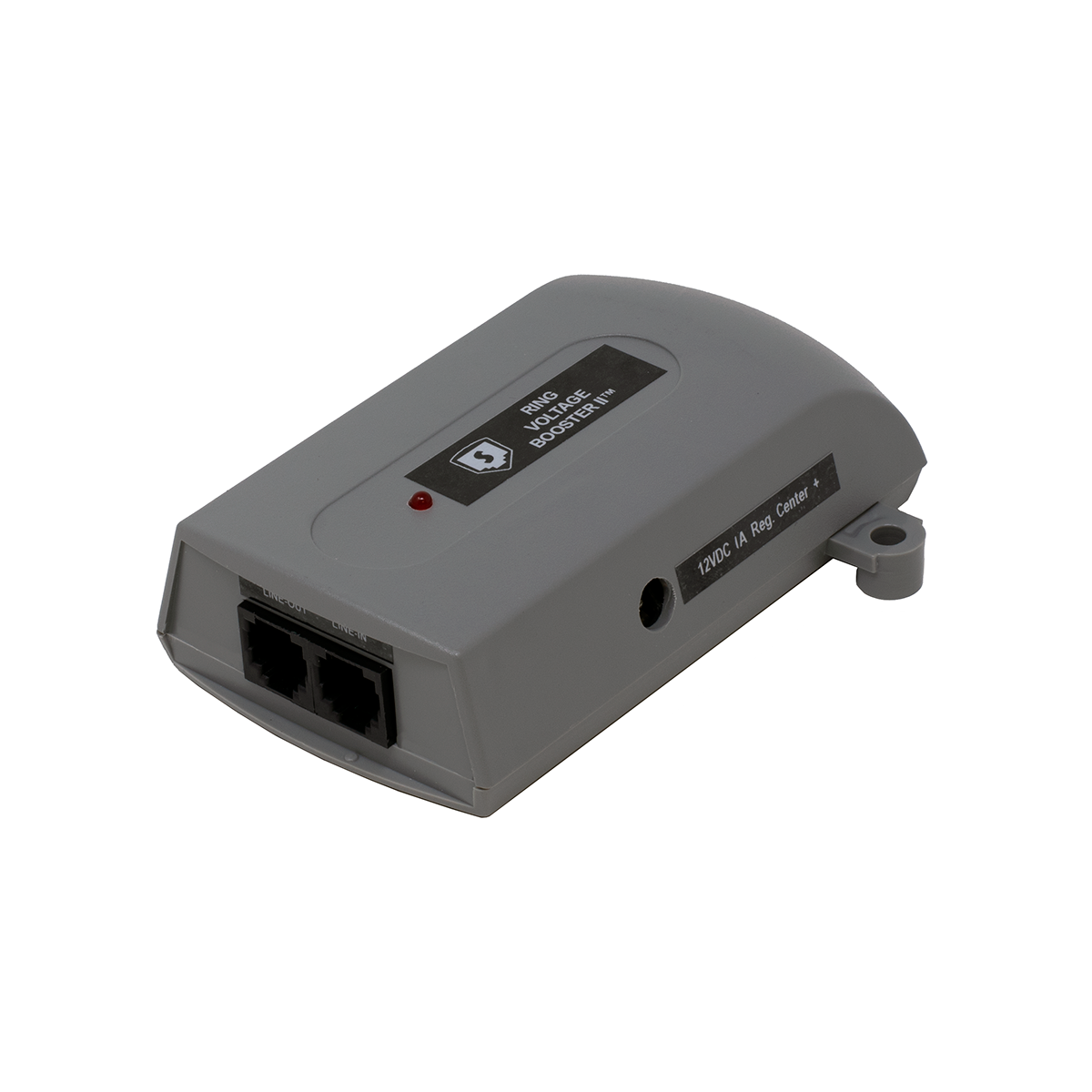
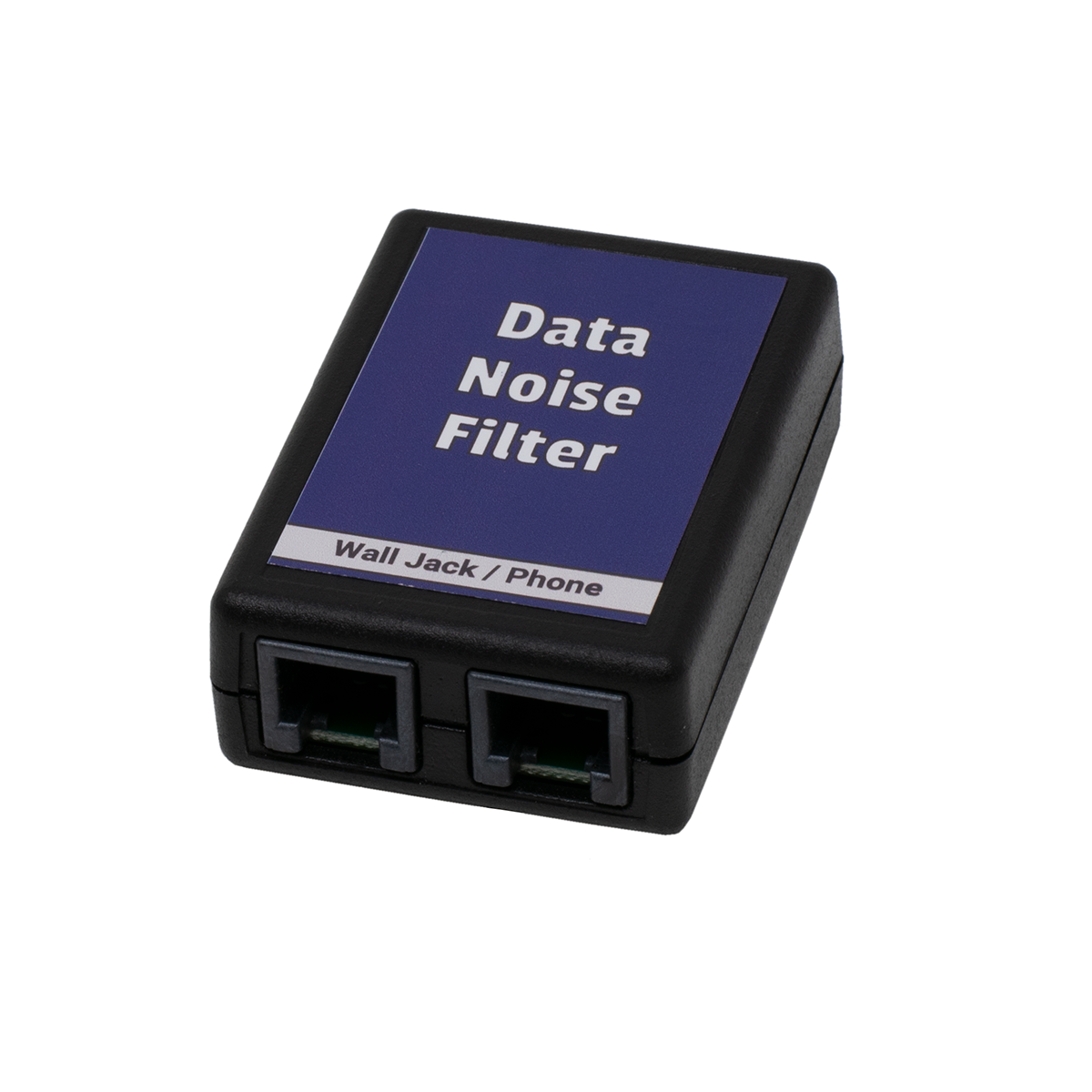
WIZARD'S TOOL BOX... Problem Solving Telecom Devices
I don't know about pigs, but I'll bet you can make Phones Fly with this stuff!
I started my first Interconnect company in 1972, when all of my business consisted of helping my customers do what the phone company said couldn't be done!  Most of the stuff could actually be done pretty easily with a little creativity, but the Phone Company just didn't want to do it.
As phone men, until now we've been lucky because we've been selling "closed systems" that allow us to buy just about everything from one vendor, and not think about the installation much. If the vendor says their equipment won't do it, well then we can't do it... But if you can use these devices to help your customers solve their problems, you'll sell more systems and have a leg up on the competition.
With the increasing popularity of VoIP, customers are making more strange requests than ever. They want to use VoIP, their phone system, and the Internet to make something happen at remote locations. Sometimes you just have to make-up for a deficiency in the VoIP device itself. It might not be easy, but if you have a little creativity, you can probably do it.
You usually can't make money doing "Specials," but sometimes you've gotta do them to get an otherwise profitable job. To get those jobs done fast... use the Wizard's Tool Box!
Here's an Index of the items on this page...

HEADSET LINE IN-USE INDICATOR AND AMPLIFIER

Click for larger pictures of Light or Amplifier
In-Use Indicator STOPS
Interruptions...
and Amplifies
your calls too!
- Know when your co-workers are on the phone!
- Both the Light and Amplifier work on ANY
Phone!
- Use on a Cubical, or on Top of a Monitor
- Works equally well with Handsets or Headsets
- Connects In-Series with Headset or Handset Cord!
- Easy-to-Use Slide Volume Control
- 6 foot Cord to Indicator Light
- Comes with Easy-to-See White Lens
Red or Amber Lens available. Requires 110VAC outlet for power cube (included).
Part Number: HST4T Price: $64.95 ||| 3+ Price: $59.95
UNIVERSAL HANDSET CORD UNTWISTER™
 |
 |
|
What the heck is wrong
with
phone manufacturers?!? |
The Universal
UnTwister™ tries to
help these goofy handsets! |
There are a lot of handsets where
the engineers stuffed the jack wayyy inside the handset. On some of them, you actually have to remove screws and take the handset apart to replace the
cord! I'm guessing that these phones were designed in countries where
they've never actually used a phone.

Universal Handset
Cord UnTwister™...
Our Universal
Handset Cord UnTwister™ has a short cord that will work with any phone, with or without a recessed jack.
Since there's a cord instead of a solid nose piece (plug), the UnTwister™ is not likely to break if the handset is accidentally dropped.
NOTE: This is not like the cheap white ones on the market that don't spin (so they're useless!).
Part Number: MON9M Price: $4.59 ||| 10+ Price: $3.99
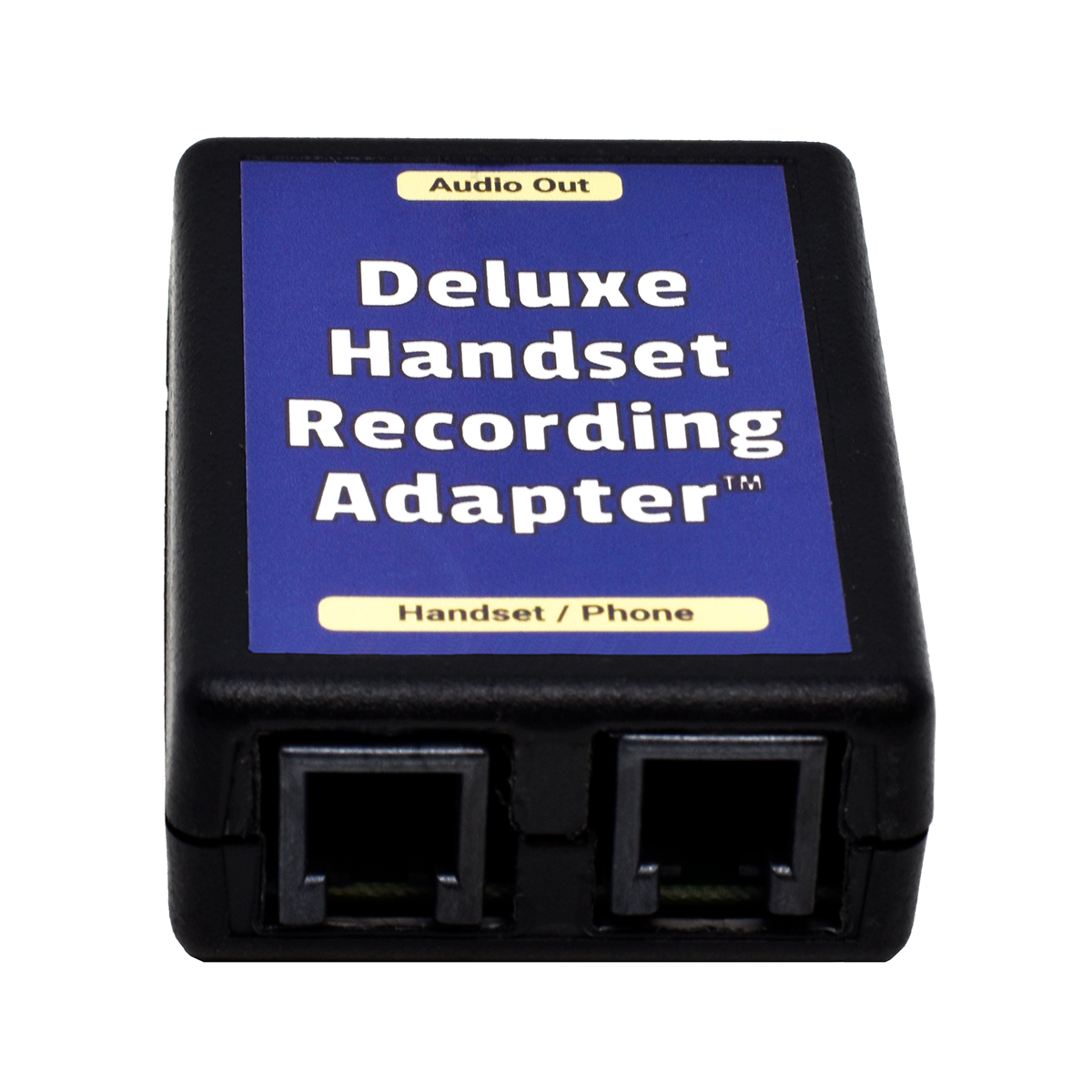
DELUXE HANDSET RECORDING ADAPTER

Record Conversations from your Phone
to your PC or Stand-Alone Recorder
DELUXE Adapter works with PCs and Stand-Alone Recorders
Just plug it in between the handset cord and the phone!
Because the Deluxe Handset Recording Adapter outputs the same audio you hear on your handset, which has exactly the right mix of your voice and the caller's voice, your recordings will sound great!
If you record directly from a regular phone line instead of the handset, your voice is usually much louder than the callers voice, making the recordings difficult to listen to.
Plug the modular cord into the handset jack on the phone, and plug the handset cord into the Deluxe Handset Recording Adapter. Then plug the 3.5mm Stereo Audio Cord into the mic or line jack on the PC sound card, or into a stand-alone recorder.
Use your PC's sound recording application, or just start recording on your recorder.
There is no volume control on the Deluxe Handset Recording Adapter, so you'll need to adjust the volume on your computer or recorder.
The Deluxe Handset Recording Adapter works on analog, digital or VoIP phones with the dial in the base. It won't work on cordless or dial-in-handset (Trimline style) phones because the signal is different on that type of handset cord. For those types of phones, use our Phone Line Audio Coupler (below).
On digital phones, the only place to get analog audio to record is from the handset cord. If you need to send the calls to a Voice Logger at a central location instead of to the local PC or tape recorder, send the audio back to the central recorder on a spare pair to the phone room, and cross-connect that pair to the central recorder.
NOTE: Some VoIP phones don't have sidetone, which means you can't hear your own voice in your ear when you're speaking. On those types of VoIP phones, the Deluxe Handset Recording Adapter will only record the outside caller (half the conversation).
Because the Deluxe Handset Recording Adapter is transformer isolated, it will prevent hum in your recordings. If you hear a hum with your current recording device, you need this Deluxe Handset Recording Adapter which is transformer isolated.
Custom and Private Label versions available.
Part Number: KIT9O Price: $34.95 ||| 3+ Price: $32.95 ||| 10+ Price: $31.95
66 BLOCK LINE IN-USE INDICATOR - Passes Caller ID

|
66 Block In-Use Indicator |

|
- Passes Caller ID data
- Works on a 66M Split Block
- NOT polarity sensitive... Works on either polarity
- Can be stacked on adjacent lines on the 66M block
- Just replace the bridging clips to use this indicator
- Lights Green when the line is In-use
- Lights dimmer Green when line is ringing.
- Terminals in-front of Indicator to allow you to clip your Butt-Set onto the line
They're made to be used on a split 66M block (66M1-50). They won't fit on a 66B block.
Connects in-series between the telephone line or analog station port on the left side of the 66 Block, and the telephone equipment on the right side of the 66 Block.
Keep some in your tool case!
Part Number: WAL6D Price: $17.95 ||| 3+ Price: $16.95
66 BLOCK TEST SHOE


If you need to test one line in the middle of a bunch of lines, it can be hard to get your Butt-set clips on the 66 block.
The 66 Block Test Shoe lets you test a line by removing a 66 Regulator, 66 Lightning Protector, or 66 Line In-Use Indicator, and placing the Test Shoe in its place. Attach your Butt-set to the clips on the front, and push the red switch to open the line and disconnect the equipment during testing.
Remember that the phone line always comes in on the left on an RJ-21X block, and the CPE equipment is always on the right.
Part Number: MIS1T Price: $29.95 ||| 3+ Price: $27.95
IN-LINE MOD SWAPPER

The Mod Swapper... Swaps Pairs 1 & 2
If you're replacing a phone system where they wired the jacks in the wall with the white/orange pair as the middle pair, and you can't get to the jacks to rewire them because they're behind heavy desks, the Mod Swapper can save you both time and money!
If you can get to the jack, plug the Mod Swapper right into the wall, and plug the phone's mounitng cord into the Mod Swapper. If you can't get to the jack, just plug the Mod Swapper into the back of the phone, and plug the mounting cord into the Mod Swapper.
Other versions that swap other pairs, including 8 pin plugs and jacks, are available. Just tell us what you need!
Part Number: MSC2K Price: $4.99 ||| 10+ Price: $4.79
MODULAR REVERSING CORD

Modular Reversing Cord... Reverses the Polarity of Pairs 1 & 2
Don't want to remove the jack and swap the pairs, or can't do it in the phone room? Just stick the Modular Reversing Cord in-series with the polarity sensitive device, and you're done.
Other versions that reverse other pairs, including 8 pin plugs and jacks, are available. Just tell us what you need!
Part Number: SER3O Price: $4.29
CRITICAL+™ SOLID WIRE MODULAR CORDS
 |
Critical+™
Solid
Wire Modular Cord
15' Long - Wired Straight
Through
The Handiest Thing You
Can Have In Your Case!
Cut them in-half to
get 2 Cords
Telephone
Gray Color to Match
the Wiring at the Frame
|
 |
|
2 Pair |
You can't
punch down stranded cable! |
4
Pair |
2 Pair, 3 Pair and 4 Pair Cords.

Carry some of these in your truck!
You can make solid wire modular cords yourself,
but this has got to be faster, easier and cheaper!
These are professionally made, and tested (which is why there's a mod plug on both ends).
Connect a modular device to a 66 or 110 Block, beanie it on to an existing wire...
Or lots of other uses that make these a must have in your truck!
Make your own Octopus Cable:
By plugging these Critical+ Solid Wire Cords into the mod jacks on a phone system, gateway, ATA or other modular device, you can tie wrap them in a bundle towards the 66 Block, where it will look neat when you cut the wires down. With an Octopus Cable, you'll have extra wire for each of the mod cords, so your installation will look like a mess unless you spend a lot of time dressing the cable (somehow?).
2 PAIR 15 FOOT SOLID WIRE CORD
White/Blue and White/Orange pairs wired Straight Through to four pin modular plugs, so you can cut it in-half and get two 7.5 foot cords.
This CAT3 solid wire cord is wired with USOC wiring, with White/Blue on the middle pins, and White/Orange on the outside pins.
Part Number: SWI3A Price: $3.39
3 PAIR 15 FOOT SOLID WIRE CORD
White/Blue, White/Orange and White Green pairs wired Straight Through to six pin modular plugs, so you can cut it in-half and get two 7.5 foot cords.
This CAT3 solid wire cord is wired with USOC wiring, with White/Blue on the middle pins, White/Orange on the next two pins out, and White/Green on the outside pins.
Part Number: SWI3B Price: $4.39
4 PAIR 15 FOOT SOLID WIRE CORD - WIRED WECO (568B)
White/Blue, White/Orange, White/Green and White/Brown pairs wired Straight Through to an eight pin modular plug, so you can cut it in-half to get two 7.5 foot cords.
This CAT3 solid wire cord is wired with WECO wiring (568B), just like a patch cord for Ethernet.
Part Number: SWI3C Price: $4.89
EXCLUSION (PRIVACY) DEVICES
If you want to share a phone line, this is the easiest way! 
We have several types of Exclusion/Privacy Devices for sharing lines between phones, modems, credit card machines, etc.
They all work the same way, and can be used together in any combination. Keep in mind that these devices will let you share phone lines for both incoming and outgoing calls, but they have no way of routing incoming calls. That means that only one of the devices should answer the line!
If you need to route incoming calls, use our Distinctive Ring Decoder or Fax/Modem Switch which has the privacy devices built-in.
We get lots of calls from people wanting Line In-Use indicators, so they know when the modem or phone is in-use and they don't interrupt the call. Then we get calls from people who want A/B Switches, manually switch a phone line between
All of these devices work on the same principal... Voltage Drop! A standard phone line has 48VDC (or so) of talk battery, which drops to 6 - 15VDC when a phone is taken off hook. The Privacy Devices are placed in front of each phone or modem, and know that the line is busy (off-hook) if the voltage drops below a threshold of 24VDC. If the talk battery is below 24V, the device won't conduct electricity so the phone won't be able to pick up the line. Because of that, you can't use the regular Privacy Devices on Key System or PBX stations that have 24V talk battery (use our 24V Privacy Chip which has a 12V threshold).
You can't use these on very long cable runs, because the voltage doesn't drop much on the other run when you go off hook. If the voltage doesn't drop below the threshold of the Privacy Device, the Privacy Device won't exclude.
Keep these facts in mind when using these:
- They must be put in front of each device that you want to be excluded from the line when it is busy (you can't just put it in front of the phone you don't want interrupted).
- You can't put two of these in-series!
- Some Credit Card Terminals (and other devices) already have these built-in, so if you can't use a Privacy Device on these terminals (can't put two in-series).
- The telephones or other devices have to be within a couple of hundred feet of one another. They generally won't work between buildings.
- These will only work on phone lines with 48 Volt talk battery (the only 24V Privacy Device we have is the 24V Privacy Chip).

MODULAR PRIVACY ADAPTER
Put one at every Phone or Modem! 
You don't have to use both mod jacks on the "Y" Adapter, but you can if both devices are near each other (then you only need 1 Modular Privacy Adapter).
Works in any combination with our other 48V Privacy Devices.
Part Number: SER2A Price: $6.99 ||| 10+ Price: $6.49
48V HARDWIRE PRIVACY DEVICE

White/Blue in and White/Blue out.
Put one in-series with the pair going to each phone.

Put one on the pair to each phone or device. Put it at the NI, the frame, on a 66 block, at the jack, or even inside the phone (not a good idea since you can lose track of it if you need to replace the phone).
One side of the Hardwire Privacy Device is punched down on the 66 block, and the station cable (or jumper wire) is 'beanied' to the other end. Includes beanies.
Part Number: SER2D Price: $9.99 ||| 20+ Price: $8.99
24V EXCLUSION / PRIVACY CHIP
It looks like a diode, but it's not! It only works on PBX or Key System Stations, or VoIP devices with 24V talk battery.
Use one in-series with either the tip or ring going to the phone (it doesn't matter which).
Put one at the frame, on a 66 block, or at the jack. If you put it at the frame, you may need to put one on both the tip and ring to prevent an imbalance. The longer the cable run, the better the chance you will hear hum or other noise on the line caused by the imbalance. Putting it on both the tip and ring will keep the line balanced (tip and ring the same length).
One end of the Privacy Chip is easily punched down on a 66 block, and the station cable (or jumper wire) is 'beanied' to the other end.
If you put it at the jack, it's unlikely you'll need to put one on both the tip and ring, since there's only the mounting cord (around 7') after it.
Only works with 24VDC talk battery, like you'd see from an analog station port or VoIP device. It won't work on a regular 48V phone line.
Limited Quantity
Part Number: SER2P Price: $4.99 ||| 20+ Price: $4.59
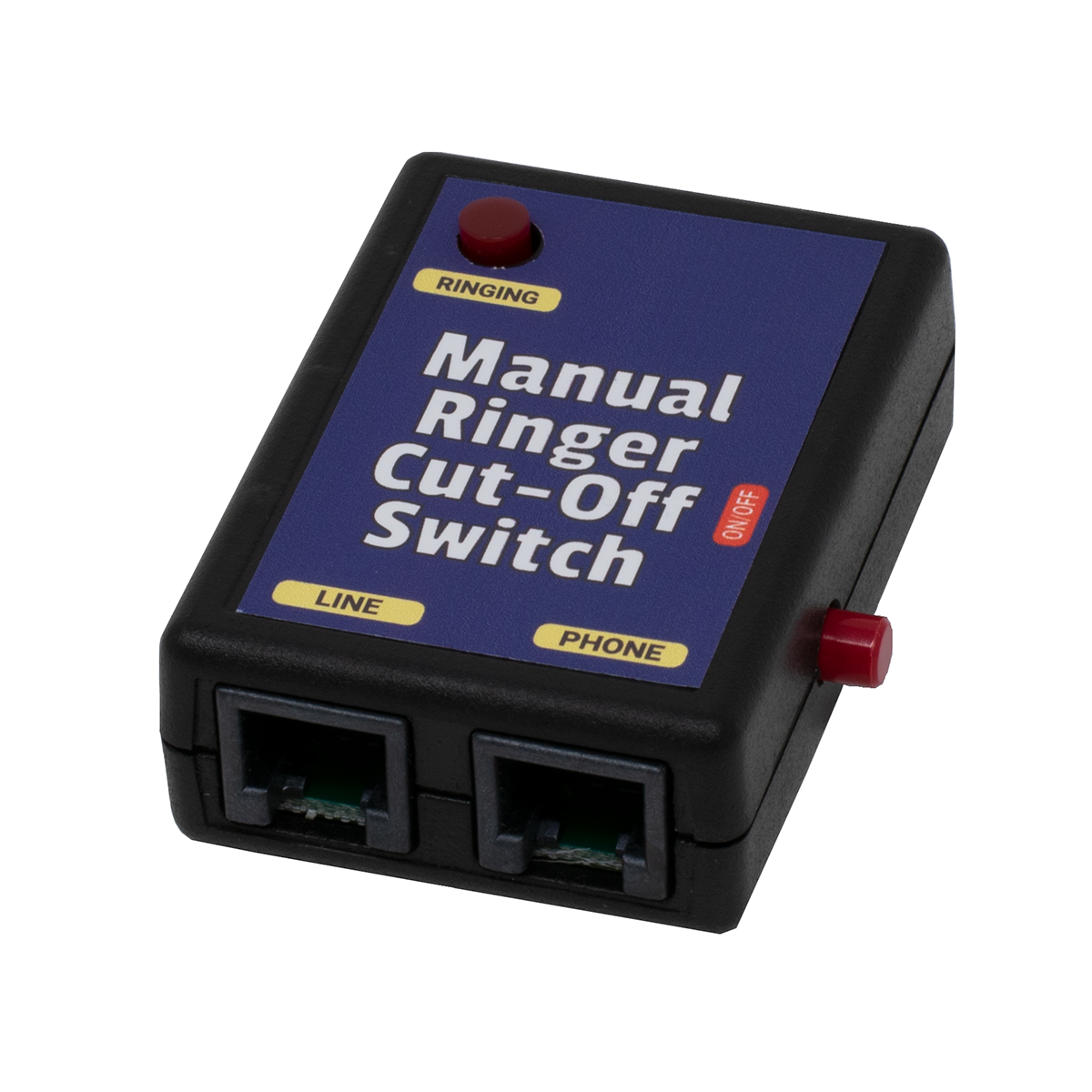
RINGER CUT-OFF SWITCH

Our Ringer Cut-off Switch STOPS phones from
ringing... but you can still call out!
ONLY works on analog phones, not electronic system phones.
Great for turning off your ringers at night.
Use it to stop your Fax Line from ringing your phones (but you can still make outbound calls), or to prevent
guests from knowing your phone is ringing.
- Outgoing calls are not affected
- ON/OFF Switch
- Indicator light flashes to remind you the phones aren't ringing
- Modular In & Out Jacks
- Must be installed IN FRONT of the phone or phones you don't want to ring.
IMPORTANT NOTE: There is a trace you can cut under either the Manual or Automatic Ringer Cut-Off Switch that will disconnect the phone(s) connected in-series with it entirely (not just shut off the ringer). Remember that it's not safe to do this if no other phones are available to make emergency calls!
Part Number: MIS9M Price: $28.95
AUTOMATIC RINGER CUT-OFF SWITCH
Turn the ringer off automatically - especially convenient at night!
Automatic Ringer Cut-off Switch
It's not safe to turn the whole phone off, since you couldn't reach 911 in an emergency.
Controlled through a regular AC outlet. Includes an AC Adapter (Power Cube) that you can plug into a lamp timer (available at hardware stores).
IMPORTANT NOTE: There is a trace you can cut under either the Manual or Automatic Ringer Cut-Off Switch that will disconnect the phone(s) connected in-series with it entirely (not just shut off the ringer). Remember that it's not safe to do this if no other phones are available to make emergency calls!
Cutting the trace works great for factory phones that need to be shut-off entirely after 5PM.
Part Number: MIS9F Price: $36.95
HANDSET AUDIO FEEDER™

Play Audio from your PC, MP3 Player, CD
or PA Amplifier into your Phone's Handset
Speed Dial from your PC or MP3 Player, or play
Pre-Recorded Greetings or Sales Pitches to a Caller!
Make the World's Biggest Speed Dialer using the
Handset Audio Feeder™, and your computer or MP3 Player!
Just plug it in between the handset cord and the phone!
Plug the included 3.5mm Stereo Cord with Stereo Y Adapter into your PC's sound card or an MP3 player's headset jack, and feed the audio into your phone
The Handset Audio Feeder™ works with any telephone that uses an electret type of microphone in the handset (which is in most modern phones), and where the dial is in the base (not in the handset).
To speed dial, you would need an application to "play" the Touch Tones back at the right speed, in the right order, with the right amount of pause between each digit.
A FREE Windows DTMF dialing application that lets you create a speed dial list is available at:
http://www.silverstones.com/DTMFDial.html
A shareware Windows DTMF dialing application that lets you create a speed dial list, which is around $30 to register, is available at:
http://www.phonedialerpro.com/#PDP
If you use Phone Dialer Pro, be sure to go into Options and click Dial without Modem, which will send dialing through the sound card. This program lets you assign a hot key to capture phone numbers off your PC screen, and even right click to dial a phone number from a web page.
You don't have to use any PC application to dial... Except a
wav or MP3 playing program, or an audio (MP3) player.
Just record yourself dialing a phone number with our Deluxe Handset Recording Adapter, save it to a name like MikeSandmanOffice.wav, and play it back when you want to dial. Many music players let you make categories for songs which you can use to sort your speed dial numbers, and they allow you to hit the first letter of the name of the file to find a particular tune (speed dial number in this case!).
Click HERE to listen to the speed dial for our office.
If you have a 256 Meg MP3 Player, which is about the smallest you can get today, you could store 2,500 of the wav files like the one above (which is around 90K). A 2500 number speed dialer that fits in the palm of your hand, and sits nicely next to the phone on your desk!
If you had a Handset Audio Feeder™, you just play that wav file (recording of the digits) from your computer or audio player, and it will dial the number in the recording. Again, to make an audio recording of the dialing, you'll need our Deluxe Handset Recording Adapter to record the dialing to sound files on your computer (and then transfer them to your MP3 player, if desired).
To play back a sales pitch or greeting (to save your voice!), you'll need the Deluxe Handset Recording Adapter attached to the handset jack of your phone to record yourself. You only need it while you're recording what you want to say, so you only need one per office if that's what you're using it for. That will let you use the sound recorder application that came with your computer to record the sales pitch.
By using the same handset or headset as you do on normal calls, the recording you make will sound like you're speaking live when you play that recording to the person on the phone. If you use a computer microphone or regular tape recorder to record the sales pitch, it won't match - and it will sound silly.
Click HERE to listen to Mike's greeting, recorded to his PC using the Deluxe Handset Recording Adapter.
Notice that it sounds like Mike is talking on the phone, so if he clicks PLAY on his PC wav player, the caller wouldn't know the greeting was recorded. That would be very handy if you have to repeat a long sales pitch numerous times every day!
Because the Handset Audio Feeder™ connects to the handset cord (not the wall jack), it will feed audio into almost any phone made (with a dial in the base), including electronic, digital and VoIP phones (since the handset cord is always analog audio). It won't work with cordless phones or Trimline type phones with the dial-in-handset (the handset cord on those phones don't contain the same signals as a regular phone).
To send or receive audio to cordless and Trimline type dial-in-handset phones, use our Phone Line Audio Coupler, that connects directly to an analog phone line or station port (instead of to the handset jack).
You can send almost any audio through the handset on your phone! To play the audio from a PC or PA system through your phone's handset, all of the audio sent to the 3.5mm Stereo Cord will be heard by the person on the other end of the call. Connect it to the headset jack on a tape recorder, Line Out or Speaker Out on a PC sound card, or a 600 ohm line level output on a PA amplifier (don't connect it to a 70V speaker line output, but it will probably work OK on an 8 ohm speaker output).
There is no volume control on the Handset Audio Feeder™, so you'll need to adjust the volume on your computer or audio player for best match. There is a switch on the Handset Audio Feeder™ that allows you to turn on or off the audio feed from your PC, so the caller won't hear You've Got Mail or other sounds that normally play on your PC.
Because the Handset Audio Feeder™ is transformer isolated, it will prevent hum and distortion in the audio being sent from your computer or audio player.
NOTES:
The Handset Audio Feeder™ only sends the LEFT channel to the phone. This shouldn't matter in most cases, but you may have to switch the computer or audio player to MONO in your particular application. You can place a special order for a Handset Audio Feeder™ that sends a mono signal from both the LEFT and RIGHT channels to your handset, but if you plug it into your PC with the included Stereo Y Adapter, you'll always hear a MONO signal from the PC's speakers - that are also plugged into the Stereo Y Adapter.
Some VoIP phones don't have sidetone (you can't hear your own voice in the receiver while you're speaking), in which case you won't hear the audio that's going down the phone line (but they will hear it on the other end of the call).
Custom and Private Label versions available.
Part Number: MSC3M Price: $39.95 ||| 3+ Price: $38.80
MAKE BUSY SWITCH
Make Busy Switch
The Make Busy Switch throws a short on the phone line, which will make it ring busy on incoming calls.
It simply turns off the phone line, so you can't make or receive calls, and incoming callers hear a busy signal.
Great for turning off a second or third line that hunts from the first line so you can use one answering machine, or turning off the phone line so you're not disturbed.
- Indicator light to remind you that the line is busy
- Modular In & Out Jacks
- Can be installed anywhere on a phone line.
Part Number: KIT7K Price: $28.95 ||| 3+ Price: $26.95 ||| 10+ Price: $25.95
AUTOMATIC MAKE-BUSY SWITCH
Make callers hear a busy signal automatically, at certain times of the day or night.
Automatic Make Busy Switch
Controlled through a regular AC outlet. Includes an AC Adapter (Power Cube) that you can plug into a lamp timer (available at hardware stores).
IMPORTANT NOTE: It's probably not safe to make the only phone line in a house busy, since you won't be able to dial 911 if you don't turn it off.
Part Number: KIT7L Price: $38.95
TKM Modular A/B Toggle Switch with Front Switch - Ivory
Front Mounted Toggle
External wiring uses a single 6 Pin Mod Cord or two 4 Pin Mod Cords
A/B Usage 
The Jack labeled RJ-14 Is actually a 6 Pin Jack (RJ-12), so you can
run a single 6 Wire Mod Cord (instead of using 2 Mod Cords):
6 Wire Mod Cord Wiring
Part Number: MSC8T Price: $17.95 ||| 3+ Price: $16.95
TKM Modular A/B Toggle Switch with Front Switch - Black
Front Mounted Toggle
External wiring uses a single 6 Pin Mod Cord or two 4 Pin Mod Cords
Part Number: MSC8S Price: $17.95 ||| 3+ Price: $16.95
TKM Modular A/B Toggle Switch with Top Switch - Ivory
Top Mounted Toggle
External wiring uses a single 6 Pin Mod Cord or two 4 Pin Mod Cords
Part Number: MSC8R Price: $17.95 ||| 3+ Price: $16.95
TKM Modular A/B Toggle Switch with Top Switch - Black
Top Mounted Toggle
External wiring uses a single 6 Pin Mod Cord or two 4 Pin Mod Cords
Part Number: MSC8Q Price: $17.95 ||| 3+ Price: $16.95
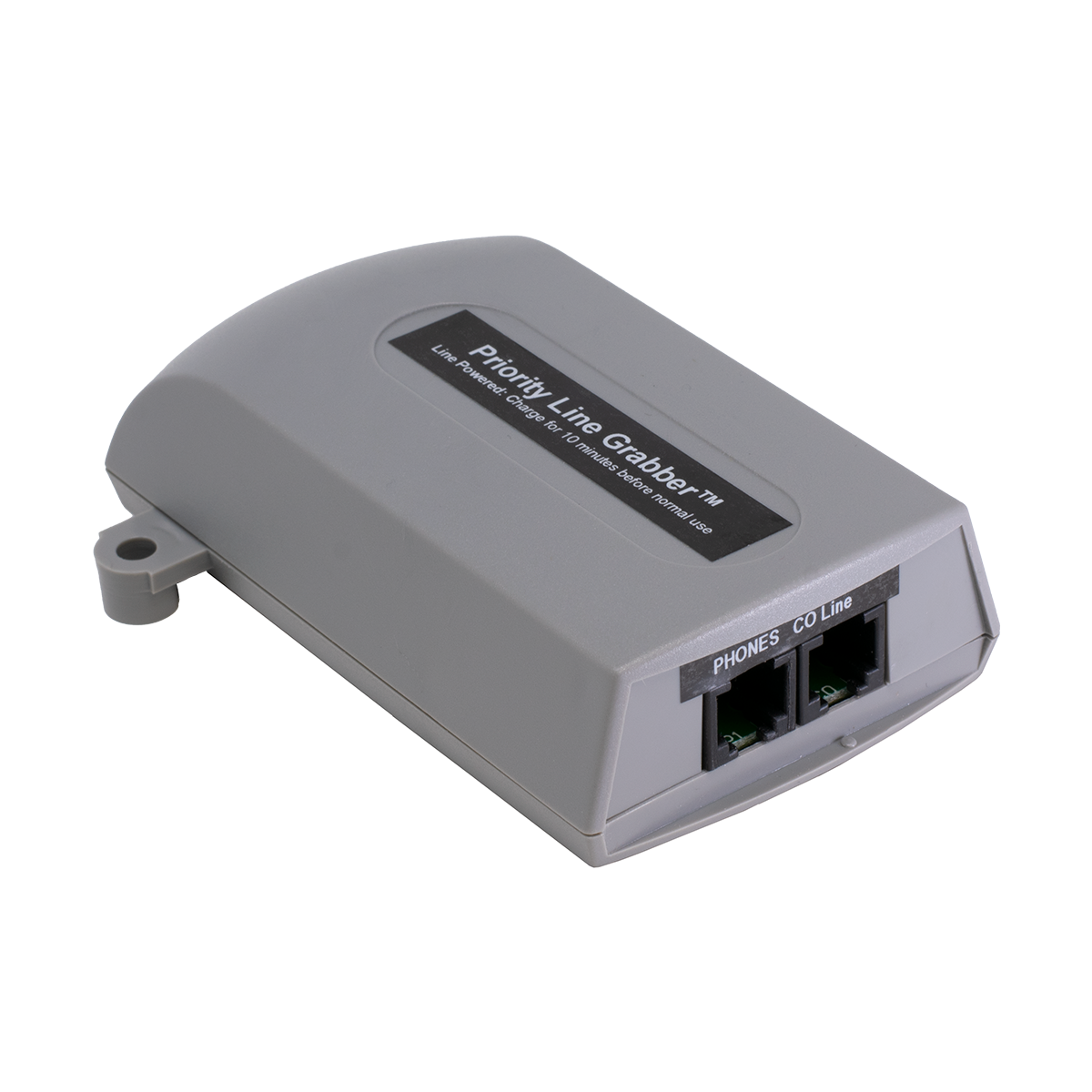
CO LINE BEEP TONE GENERATOR
CO Line Beep Tone Generator
Provides Beep Tone to Indicate You're Recording the Conversation
Goes in-series with the phone(s) or phone system, and the CO Line.
Easy to Install. Line Powered. Always Beeps while you're talking on any phones connected in-series with the Beep Tone Generator.
Has a tiny volume control to adjust how loud the BEEP is (requires a very small screwdriver).
Part Number: WAL9G Price: $52.95 ||| 10+ Price: $49.95
3.5mm STEREO Y ADAPTER
3.5mm Stereo Y Adapter
Connects two 3.5mm stereo or mono plugs to a singe 3.5mm Stereo Plug (also works on mono).
Part Number: MON9K Price: $3.99
ULTIMATE CALL HANDLER
THIS BOX DOES EVERYTHING!
Well... Almost Everything!
The Ultimate Call Handler uses One Phone Line, which MUST have the 3-Way Calling Feature from a US Phone Company. Because it uses the Phone Company's 3-Way Calling feature to connect calls together, the volume on all calls is perfect (unlike other devices or phone systems that use two separate phone lines, which cause serious low volume problems).
While you can't do all of these things at the same time with the Ultimate Call Handler, you can use two features - like the WATS Extender feature by simply entering your PIN number before the Ultimate Call Handler starts to dial when Diverting, Transferring or doing a Call Back. Very slick!
- Call Bridge - WATS Extender
- Call into unit, enter security code, dial anywhere in the world!
- Dial #8 to make another call... without
hanging up!
- The Caller ID that's sent is for the line
the Ultimate Call Handler is connected to.
- Gives you a perfect connection.
- Call Diverter - Call Forwarder
- Reprogram the destination number anytime, from anywhere.
- Record 8 second "greeting" telling caller to "wait a moment."
- Can divert to a second number if no answer on the first one.
- Eliminates phone company's "Call Forwarding" charge.
- Set to Divert on 1st to 10th ring (gives you time to pick up the line).
- Call Transfer to Another Number from PBX or Centrex Lines
- Requires Centrex, or a PBX "CO Hookflash" feature code on the analog station port the Ultimate Call Handler is connected to.
- Can transfers a caller directly into a voicemail box after X rings.
- Requires no integration between voicemail and phone system.
- Allows combination of Call Forwarding to a number, with Call Transfer to voicemail extension (up to 5 digits) if no answer!
- Call Back - International Long Distance Saver
- Record 18 second "message" (remotely), telling hotel operator to
transfer the call to a particular room (repeated once).
- Dial into the ULTIMATE CALL HANDLER from the Call Back number, and hang up after 1 ring. It then calls you back so you can enter your PIN to make a call.
- Dial #8 to make another call... without hanging up.
- Reprogram the Call Back number and "message" anytime.
- Also works as Call Forwarder (with 8 second greeting), sending callers to the same foreign number used for Call Back.
- More privacy than using a "Call Back" service provider.
- Savings of up to 80% over foreign phone company billing.
Great for Answering Services... Put one at each Subscriber's phone, to see his number on Caller ID (you'll know how to answer the line!).
Great for Transferring Calls OFF PREMISE... Route calls through an Automated Attendant on a PBX or Key System, with NO Loss of Volume!
To transfer calls off-premise, you need to have 3-Way Calling on the CO lines, route the call to an analog port, and know the code to do a CO hookflash from an analog station (something like #6 on Panasonic). The will be no loss of volume when you transfer calls this way.
Features:
- Non-Volatile EEPROM Memory
- Programmable 4 digit security code
- Program on-site or remotely
- No computer connection - Everything is DTMF
- Works with fax machines and modems
- Disconnects based on call timer duration (hit any digit if you
hear the warning tone), CPC signal, or 2.5 minutes of silence
- Operates from 110V AC Power Cube (included)
- FCC Registered
When using the Ultimate Call Handler as a WATS Extender or during programming, you are prompted with beeps. There are no voice prompts (to prevent hackers from accessing your line), so you'll have to use the Ultimate Call Handler for a day or two to get used to its operation. A "technically challenged" person may never be able to use the Ultimate Call Handler.
Callers who are simply being transferred or diverted won't hear any beeps or have to enter anything, they'll just be transferred like they were calling the second number directly. There is a short delay while the Ultimate Call Handler quickly hookflashes and dials the second number, during which you can record a short message like Please Wait One Moment if you'd like.
IMPORTANT NOTE: The Ultimate Call Handler is made to use standard US style 3-Way Calling, where you can hookflash as soon as you're done dialing the second party's phone number. In other countries, and with most VoIP devices, after you dial the phone number for the second party, you MUST wait for the second party to answer before hookflashing, so the Ultimate Call Handler won't work on VoIP or in other countries where you can't hookflash until the outside party answers.
Part Number: WAL3A Price: $189.95
3.5mm MONO FEMALE (Jack) to 2.5mm MONO MALE (Plug) ADAPTER
3.5mm Mono Jack to 2.5mm Mono Plug Adapter
Part Number: HST2M Price: $0.99
6 FOOT MONO 3.5mm MALE to 3.5mm MALE AUDIO CORD
6 Foot MONO 3.5mm Male to 3.5mm Male Audio Cord
Part Number: SWI4B Price: $1.99
HOWLER Hangup Device: Disconnects a Phone Line that's Left Off Hook!
If your child or pet has ever knocked a phone off the hook, and nobody could call you all day, The Howler Hangup Device will hang up the phone for you!
If your modem locked up and nobody could call you all day, The Howler Hangup Device will hang up the phone for you!
If your mother or grandmother has ever knocked their phone off the hook, and you couldn't call them all day, The Howler Hangup Device will hang up the phone for them!
It's like having someone checking your phone line for you, all the time!
The Howler Hangup Device disconnects the line when it hears the loud beep-beep-beep that the phone company uses to tell you to hang up your phone when you've left it off hook (called a "Howler"). The built-in ringer will alert you if you have a call while your phone has been automatically disconnected. When you finally hang up your phone, The Howler Hangup Device reconnects it automatically, and waits for the next time!
The Howler Hangup Device installs easily in front of a single phone, or you can install it in front of all of the phones or a phone system in the home or office (just make sure you can hear the built-in ringer which reminds you to hang up the line).
Also works in front of phone systems, when the phone company doesn't provide a CPC Signal (Calling party Control) to release the call from hold or drop the voice mail when the outside party hangs up. The Howler Hangup Devicer disconnects the line, which will cause the phone system to drop the line so it's ready for the next call (all happens automatically).
Because the Howler is such a distinctive tone, The Howler Hangup Device cuts off the line very quickly.
- Complete with A/C Adapter and Built-in Ringer
Click here to listen to a sample message followed by the howler tone. Be sure to turn down your speakers!
Part Number: WAL3R Price: $49.95
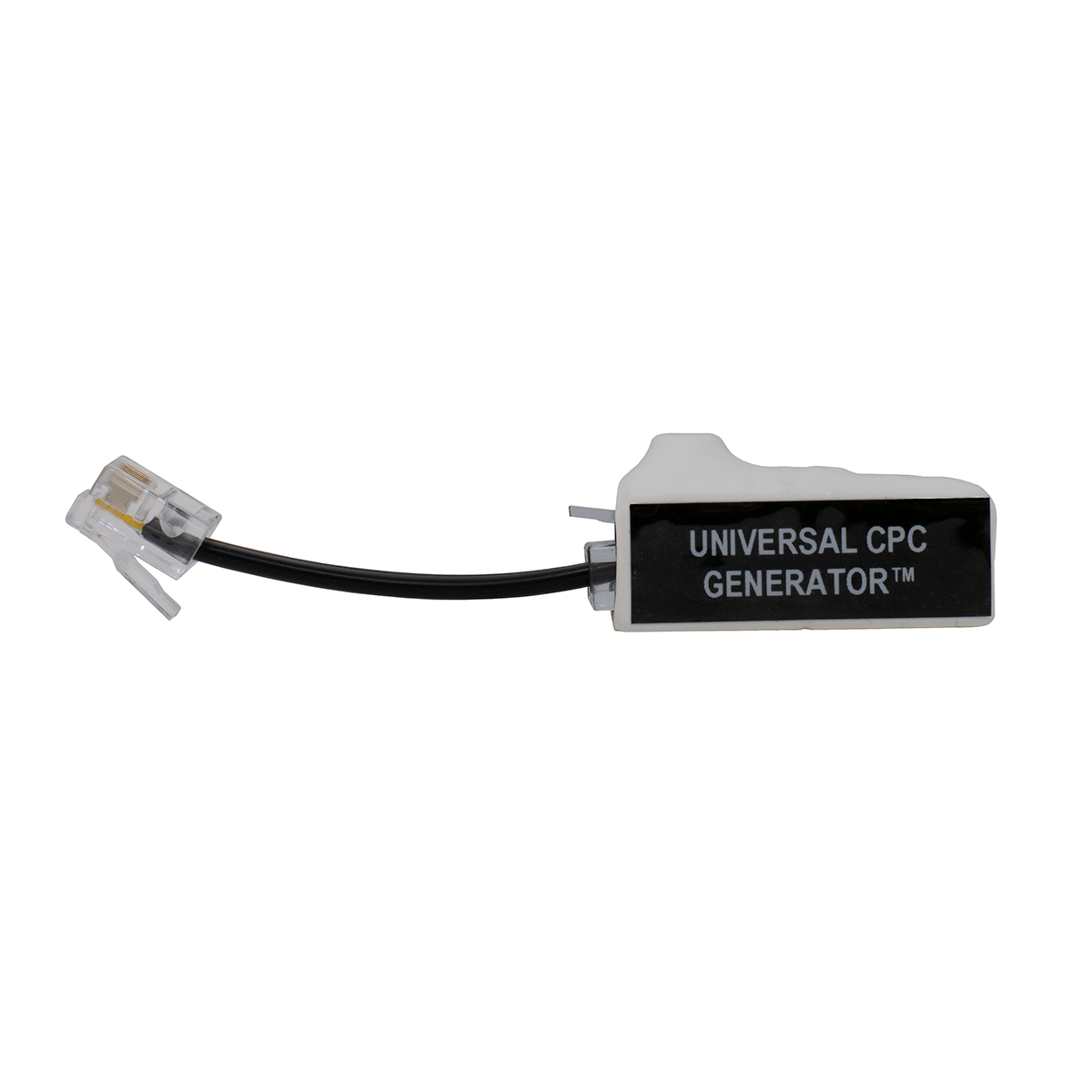
CPC GENERATOR
MAKE A STATION PORT HANG UP!
Many Phone Systems don't pass the CPC Signal (Calling Party Control) from the CO Line to the station port.
Those systems then usually return dial tone or a busy signal to the station port after the CO line disconnects, which keeps the Voice Mail or other device from hanging up.
The end result is Voice Mail messages that have a lot of junk at the end of them, or ports that stay tied up for a long time (or until manually reset). This makes it necessary to have more ports and bigger hard drives than are really needed, to make up for the lack of a CPC Signal.
The CPC Generator is specifically made to go in-front of a voice mail system, where phone calls are never put on hold. If you put this in-front of the CO line on a phone system, where conversations are taking place and someone could be put on hold, it probably will cut the callers off when it hears music (which by definition is a repeating cadence). We do have a version of the CPC Generator that will wait for 18 seconds of repeating cadence, which is pretty safe, but that means there will be 18 seconds of busy signal at the end of each voice mail message.
We have several models of the CPC Generator, which listen for different things. We have a model that listens for 4 seconds of steady tone and repeating cadence (reorder or busy), one that listens for 10 seconds of steady tone, repeating cadence AND silence, models that listen for ONLY steady tone (4 seconds and 10 seconds), and a model that listens for 18 seconds of repeating cadence. When you call us to order, we'll ask you what your application is. There are actually two part numbers to make a CPC Generator.
It's generally safe to use our model that listens ONLY for 4 seconds of steady tone, since you'd almost never hear that during a conversation - but you may not be lucky enough to have dial tone when the trunk hangs-up (it's often silence or reorder/busy). The model that listens for 18 seconds of repeating cadence is also pretty safe to use (not many musicians can play the same exact beat for 18 seconds).
It's not a good idea to use the CPC Generator to solve a paging problem, where a busy signal or dial tone will continue over the speakers for 4 seconds until the CPC Generator kicks-in (leading to bodily injury to you the next time you go back to that customer!).
The best solution for phone systems that don't have an external page port, and where a spare CO trunk isn't available, is to use the speaker leads in an electronic station set. Find an old phone, put it in the phone room, cut the speaker out and connect the speaker leads from the phone to the input of the page amp (program that phone for the page zone you want). You may need our Audio Transformer with Volume Control, to isolate the phone system from the page amp (to prevent hum and noise).
Station-level paging is usually hard to use on a phone system because of the lack of CPC. If you need zone paging, you may be able to use multiple electronic phones with the speaker leads wired to the Zone Paging Adapter? Our DTMF Flash Generator may also help in that case.
Help for:
- Voice mail
- Dictation Machines
- Answering Machines
- Remote Control Systems
Click here to go to our CPC Technical Bulletin
Our Howler Hangup Device listens specifically for the telco Howler tone, which is safe to use on trunks. It triggers very quickly, since the howler is such a unique tone. That may also solve your problem.
Part Number: MIS1I Price: $74.95
4 SECOND REPEATING CADENCE / STEADY TONE CHIP for CPC Generator
Part Number: MIS2H
10 SECOND REPEATING CADENCE / STEADY TONE / SILENCE CHIP for CPC Generator
Part Number: MIS9H
18 SECOND REPEATING CADENCE CHIP for CPC Generator
This chip is pretty safe to use for a repeating cadence (Busy or Reorder), since it's unlikely music would have exactly the same repeating beat for 18 seconds (but not impossible).
Part Number: TLS7R
4 SECOND STEADY TONE CHIP for CPC Generator
Part Number: TLS7S
10 SECOND STEADY TONE CHIP for CPC Generator
Part Number: TLS7T
60 SECOND SILENCE CHIP for CPC Generator
Part Number: TLS7Q
3 MINUTE SILENCE CHIP for CPC Generator
This chip is pretty safe to use for silence detection, since it's unlikely someone wouldn't come back on the line within three minutes if they are left on hold.
Part Number: TLS7G
60 SECONDS of SILENCE OR BUSY / REORDER CHIP for CPC Generator
This chip will cause an open if it hears 60 seconds or either Silence, Busy or Reorder signals.
Part Number: TLS7N
3.5mm MONO MALE (Plug) to RCA MONO MALE (Plug) Audio Cord
6 Foot MONO Male RCA to Male 3.5mm Audio Cord
Part Number: SWI4C Price: $1.99
6 FOOT MONO MALE RCA to MALE RCA AUDIO CORD
6 Foot MONO Male RCA to Male RCA Audio Cord
Part Number: SWI4A Price: $1.99
CPC TESTER
CPC Signal Tester
CPC stands for Calling Party Control
The CPC Tester will tell you whether you're getting a CPC signal,
which tells your system the trunk has hung-up.
In the US, a CPC signal is an open loop (0VDC), typically for 800ms. If the telephone equipment is programmed to detect an open for 500ms (usually called Open Loop Disconnect Time in the system programming), the phone system will hang-up the trunk when it detects the 0 volts for 500ms (even though the open loop continues until 800ms).
Without the CPC Signal, voice mail, answering machines, dictation machines and any other automatic telephone equipment won't hang-up when the outside party hangs-up.
The CPC Tester makes it incredibly easy to see if you're getting a CPC signal, and what the duration is. Once you know if you're getting a CPC and the duration, you can program the phone system to detect an open for that amount of time.
The CPC Tester also detects a reversal, which is no longer used in the US (since the last Step-by-Step switch was upgraded). Battery Reversal is still used in some foreign countries as a CPC signal, which means that foreign telephone equipment used in the US probably won't detect an Open Loop Disconnect.
It's easy to use:
- Plug it into the line
- Make a call, and have the person on the other end hang up
- The top red LED will flash for the length of the CPC signal, and one of the lower LEDs will light up indicating the duration of the CPC signal
It's Line Powered, and there's NO Button to Push!
If you're not getting the CPC signal from the phone company, you can usually ask them to supply it on the phone line. If you are getting it, then you have to find out why your phone equipment isn't detecting it, or why the system isn't passing the signal through to the single line station port with voice mail, a dictation machine, etc.
More information about CPC is in our CPC Tech Bulletin. Be sure to take a look at it before going to battle with the Phone Company!
If you can't get a CPC signal, see our CPC Generator and DTMF
Flash Generator, a little farther down the page
NOTE: Most phone lines give a very short CPC (open loop) signal either as soon as you pick up the line, or as soon as you've finished dialing. You'll see this open loop on the CPC Tester. If the phone system is programmed for a very short open loop (like 20ms), you may not be able to make any phone calls because the phone system thinks it's getting a CPC signal right at the start of the call. The CPC Tester could help diagnose that type of problem, where the fix would be to simply change the Open Loop Timer in the phone system to 500ms.
Part Number: TOH7N Price: $49.95
DTMF FLASH GENERATOR
DTMF Flash Generator
This amazing line powered device will flash (or hang-up) the line for up to a second in response to a pre-programmed code. It's always listening on the line.
A great device for phones without a flash key or no buttons left to program as a flash key. Put it on an Automated Attendant and allow it to do a Centrex flash right on the CO line, to transfer calls off premise. Put it on a cordless phone with no flash key. It will always flash the line for the pre-programmed time when it hears the pre-programmed trigger code. No guessing about how long to hold down the hook-switch! Dial the code from a phone on either end of the call.
The DTMF Flash Generator works well in response to DTMF A, B, C and D tones (fourth column tones).
The line powered DTMF Flash Generator is easily installed in-series with an analog CO line or station port using a modular jack. Programming is password protected, for remote or on-site programming via a DTMF phone.
Using the DTMF Flash Generator to provide a CPC:
Many phone systems allow in-band signalling to indicate to the device connected to an analog station port that the trunk has received a CPC signal from the phone company, and the outside party has hung-up. In-band signalling can be a DTMF digit (including A, B, C and D fourth column tones), dial tone, busy signal or reorder tone. These tones are usually used to signal a voice mail system that the outside party has hung-up.
It's usually necessary to program the phone system's analog station port as a voice mail port in order to use in-band signalling (this is how integration was done in the past). If the system supports sending a DTMF digit when it receives a CPC signal on a trunk, this is the most dependable way of proving an open-loop disconnect to the device on the analog station port. Any other methods have to recognize a tone or silence, which can lead to cut-offs when you don't want them.
Keep in mind that even if the phone system does support in-band signalling when it receives a CPC on a trunk, it may not send the DTMF digit when on a station to station call. That means that a voicemail will hang-up on trunk calls, but not on messages left from a station
In any event, you'll have to do some programming and testing, listening to see if there's a DTMF digit as a CPC on both trunk-to-station and station-to-station calls.
Part Number: MIS1D Price: $52.95 ||| 3+ Price: $49.95
MAKE A SILENCE DETECTOR, TO CREATE A CPC SIGNAL
If you're brave, you can make a silence detector yourself out of some of our relays.
Most voice mail systems detect silence with no problem. For the occasional phone system that returns silence instead of some kind of tone, and your voice mail won't detect it, you'll need a Silence Detector.
This device will work fine on voice mail, where it's unlikely there will ever be much silence, but it won't work well in front of a phone system where someone could easily be put on hold - and there'd be silence on the line for a minute or more, which would cut the caller off.
How to use our Wizard's Tool Box Relays to make a Silence Detector
This circuit will detect from 5 to 50 seconds of silence. To be safe, you might want to add another timer relay between the VOX (Audio Controlled Relay) and the Flash Relay. Our Timer Relay can be set to operate between 1 and 60 seconds, or 1 and 60 minutes. I suppose looking for 4 minutes of silence would be pretty safe?
This solution might also solve problems with T1 channel banks, and other types of "odd" phone lines without CPC, but I personally wouldn't take a chance since there can easily be a minute of silence on a call on-hold.
Wizard's Toolbox™ Relays
from Gary Christiansen
These relays can be used singly or together to do just about anything your customer asks you to do with a phone system!
All are on small (about 1" by 2") circuit boards, with high quality double stick tape backing. They come with spade ended wires (the spades will plug right onto the network in a 2500 set), or you can cut off the spade and beanie the leads where you need them.
The relay contacts on Wizard's Toolbox™ Relays will operate low voltage/low current devices. To operate a 110V AC lamp or start a car, you'll need to use a Slave Relay that can handle the appropriate current!
You do need to know how electricity works to use these relays. We don't offer any support on how to use them, but there is a sample diagram here for each relay. If you can hook up a light bulb, battery and switch, you'll probably be able to use these just fine.
HIGH SENSITIVITY LOOP SENSING RELAY

1 Form A: Normally Open Contacts
WTB-860617-40
Unbelievably sensitive relay has a voltage drop of only 1.5VDC. Will operate with only 5ma of current. Operates when wired in-series with an LED (like in a phone). Because it's so sensitive, it will operate as an A-Lead relay on lines with 24V talk battery, to give you a dry closure when the line is in-use. This relay won't handle a lot of current, because the contacts are so small. Use a Slave Relay for higher current applications, or for inductive loads that could create an arc when switched.
This relay MUST be connected in-series with the device that goes off-hook on the line (senses current). You can make just about anything happen with this relay!
How to use as an A-Lead Relay
There is so little voltage drop through the High Sensitivity Loop Sensing Relay that you can put several relays in-series to activate different devices, even on a VoIP device with less than 48V talk battery.
Multiple High Sensitivity Loop Sensing Relays, for dry-closures to devices when a phone is off-hook
High Sensitivity Loop Sensing Relay when Panasonic Analog Hybrid Phone is off-hook
Using the High Sensitivity Loop Sensing Relay in-series with an LED
NOTE: You can put the coil from the High Sensitivity Relay in-series with a BLF LED in a phone to give you a dry closure when a phone is busy, but it may not work on all phone systems. Phone systems often "strobe" or "pulse" DC voltage to the LEDs on a phone to conserve power (the pulsing is so fast that you can't see it). If that's the case, there may not be enough power to activate the High Sensitivity Relay. The only way to know is to try it.
Part Number: MON4A Price: $20.99
STANDARD SENSITIVITY LOOP SENSING RELAY

1 Form C: Common/Normally Open/Normally Closed Contacts
WTB-860617-10
Gives you a dry closure when the device wired in-series with the coil of the relay is off-hook (drawing current). Don't use this relay for A-Lead control... Use the High Sensitivity Loop Sensing Relay.
This relay MUST be connected in-series with the device that goes off-hook on the line (senses current). It won't work in-series with most digital or electronic phones (but it may work on the first pair of a Partner or Panasonic, which is analog).
Loop Sensing Relay Mutes Speaker to Prevent Feedback
Diagram to connect Relays to stretch a CPC pulse
Part Number: MON4B Price: $16.99
UNIVERSAL RING RELAY

1 Form C: Common/Normally Open/Normally Closed Contacts
40-150VAC at 15-60 Hz.
WTB-871120-20HS
Gives you a dry closure when a phone line rings. This is the relay to use to operate a light or horn when a phone line is ringing.
This relay MUST be connected across the line to operate with ring voltage. It will give you a steady dry closure during the ring cycle - it will not flutter. It will not operate on DC voltage.
Diagram to Create Common Audible Ringing for Multiple Lines with One Ringer
Home Automation Tip: If you've got a really picky customer, with a really fancy house, the next application could make you the most popular Home Automation guy in your area. You can use the Universal Ring Relay to provide different types of ringing for each line (home, business, child, etc.). Since you're probably also putting in a sound system, this diagram shows you how to play a different piece of music or sound effects for each line - as well as the door bell (with the Universal Relay)...
Using the Universal Ring Relay to provide different ringing for each line on a phone system
Ring doorbell when a Panasonic Doorbox button is pushed (needs Latching Relay and other components)
Need to use a bunch of relays? Stick them on a 66 Block Bracket, run the wires around to the front of the block, and punch them down. Label the block, and cross-connect your other stuff to the block. It's easy and professional looking:
66 Block with 5 Relays
Part Number: MON4F Price: $22.99
UNIVERSAL RELAY

1 Form C: Common/Normally Open/Normally Closed Contacts
12-30VDC and 10-24VAC
WTB-871120-10
Nice general purpose relay that operates on both AC and DC voltages.
Universal Relay as Slave for High Sensitivity Relay
Using Universal Relay to turn on or off devices with a CO line key
Part Number: MON4D Price: $17.99
LATCHING RELAY

1 Form C: Common/Normally Open/Normally Closed Contacts
12-56VDC
WTB-871120-10
Trigger the relay and it stays operated until the supply voltage is removed (open the + or -). This is probably the hardest relay to figure out how to use (it's easy after you do it the first time), but it will help you do some neat stuff (see Zone Paging application below).
Create Zone Paging using old 1A2 Buzzer Intercom
Part Number: MON4K Price: $22.99
HOOK FLASH RELAY


WTB-AFU-48
Gives you a 500ms (1/2 sec) open when button (included) is pushed. You need to drill a hole in the faceplate of the phone to mount the switch.
Lets the user "flash" by hitting the button, instead of remembering to hold the hookswitch down for exactly half a second (prevents cut-offs).
The Hook Flash Relay is also very useful for creating a 1/2 second flash (open) on a phone line or station port. Simply cut the switch off the wires, and activate the Hook Flash Relay by shorting the leads with another relay.
SAMPLE APPLICATION:
STRETCH OUT A SHORT CPC TIME OUT TO 500ms, SO PHONE
EQUIPMENT CAN SEE IT:
Parts Needed:
-
Standard Sensitivity Loop Sensing Relay (Our part number MON4B). You can't use the High Sensitivity Loop Sensing Relay because it's not a Form C, it's a Form A. If you have 24V talk battery with low loop current, you may need to use the High Sensitivity Relay with a slave relay (like the Universal Relay with a power supply) to provide the Form C.
-
Hook Flash Relay -
500ms (Our part number MON4H)
Installation Instructions:
-
Place the coil of the Loop
Sensing Relay IN-SERIES with the phone line.
-
Remove the push button switch
(not needed) from the Hook Flash Relay, and connect the blue
trigger wires to the normally open contacts on the Loop Sensing Relay.
-
Place the remaining leads from
the Hook Flash Relay IN-SERIES with the phone line after the Loop
Sensing Relay. These leads are polarity sensitive!
-
When the Loop Sensing Relay
sees a 60ms open, it will trigger the Hook Flash Relay, which will
in turn open the line for a timed 500ms.
Diagram to connect Relays to stretch a CPC pulse
Part Number: MON4H Price: $18.99
RECORD: XATAR and FRIENDS from the Wizard's Toolbox™
Unique Telephone Answering Machine Messages
Xatar (that's pronounced with a Z thank you) started life as an
alter-biological radio character. In the early 1980's he developed a following
as the lead in a phone answering machine soap opera. The slightly irascible
Xatar then went on to produce his own record album of phone answering
machine messages. Being a purist the original album was cut on vinyl. In addition to
showing up on phone answering machines, the album became a party favorite. Xatar is presently
employed as a spokesbeing for the Wizard's Tool Box™ circuits.
Click here to Xatar answering your answering machine.
Click here to hear what Mona would sound like answering your phone (because you're very busy).
Click here for a Far Out greeting for your answering machine.
There are over 50 fun filled tracks on this original collector's vinyl pressing!
Get one for your answering machine, or just to play at your next party!
Part Number: CID1N Price: $16.87
12 or 24VDC SLAVE RELAY

Use this relay to give you more contacts, or improve the current carrying capabilities of an existing relay.
2 Form C
5A Contacts
Jumper Selectable
12 or 24VDC • 50ma coil
Part Number: MON4E Price: $17.99
12 or 24VDC TIMER RELAY

12 or 24VDC
1 to 60 Seconds, or 1 to 60 Minutes
Dip Switch Selectable
This is one of the handiest relays you'll ever use!
Relay is suitable for many functions that require a timed operation. Dip Switch or Jumper Selectable functions include: One Shot, Delayed Release, Delayed Operate, Delayed Pulse and Interrupter/Pulser/Flasher. Also allows for momentary relay activation at the end of a desired timing cycle. This feature eliminates the need for having to use two Timer Relays to achieve this function. Can also cancel (interrupt) timing cycle and reset timer if desired.
12 or 24VDC operation is selectable.
Quick and extremely accurate time range adjustment from 1 second to 60 minutes with pot.
LED indicates relay is energized.
Form "C" relay contacts are 8 AMP at 120VAC/28VDC.
Current Draw: Stand-by 3mA, Relay Energized 40mA.
Triggers via positive DC (+) voltage, dry contact closure, or removal of contact closure.
Selectable relay activation at the start or end of the timing cycle.
One second momentary activation at the end of the timing cycle (eliminates need to use two timers).
Built-in reset feature which cancels timing cycle.
Repeat (interrupter/pulser/flasher) mode.
Part Number: MON4N Price: $34.95
AUDIO CONTROLLED RELAY with DELAY
Voice Activated Audio Controlled Relay
2 Form C Contacts. Needs 24VDC Power Supply. Uses 50ma.
When it hears audio, the relay operates. Adjustable delay turns relay off after 5 to 50 seconds.
High impedance input. Sensitivity adjustment from -30 to 0db.
Works great for muting music during a page, and lighting a light or buzzer when it hears audio. The built-in adjustable delay means the relay won't keep going on and off between words.
Also senses silence!
PROBLEM SOLVER: For a loud ringer or light on an electronic or digital phone, connect this relay to the speaker leads in the set. When someone calls the set (either ringing or voice) the light or bell will sound.
Part Number: MON4O Price: $109.95
AUDIO CONTROLLED RELAY with .5 SECOND DELAY
Voice Activated Audio Controlled Relay
2 Form C Contacts. Needs 24VDC Power Supply. Uses 50ma.
When it hears audio, the relay operates. When the audio goes away, it turns off with almost no delay. It turns off within 1/2 a second.
High impedance input. Sensitivity adjustment from -30 to 0db.
Use this relay when you need a contact that follows audio on and off - with no delay.
Also senses silence!
Part Number: MON4P Price: $117.95
DTMF RELAY

This amazing device will give you a dry closure in response to a pre-programmed DTMF string. Program the closure for half a second, one second, turn it on or off with different codes, or toggle it on and off with the same code. It's always listening on the line.
It has two normally open relays that can be operated at the same time or independently. Useful for switching both the tip and ring to keep the line balanced.
Turn on lights, sirens or anything you can think of by dialing the pre-programmed code. Dial the code from a phone on either end of the call.
It does NOT answer the line. The line must be answered by voice mail, a person, or an answering machine (with or without a greeting) with CPC and/or silence detection (so it will hang up when you're done).
This is a very flexible device that is programmed from a Touch Tone phone. Because it's so flexible, programming can be rather daunting. There are a lot of options.
Easily installed on an analog CO line or station port using a modular jack. Screw terminals for the relay. Use a slave relay for high voltage devices. Password protected programming, remote or on-site, via a DTMF phone.
Requires talk battery to work. Will not work on a dry audio pair. Made for use with telephone lines and station ports.
Requires 12VDC power supply. Draws 40ma.
Part Number: MIS1C Price: $82.95 ||| 3+ Price: $79.95
MAKE YOUR OWN CIRCUITS to do ANYTHING!


YOU CAN MAKE A PHONE SPIN WHEN IT RINGS...If you want to!
This isn't nuclear science. All you need is a basic understanding of electricity - not electronics.
Can you figure out how to connect a battery, switch and light bulb so it lights?
Then you can probably make a phone do just about anything with our Wizards Tool Box Relays... and a little imagination!
While we carry all kinds of buzzers, lights and strobes, if you want to make a phone spin or fly you'll need a local surplus store or flea market. An old turntable might be a great way to make a phone spin when it rings. A small winch, or even a fishing reel attached to a motor would be a neat way to make the phone fly up and down when it rings.
How can you make your own circuit? Just get a few relays, and start connecting them to do something you think would be neat. After you've done it once or twice, especially without the pressure of having a customer breathing down your neck, it gets easy!
Start by making a little "art project" to amaze your friends when they come over to visit, and then move on to meeting your customer's needs.
All of these circuits are for telephone lines with talk battery. You can probably adapt these circuits to work on a line with just audio (and no talk battery).
It's really fun stringing these relays together once you get the hang of it!
Here are a few examples of things you can do for your customers right away:
How to use our Wizard's Tool Box Relays to make a Silence Detector
The Silence Detector will listen for up to 50 seconds of silence, and then hang-up the line for half a second so that the voice mail will hang-up. It creates a CPC signal after hearing 50 seconds of silence. It's dangerous to use on a regular phone line since someone could easily be on hold for a minute or more, but it's safe to use in-front of a voice mail or IVR system where someone would never be put on hold.
How to use our Wizard's Tool Box Relays to make a Fax and Call Alert
The Fax and Call Alert will activate a light, strobe or buzzer when the phone rings. Put this circuit in a little project box with a reset button, and mount the light on the box, or put it in another office to remind your customer to check the fax machine after it has rung.
How to use our Wizard's Tool Box Relays to make a Voice Mail Rebooter
What do you do if your Voice Mail or IVR locks-up and won't answer a phone line or station port? Put the Voice Mail Rebooter on just one of the lines, and it will automatically reboot the PC if the circuit senses more than two rings. You can adjust the number of rings that it takes to reset the PC by simply changing the delay on the Timer Relays. Sure, you'll lose a call, but at least the machine will reboot itself without your going out there in the middle of the night!
What else can you do with the Wizards Tool Box Relays?
Click Here, to let us know how you used them!
DTMF TONE GENERATOR
DTMF Tone Generator
This amazing line powered device will dial whatever DTMF digits you want, in response to a pre-programmed code. It's always listening on the line.
Most Popular Use? Northern Telecom Voice Mail systems can't send a # while sending a DTMF message notification to a pager (# tells the system to hang-up), which some pagers need as an 'Enter key" when done with a message. Simply program the DTMF Tone Generator to activate when it hears a **, and it will dial a # onto the phone line. Dial the code from a phone on either end of the call. Pretty slick!
It's easily installed in-series with an analog CO line or station port using a modular jack. Password protected remote or on-site programming via a DTMF phone.
Part Number: MIS1H Price: $52.95 ||| 3+ Price: $49.95
DRY CLOSURE MONITOR/DIALER

This Dialer will call a number you program into it, when it receives a dry closure (short).
Most people use this to dial a pocket pager or cell phone, to let them know that something is in an alarm condition.
Short the contracts, and it will dial the phone number you program into it, followed by another string of digits that you program into it. These digits may indicate the site location, the type of alarm, etc. There are two inputs for dry closures, so you can have two alarm conditions sent by DTMF string.
Easily installed on an analog CO line or station port using a modular jack. Easy clips for connecting the wires for the dry closure. Password protected programming, remote or on-site, via a DTMF phone.
Requires 9VDC power cube (Part number TOH90 at $8.95).
Part Number: CID9T Price: $139.95
PHONE LINE FAULT RELAY

The Phone Line Fault Relay will detect a Dead Phone Line (no voltage) and give you a dry closure. It connects using 8 pin modular jacks (RJ-31X).
- Checks the telephone line each second for voltage (does not check for dial tone)
- Delay before alarm selectable at 30 seconds or 5 minutes
- SPDT Form C alarm relay output handles 2 amps at 125VAC or 28VDC
- LED blinks for normal operation, or on for alarm state
- Terminal strip connections for alarm
- 8 pin modular connections for phone
- Requires 12 or 24VDC at 45ma
Since the Phone Line Fault Relay has an RJ-31X (8 pin jack), it's compatible with both regular telephone devices and alarm systems. Because it has an 8 pin jack, the easiest way to connect it for use with regular phone equipment is to use our 4 Pair 15' Solid Wire Cord, which lets you punch down the pair or put the wires under screws on a regular biscuit jack (Part number SWI3C at $4.89).
Part Number: MON4M Price: $48.95 ||| 3+ Price: $44.95
RS-232 RELAY
RS-232 Relay provides a dry closure, generated by a PC.
Very quick and easy to use!
Comes with a program you can run (from a batch file or Windows Scheduler) to turn the relay on or off. Also comes with VB source code so you can turn the relay on or off from your own custom program.
Requires a serial port or USB to Serial adapter on the PC. Has a modular jack to allow use with a modular cable for the dry closure. Provides a Form A dry closure.
Part Number: MON4C Price: $69.95
VARI-TONE RINGER

Vari-Tone Ringer
The World's Best Sounding Ringer!
Tone Control lets you adjust the ring from a slow to a fast warble. There are 2 Volume Settings, plus OFF.
By setting the Tone Control so two or more Vari-Tone Ringers sound different, you can easily tell the difference between which line is ringing, or which analog phone is ringing (use call coverage to an analog station port for electronic phones).
This isn't your average shrill sounding Ringer. It just plain sounds great!
Includes both a Modular Cord and Modular Jack.
Part Number: WAL5N Price: $32.95 ||| 3+ Price: $31.95
IVORY ADAPTER TO CONVERT AN RJ-45 JACK TO AN RJ-11 SIZED JACK

Ivory Adapter to Convert an
RJ-45 8 Pin Jack to an RJ-11 Jack
Small plastic insert slides into any regular RJ-45 8 Pin jack (8P8C), to change it to an RJ-11 sized jack (6P4C).
If you plug an RJ-11 or RJ14 (6P6C or 6P4C) plug into an RJ-45 (8P8C) jack wit