

RECORDING and PLAYBACK to and from PHONE LINES and PHONES
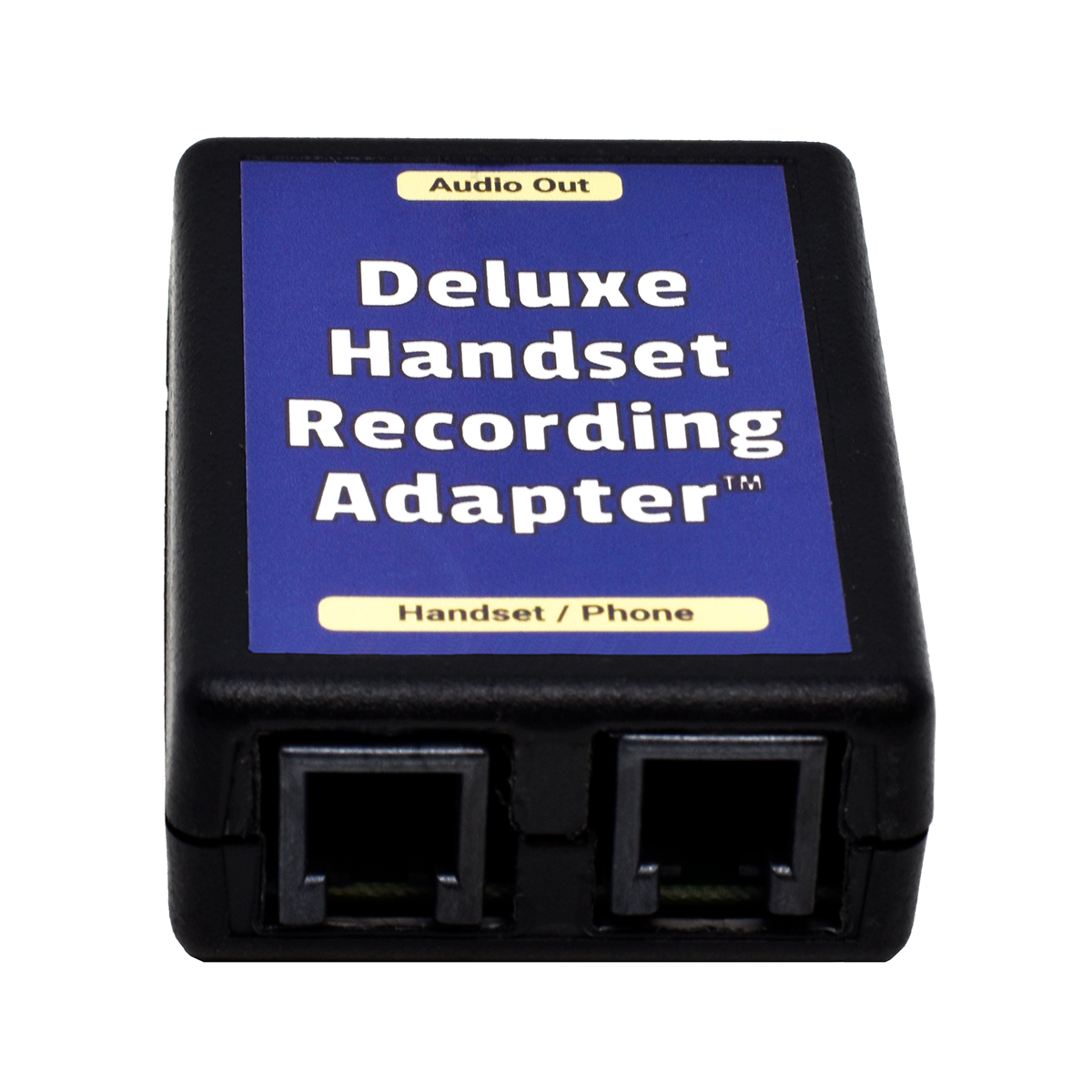
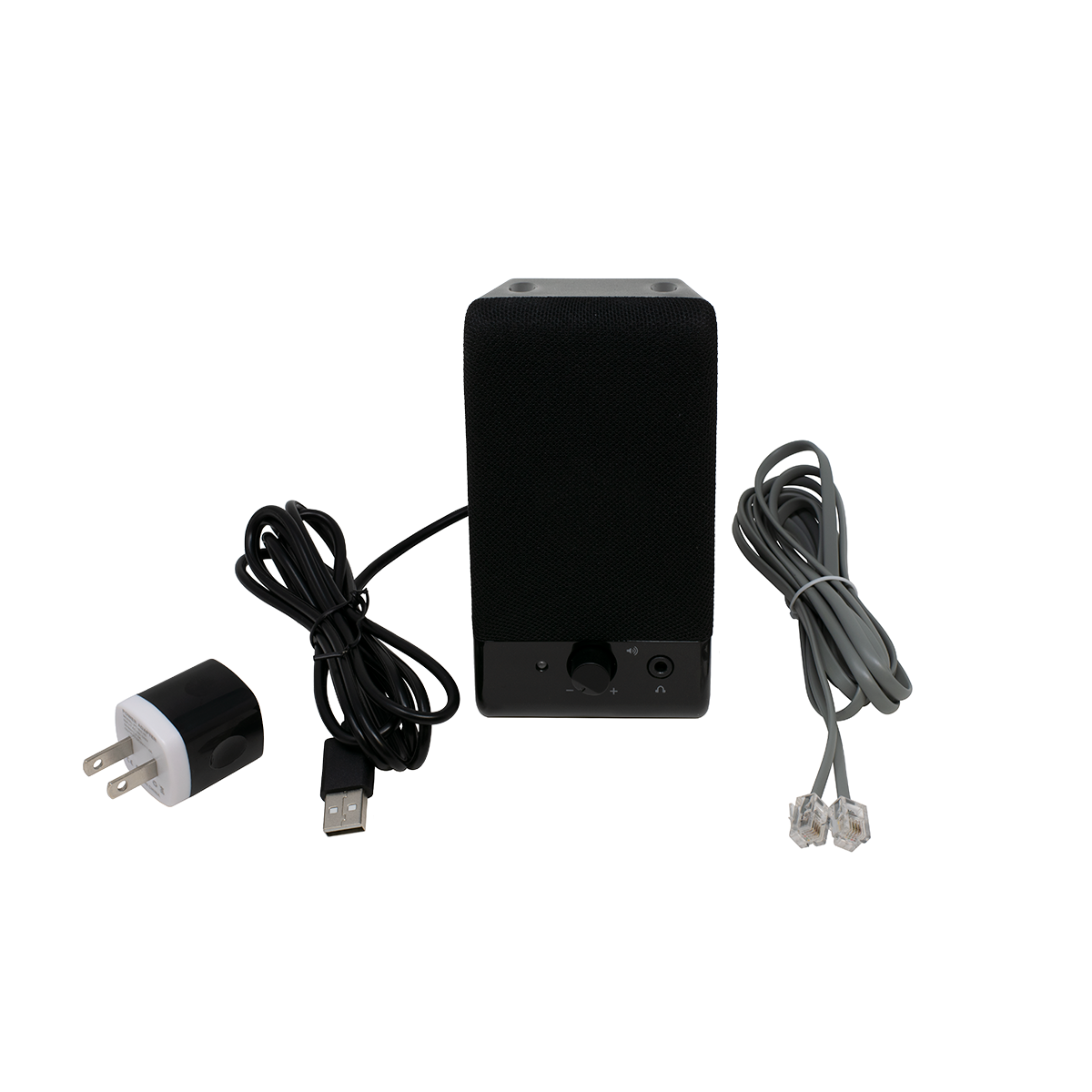
DELUXE HANDSET RECORDING ADAPTER

Record Conversations from your Phone
to your PC or Stand-Alone Recorder
DELUXE Adapter works with PCs and Stand-Alone Recorders
Just plug it in between the handset cord and the phone!
Because the Deluxe Handset Recording Adapter outputs the same audio you hear on your handset, which has exactly the right mix of your voice and the caller's voice, your recordings will sound great!
If you record directly from a regular phone line instead of the handset, your voice is usually much louder than the callers voice, making the recordings difficult to listen to.
Plug the modular cord into the handset jack on the phone, and plug the handset cord into the Deluxe Handset Recording Adapter. Then plug the 3.5mm Stereo Audio Cord into the mic or line jack on the PC sound card, or into a stand-alone recorder.
Use your PC's sound recording application, or just start recording on your recorder.
There is no volume control on the Deluxe Handset Recording Adapter, so you'll need to adjust the volume on your computer or recorder.
The Deluxe Handset Recording Adapter works on analog, digital or VoIP phones with the dial in the base. It won't work on cordless or dial-in-handset (Trimline style) phones because the signal is different on that type of handset cord. For those types of phones, use our Phone Line Audio Coupler (below).
On digital phones, the only place to get analog audio to record is from the handset cord. If you need to send the calls to a Voice Logger at a central location instead of to the local PC or tape recorder, send the audio back to the central recorder on a spare pair to the phone room, and cross-connect that pair to the central recorder.
NOTE: Some crappy VoIP phones don't have sidetone, which means you can't hear your own voice in your ear when you're speaking. On those types of VoIP phones, the Deluxe Handset Recording Adapter will only record the outside caller (half the conversation).
Because the Deluxe Handset Recording Adapter is transformer isolated, it will prevent hum in your recordings. If you hear a hum with your current recording device, you need this Deluxe Handset Recording Adapter which is transformer isolated.
Custom and Private Label versions available.
Part Number: KIT9O Price: $34.95 ||| 3+ Price: $32.95 ||| 10+ Price: $31.95
ECONOMY HANDSET RECORDING ADAPTER

Record from your Phone to a
Battery Operated Recorder
ECONOMY Adapter for Battery Operated Recorders
and Transformer Isolated Voice Loggers
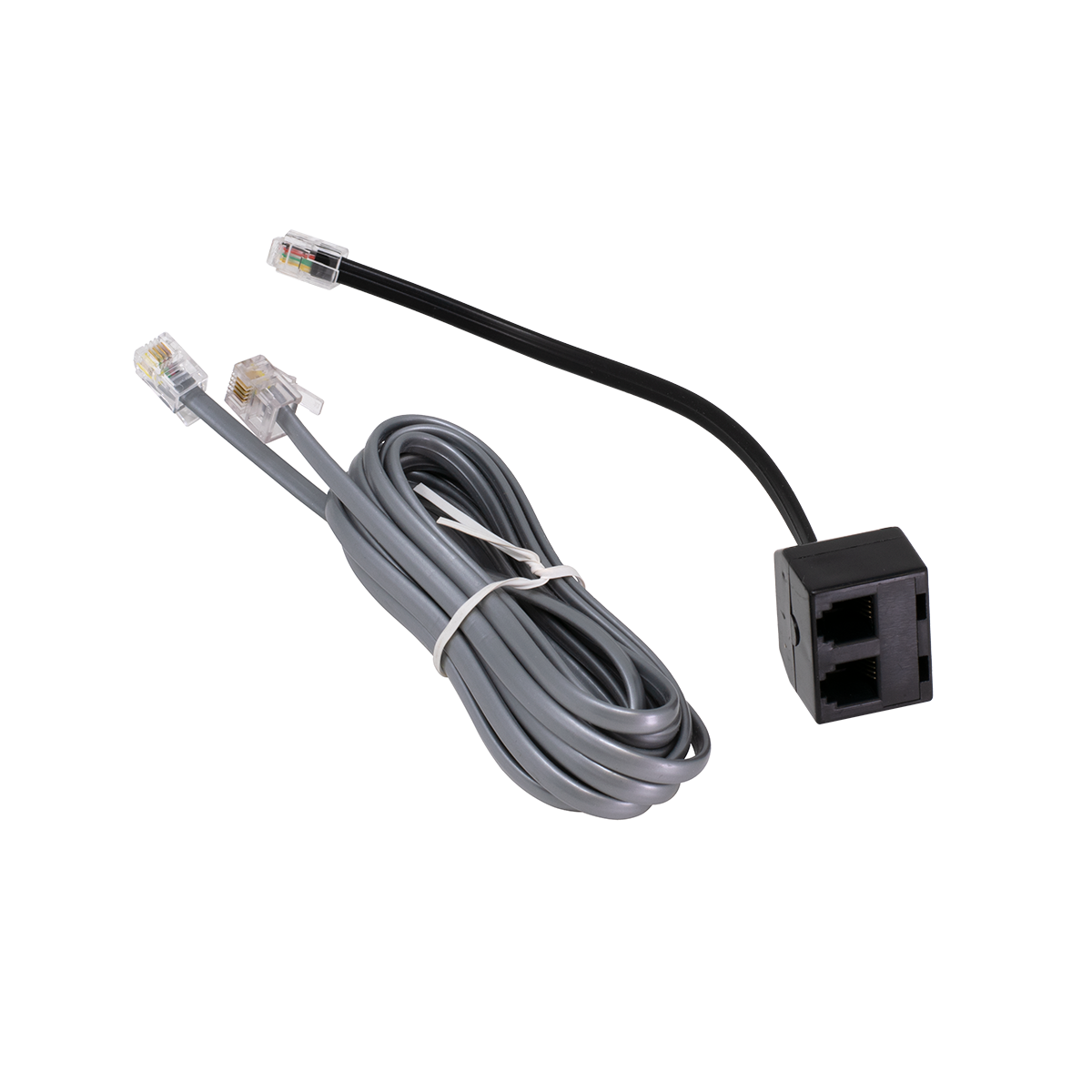
Plug the short cord on the the Economy Handset Recording Adapter into the handset jack on the phone, and plug the handset into one side of the Y Adapter. Plug the modular plug on the included Recording Cord into the other side of the Y Adapter, and plug the 3.5mm plug on the Recoding Cord into the recorder... and start recording!
Because the Economy Handset Recording Adapter outputs the same audio you hear on your handset, which has exactly the right mix of your voice and the caller's voice, your recordings will sound great!
If you record directly from a regular phone line instead of the handset, your voice is usually much louder than the callers voice, making the recordings difficult to listen to.
There is no volume control on the Economy Handset Recording Adapter, so you'll need to adjust the volume on your recorder (most adjust the record level automatically).
The Economy Handset Recording Adapter works on analog, digital or VoIP phones with the dial in the base. It won't work on cordless or dial-in-handset (Trimline style) phones because the signal is different on that type of handset cord. For those types of phones, use our Phone Line Audio Coupler (below).
On digital phones, the only place to get analog audio to record is from the handset cord.
If you need to send the calls to a Voice Logger at a central location instead of a tape recorder, the Economy Handset Recording Adapter will work if the Voice Logger has a transformer isolated input (most do, but you'll have to try one or ask the Voice Logger manufacturer). If the Voice Logger is transformer coupled, send the audio back to the central recorder on a spare pair to the phone room, and route that pair to the central recorder from there. Special Straight Handset Cords are available to go from the Economy Handset Recording Adapter to the wall (below).
NOTE: Some crappy VoIP phones don't have sidetone, which means you can't hear your own voice in your ear when you're speaking. On those types of VoIP phones, the Economy Handset Recording Adapter will only record the outside caller (half the conversation).
Because the Economy Handset Recording Adapter is not transformer isolated, if used with something that plugs into an AC outlet (with a reference to ground), you could cause a ground loop between your phone and the recorder - which will result in a hum in the recording. If you hear a hum, you need our Deluxe Handset Recording Adapter which is transformer isolated.
Part Number: KIT1H Price: $10.95 ||| 10+ Price: $7.95
BLACK HANDSET Y ADAPTER
Plug 2 Handsets into Any Phone!
Plug the short 4 Inch Cord on the Handset Y Adapter into the handset jack on the phone, and then plug each handset (with cord) into the jacks on the Handset Y Adapter.
We also make Push-to-Talk Handsets (and Modular Mute Switches that you can use with any handset) that you could use as the second handset for a supervisor who primarily needs to listen - not talk.
GREAT for use with Voice Loggers:
The Handset Y Adapter can also be used to send the nicely volume balanced handset audio to a central Voice Logger for recording by connecting a Straight Handset Cord to the Y Adapter, which goes to a jack on the wall, which sends the audio back to the phone room - and then to the Voice Logger.
If you hear hum using this the Handset Y Adapter on your voice loggger, use the Deluxe Handset Recording Adapter which is transformer isolated.
NOTE: Some crappy VoIP phones don't have sidetone, which means you can't hear your own voice in your ear when you're speaking. On those types of VoIP phones, any Handset Recording Adapter will only record the outside caller (half the conversation).
Part Number: KIT1I Price: $7.99 ||| 10+ Price: $5.99
HANDSET CORD BISCUIT JACK
Handset Cord Biscuit Jack
This surface mount wall jack is specially made with a handset sized (smaller) modular jack, to accept a handset cord or a straight cord with a handset sized plug. This is technically called a 4P4C plug, with the jack sometimes referred to as an RJ-9 or RJ-22.
Put the spare pair from a station cable on this jack, and send the audio from our Handset Recording Adapter back to the phone room, to a centrally located Voice Logger.
Using a cord with the smaller plugs prevents the phone from being plugged into the special jack for the Voice Logger, by mistake.
Part Number: CHM5B Price: $2.29 ||| 10+ Price: $1.99
7 FOOT STRAIGHT HANDSET CORD
7 Foot Straight Handset Cord
7 Foot Straight Handset Cord (not coiled).
Specially made with handset sized (smaller) modular plugs, to plug into the smaller handset sized jack. This is technically called a 4P4C plug, with the jack sometimes referred to as an RJ-9 or RJ-22.
Put the spare pair from a station cable on our Handset Biscuit Jack, and send the audio to a central Voice Logger from our Handset Recording Adapter to that jack on the wall, using this Straight Handset Cord.
Using a cord with the smaller plugs prevents the phone from being plugged into the special jack for the Voice Logger, by mistake.
Part Number: CHM5C Price: $1.89 ||| 10+ Price: $1.79
14 FOOT STRAIGHT HANDSET CORD
Same as above, but 14 feet.
Part Number: CHM5D Price: $2.49 ||| 10+ Price: $2.39
IVORY ADAPTER TO CONVERT A REGULAR JACK TO A HANDSET JACK

Ivory Modular Adapter to Convert a
Regular Jack to a Handset Cord Jack
Small plastic insert slides into any regular RJ-14 type jack (6P4C), to change it to a handset sized jack (4P4C). A handset jack is sometimes referred to as an RJ-9 or RJ-22.
If you plug a handset cord into a regular jack without this Adapter, the plug will be loose and sloppy, causing the pins in the jack to short or move out of place.
This Insert will slide into most USOC (6 wire) Keystone Style Jacks to make them into a Handset Jack.
We also have a similar Adapter that converts an RJ-45 sized jack to an RJ-14 sized jack.
Part Number: XMT2R Price: $0.26
BLACK ADAPTER TO CONVERT A REGULAR JACK TO A HANDSET JACK
Same as above, but in Black.
Part Number: XMT7E Price: $0.41
CO LINE BEEP TONE GENERATOR
CO Line Beep Tone Generator
Provides Beep Tone to Indicate You're Recording the Conversation
Goes in-series with the phone(s) or phone system, and the CO Line.
Easy to Install. Line Powered. Always Beeps while you're talking on any phones connected in-series with the Beep Tone Generator.
Has a tiny volume control to adjust how loud the BEEP is (requires a very small screwdriver).
Part Number: WAL9G Price: $52.95 ||| 10+ Price: $49.95
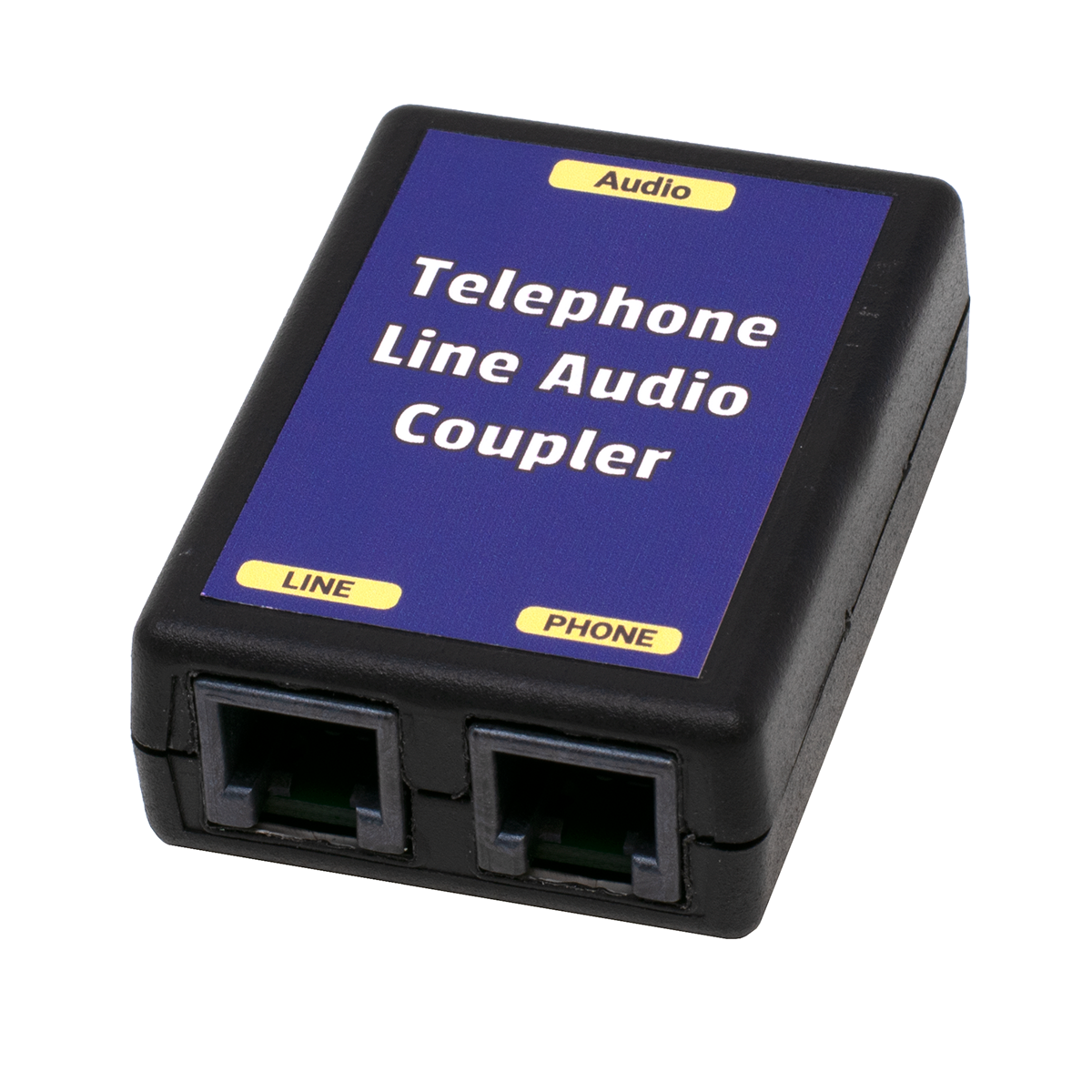
PHONE LINE AUDIO COUPLER

Record FROM or Send Audio TO a Phone Line
Works with PCs, Recorders and PA Systems
SENDS and RECEIVES Audio to or from a Phone Line!
Just plug it into an analog phone line or station port, and plug your audio into the included 3.5mm Stereo Cord.
To record or broadcast the audio from the phone line to a PC or PA system, everything you hear on the phone line will be output to the 3.5mm Stereo Cord. Connect it to a tape recorder, PC sound card Line In or Mic In, or a 600 ohm line level input on a PA amplifier (it will probably work OK on an unbalanced mic input).
To play the audio from a PC or PA system over the phone line, all of the audio sent to the 3.5mm Stereo Cord will be heard by the person on the phone line. Connect it to the headset jack on a tape recorder, Line Out or Speaker Out on a PC sound card, or a 600 ohm line level output on a PA amplifier (don't connect it to a 70V speaker line output, but it will probably work OK on an 8 ohm speaker output).
If you record directly from an analog phone line or station port, your voice is usually much louder than the callers voice, making the recordings difficult to listen to. If you find that's the case in your application, you probably want to record from a telephone handset with our Deluxe Handset Recording Adapter, which will give you a nice balance of transmit and receive audio.
There is no volume control on the Phone Line Audio Coupler, so you'll need to adjust the volume on your computer, recorder or PA system.
If you have to record from or to a digital or VoIP telephone, use our Deluxe Handset Recording Adapter or Handset Audio Feeder™.
Because the Phone Line Audio Coupler is transformer isolated, it will prevent hum in your recordings and over a PA system. If you hear a hum with your current telephone line audio coupling method, you need this Phone Line Audio Coupler which is transformer isolated.
Custom and Private Label versions available.
Part Number: SWI8D Price: $34.95 ||| 3+ Price: $33.95
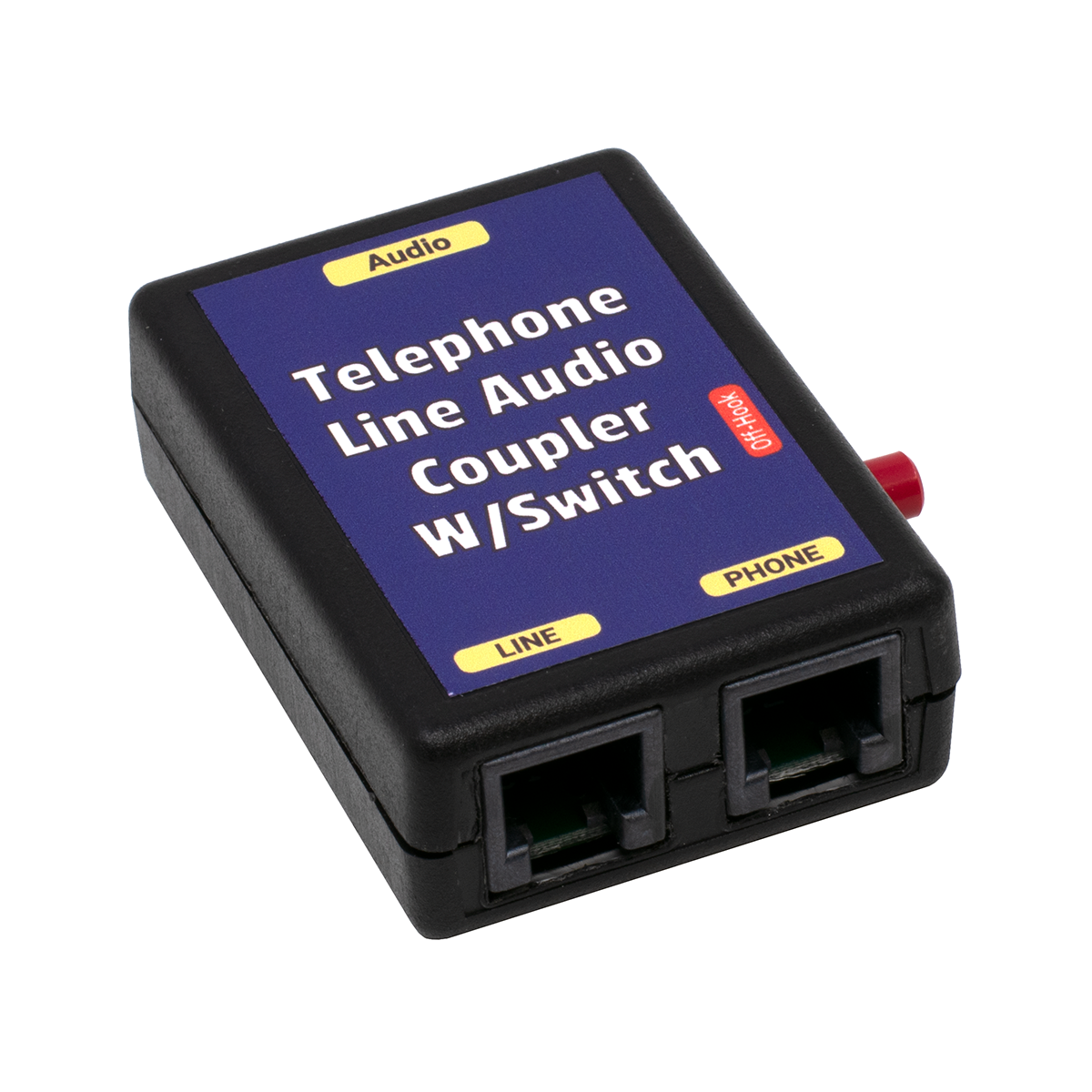
PHONE LINE AUDIO COUPLER with OFF-HOOK SWITCH

Record FROM or Send Audio TO a Phone Line...
and take the Line On and Off-Hook
with the Built-in Pushbutton Switch
Works with PCs, Recorders and PA Systems
SENDS and RECEIVES Audio to or from a Phone Line!
GREAT for broadcasting a meeting or church service to somebody on a Phone Line!
The person who wants to hear the meeting or service over the phone calls in, or you call them using a regular phone on that line (or an electronic phone on a phone system, on that line). When you start sending audio into the Phone Line Audio Coupler with Switch the caller will hear it, and you can simply push the Button and hang-up the phone without losing the caller. The Pushbutton Switch makes the line look busy so you don't have to leave a phone off-hook.
You don't have to use the Make-Busy Switch. You can just stay off-hook with a phone or phone system line if you'd like, and not use the switch in your application. Having the Make-Busy Off-Hook Switch just makes this device a more flexible addition to your bag-of-tricks.
Just plug it into an analog phone line or station port, and plug your audio into the included 3.5mm Stereo Cord.
To record or broadcast the audio from the phone line to a PC or PA system, everything you hear on the phone line will be output to the 3.5mm Stereo Cord. Connect it to a tape recorder, PC sound card Line In or Mic In, or a 600 ohm line level input on a PA amplifier (it will probably work OK on an unbalanced mic input).
To play the audio from a PC or PA system over the phone line, all of the audio sent to the 3.5mm Stereo Cord will be heard by the person on the phone line. Connect it to the headset jack on a tape recorder, Line Out or Speaker Out on a PC sound card, or a 600 ohm line level output on a PA amplifier (don't connect it to a 70V speaker line output, but it will probably work OK on an 8 ohm speaker output).
If you record directly from an analog phone line or station port, your voice is usually much louder than the callers voice, making the recordings difficult to listen to. If you find that's the case in your application, you probably want to record from a telephone handset with our Deluxe Handset Recording Adapter, which will give you a nice balance of transmit and receive audio.
There is no volume control on the Phone Line Audio Coupler with Make-Busy Switch, so you'll need to adjust the volume on your computer, recorder or PA system.
If you have to record from or to a digital or VoIP telephone, use our Deluxe Handset Recording Adapter or Handset Audio Feeder™.
Because the Phone Line Audio Coupler with Switch is transformer isolated, it will prevent hum in your recordings and over a PA system. If you hear a hum with your current telephone line audio coupling method, you need this Phone Line Audio Coupler with Switch which is transformer isolated.
Custom and Private Label versions available.
Part Number: SWI8M Price: $44.95
AutoHybrid AUTO ANSWER PHONE LINE INTERFACE

AutoHybrid Auto Answer
Telephone Line Interface
SENDS and RECEIVES Audio to AND/OR from a Phone Line!
Works with PCs, Tape Recorders, Broadcast Audio Lines and PA Systems
The AutoHybrid is perfect for broadcasters who need to monitor remote locations, IFB feeds, back-up audio feeds, and many simple studio, conferencing, and PA telephone interface applications.
At a church, it will let callers dial into the service automatically (needs one dedicated REAL phone line with CPC and one AutoHybrid per caller).
At a remote broadcast transmitter, it will let you dial into the the transmitter to monitor the audio feed, or send audio to the transmitter if the main feed is down (needs a dedicated REAL phone line with CPC for automatic operation).
Sometimes you just need something to answer a line with silence, which would allow you to use a DTMF Relay or similar device for touch tone remote control, and then hang-up automatically... ready for the next call. The AutoHybrid is a great way to automatically answer and hang-up a real phone line with CPC, for applications other than sending or receiving audio.
The AutoHybrid gives you simultaneous send and/or receive audio through regular 2 wire analog telephone lines.
It's full duplex audio, so it will send and receive audio at the same time, with 20db of separation (between transmit and receive).
If you understand mix-minus, you can use the AutoHybrid with a mixer with (an AUX output) to produce a professional call-in show (there are various video tutorials on mix-minus on youtube... some good and some bad).
Automatically answer a call by leaving it in the Auto mode, or simply push the Call button to answer the call, or the Drop button to hang-up the phone line. When off-hook, you can send or receive audio.
NOTE: The AutoHybrid needs to be on a real phone line with a CPC signal to tell it to hang-up (half a second of zero volts), or it will tie up the line forever in Auto mode. It will work OK on a phone line without CPC by manually taking it on or off-hook using the CALL or DROP button.
Most phone systems (PBXs) don't have CPC on the analog station ports.
Also note that the AUTO button tells the AutoHybrid to answer on the first ring. That means that you won't get Caller ID since it comes between the first and second ring (and will be lost since the line is answered on the first ring).

Professional audio gear!
PHONE LINE POWERED!
No AC Adapter needed!
We can't sell this to end users because we can't offer
end user support. Professional broadcasters or AV technicians
will know what to do with the AutoHybrid without our support.
You absolutely need cables with XLR connectors, or our
XLR to RCA Adapters (below).
The AutoHybrid is a passive line powered device. It doesn't use AC power, and doesn't provide amplification in or out (use a mixer or pre-amp for that).
Includes RJ-11 Modular jacks for Phone Line and Phone Equipment, an LED that indicates whent he line is off-hook, XLR connectors for audio in (Send) and out (Caller), Null control to adjust the send volume level (on Caller connector), and screw terminals that allow you to make your own remote control to take the AutoHybrid on or off-hook from the control room (while the AutoHybrid is mounted in your 19 inch audio rack).
Remote control Screw Terminals are for:
- Off-hook control (+5 VDC momentary)
- Release control (+5 VDC momentary)
- OH LED signal (pulled to ground on OH)
Because the AutoHybrid is transformer isolated, it will prevent hum in your recordings and over a PA system.
Small desktop unit converts to rack-mount using the optional 19 inch Rack Mount (below), which can hold up to four AutoHybrid units.
Part Number: DSI9T Price: $179.95
AutoHybrid 4 BAY 19 inch RACK MOUNT with 3 BLANKS

AutoHybrid 4 Bay 19" Rack Mount, with 3 Blanks
Only 1 RU (1.75" tall)
Mount up to 4 AutoHybrids in this 1RU 19 inch Rack Mount.
Supplied with 3 Blanks if you're going to mount less than four in the rack.
Part Number: DSI9R Price: $44.95
XLR MALE to RCA FEMALE ADAPTER

MALE XLR to FEMALE RCA Adapter
Allows you to use a consumer type RCA cord on professional audio equipment.
Part Number: DSI2P Price: $3.99
XLR FEMALE to RCA FEMALE ADAPTER

FEMALE XLR to FEMALE RCA Adapter
Allows you to use a consumer type RCA cord on professional audio equipment.
Part Number: DSI2Q Price: $3.99
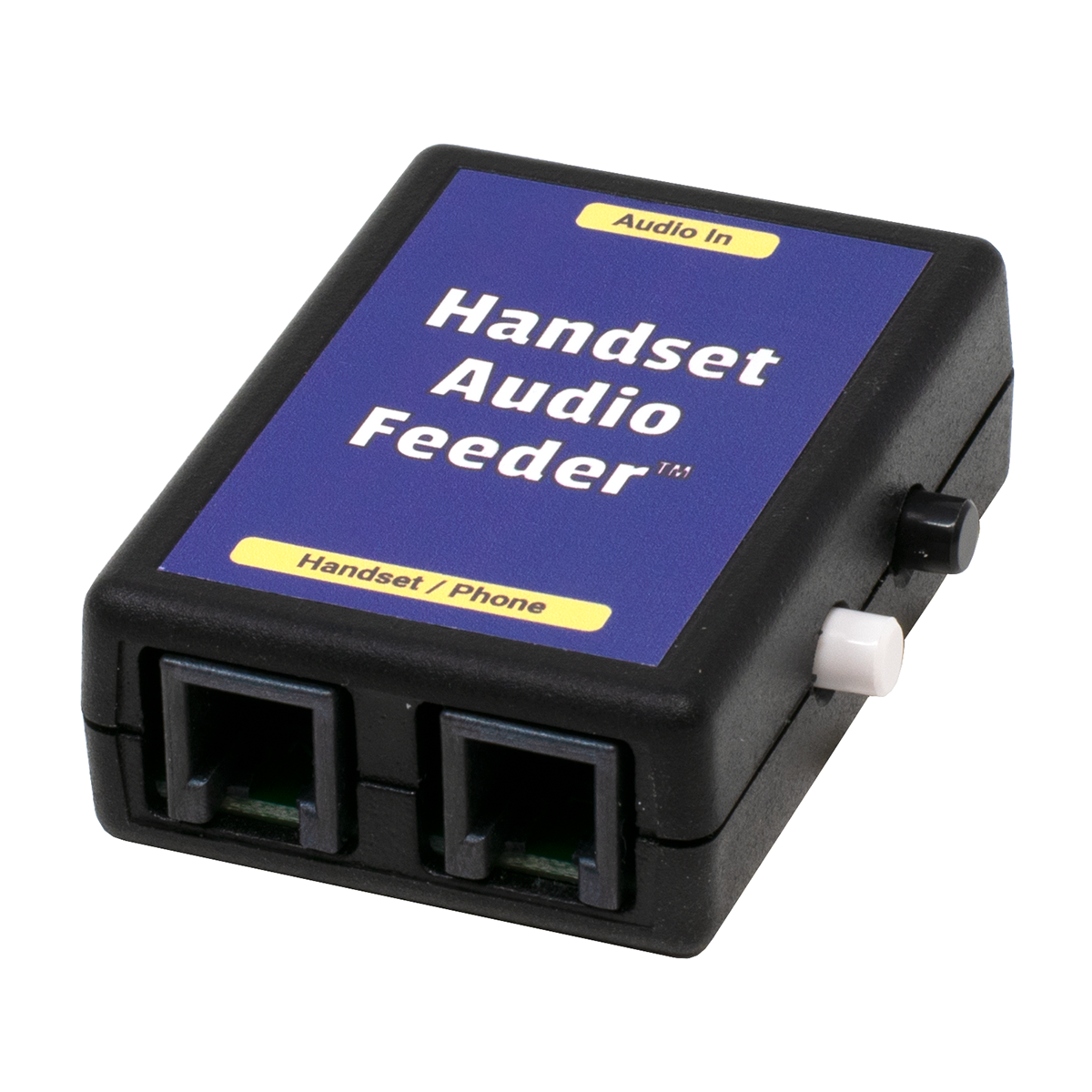
HANDSET AUDIO FEEDER™

Play Audio from your PC, MP3 Player, CD
or PA Amplifier into your Phone's Handset
Speed Dial from your PC or MP3 Player, or play
Pre-Recorded Greetings or Sales Pitches to a Caller!
Make the World's Biggest Speed Dialer using the
Handset Audio Feeder™, and your computer or MP3 Player!
Just plug it in between the handset cord and the phone!
Plug the included 3.5mm Stereo Cord with Stereo Y Adapter into your PC's sound card or an MP3 player's headset jack, and feed the audio into your phone
The Handset Audio Feeder™ works with any telephone that uses an electret type of microphone in the handset (which is in most modern phones), and where the dial is in the base (not in the handset).
To speed dial, you would need an application to "play" the Touch Tones back at the right speed, in the right order, with the right amount of pause between each digit.
A FREE Windows DTMF dialing application that lets you create a speed dial list is available at:
http://www.silverstones.com/DTMFDial.html
A shareware Windows DTMF dialing application that lets you create a speed dial list, which is around $30 to register, is available at:
http://www.phonedialerpro.com/#PDP
If you use Phone Dialer Pro, be sure to go into Options and click Dial without Modem, which will send dialing through the sound card. This program lets you assign a hot key to capture phone numbers off your PC screen, and even right click to dial a phone number from a web page.
You don't have to use any PC application to dial... Except a
wav or MP3 playing program, or an audio (MP3) player.
Just record yourself dialing a phone number with our Deluxe Handset Recording Adapter, save it to a name like MikeSandmanOffice.wav, and play it back when you want to dial. Many music players let you make categories for songs which you can use to sort your speed dial numbers, and they allow you to hit the first letter of the name of the file to find a particular tune (speed dial number in this case!).
Click HERE to listen to the speed dial for our office.
If you have a 256 Meg MP3 Player, which is about the smallest you can get today, you could store 2,500 of the wav files like the one above (which is around 90K). A 2500 number speed dialer that fits in the palm of your hand, and sits nicely next to the phone on your desk!
If you had a Handset Audio Feeder™, you just play that wav file (recording of the digits) from your computer or audio player, and it will dial the number in the recording. Again, to make an audio recording of the dialing, you'll need our Deluxe Handset Recording Adapter to record the dialing to sound files on your computer (and then transfer them to your MP3 player, if desired).
To play back a sales pitch or greeting (to save your voice!), you'll need the Deluxe Handset Recording Adapter attached to the handset jack of your phone to record yourself. You only need it while you're recording what you want to say, so you only need one per office if that's what you're using it for. That will let you use the sound recorder application that came with your computer to record the sales pitch.
By using the same handset or headset as you do on normal calls, the recording you make will sound like you're speaking live when you play that recording to the person on the phone. If you use a computer microphone or regular tape recorder to record the sales pitch, it won't match - and it will sound silly.
Click HERE to listen to Mike's greeting, recorded to his PC using the Deluxe Handset Recording Adapter.
Notice that it sounds like Mike is talking on the phone, so if he clicks PLAY on his PC wav player, the caller wouldn't know the greeting was recorded. That would be very handy if you have to repeat a long sales pitch numerous times every day!
Because the Handset Audio Feeder™ connects to the handset cord (not the wall jack), it will feed audio into almost any phone made (with a dial in the base), including electronic, digital and VoIP phones (since the handset cord is always analog audio). It won't work with cordless phones or Trimline type phones with the dial-in-handset (the handset cord on those phones don't contain the same signals as a regular phone).
To send or receive audio to cordless and Trimline type dial-in-handset phones, use our Phone Line Audio Coupler, that connects directly to an analog phone line or station port (instead of to the handset jack).
You can send almost any audio through the handset on your phone! To play the audio from a PC or PA system through your phone's handset, all of the audio sent to the 3.5mm Stereo Cord will be heard by the person on the other end of the call. Connect it to the headset jack on a tape recorder, Line Out or Speaker Out on a PC sound card, or a 600 ohm line level output on a PA amplifier (don't connect it to a 70V speaker line output, but it will probably work OK on an 8 ohm speaker output).
There is no volume control on the Handset Audio Feeder™, so you'll need to adjust the volume on your computer or audio player for best match. There is a switch on the Handset Audio Feeder™ that allows you to turn on or off the audio feed from your PC, so the caller won't hear You've Got Mail or other sounds that normally play on your PC.
Because the Handset Audio Feeder™ is transformer isolated, it will prevent hum and distortion in the audio being sent from your computer or audio player.
NOTES:
The Handset Audio Feeder™ only sends the LEFT channel to the phone. This shouldn't matter in most cases, but you may have to switch the computer or audio player to MONO in your particular application. You can place a special order for a Handset Audio Feeder™ that sends a mono signal from both the LEFT and RIGHT channels to your handset, but if you plug it into your PC with the included Stereo Y Adapter, you'll always hear a MONO signal from the PC's speakers - that are also plugged into the Stereo Y Adapter.
Some VoIP phones don't have sidetone (you can't hear your own voice in the receiver while you're speaking), in which case you won't hear the audio that's going down the phone line (but they will hear it on the other end of the call).
Custom and Private Label versions available.
Part Number: MSC3M Price: $44.95 ||| 3+ Price: $43.95
THAT-2 - HANDSET AUDIO TAP

Record FROM or Send Audio TO
a Telephone's Handset Jack
Works with PCs, Recorders,
PA Systems and Audio Mixers
This convenient single box lets you record from a phone's handset, and play back to the phone through the handset. The pushbutton switch on the box lets you turn off the mic in the handset when you want to transmit audio into your phone, so it won't pick up background noise.
This is in a metal box, with both XLR and RCA connectors. It's used by lots of the radio station reporters since it's nearly indestructable, and will plug into almost anything - both consumer and professional equipment.
Great for playing voice prompts from a PC or CD player to your voice mail system or IVR!
Just plug it between the handset cord and the phone, and plug in either or both of the audio plugs (RCA and XLR) for send or receive into the PC or other audio device.
Because the THAT-2 outputs the same audio you hear on your handset, which has exactly the right mix of your voice and the caller's voice, your recordings will sound great!
If you were to record directly from a regular phone line instead of the handset, your voice is would be much louder than the caller's voice, making the recordings difficult to listen to.
The THAT-2 has a switch that lets you use a phone with an electret, dynamic or carbon transmitter - any phone with a handset, and a dial in the base. It won't work with Trimline style (dial-in-handset) or Cordless phones.
To record or broadcast the audio from the phone line to a PC or PA system, everything you hear on the phone line will be output to the RCA and XLR connectors. Connect it to a studio or remote mixer, tape recorder, PC sound card Line In or Mic In, or a 600 ohm line level input on a PA amplifier (it will probably work OK on an unbalanced mic input).
To play the audio from a PC or PA system into the phone, all of the audio sent to the RCA and XLR connectors will be heard by the person on the phone line. Connect it to a studio or remote mixer, the headset jack on a tape recorder, Line Out or Speaker Out on a PC sound card, or a 600 ohm line level output on a PA amplifier (don't connect it to a 70V speaker line output, but it will probably work OK on an 8 ohm speaker output).
The THAT-2 has separate volume controls for both Send and Receive audio.
If you understand mix-minus, you can use the THAT-2 with a mixer with (an AUX output) to produce a professional call-in show (there are various video tutorials on mix-minus on youtube... some good and some bad).
Because the THAT-2 is transformer isolated, it will prevent hum in your recordings and over a PA system. If you hear a hum with your current telephone line audio coupling method, you need the THAT-2.
Part Number: KIT9B Price: $219.95
VOICE PATH - HANDSET AUDIO TAP

Record FROM and Send Audio TO
a Telephone's Handset Jack
Works with PCs, Recorders,
PA Systems and Audio Mixers
This convenient single box lets you record from a phone's handset, and play back to the phone through the handset. The pushbutton switch on the box lets you turn off the mic in the handset when you want to transmit audio into your phone, so it won't pick up background noise.
Great for playing voice prompts from a PC or CD player to your voice mail system or IVR!
Just plug it between the handset cord and the phone, and plug in either or both of the 3.5mm plugs for send or receive into the PC or other audio device.
Because the Voice Path outputs the same audio you hear on your handset, which has exactly the right mix of your voice and the caller's voice, your recordings will sound great!
If you were to record directly from a regular phone line instead of the handset, your voice is would be much louder than the caller's voice, making the recordings difficult to listen to.
The Voice Path has a switch that lets you use a phone with an electret, dynamic or carbon transmitter - any phone with a handset, and a dial in the base. It won't work with Trimline style (dial-in-handset) or Cordless phones.
To record or broadcast the audio from the phone line to a PC or PA system, everything you hear on the phone line will be output to the 3.5mm Stereo Cord. Connect it to a tape recorder, PC sound card Line In or Mic In, or a 600 ohm line level input on a PA amplifier (it will probably work OK on an unbalanced mic input).
To play the audio from a PC or PA system into the phone, all of the audio sent to the 3.5mm Stereo Cord will be heard by the person on the phone line. Connect it to the headset jack on a tape recorder, Line Out or Speaker Out on a PC sound card, or a 600 ohm line level output on a PA amplifier (don't connect it to a 70V speaker line output, but it will probably work OK on an 8 ohm speaker output).
If you understand mix-minus, you can use the Voice Path with a mixer with (an AUX output) to produce a professional call-in show (there are various video tutorials on mix-minus on youtube... some good and some bad).
Because the Voice Path is transformer isolated, it will prevent hum in your recordings and over a PA system. If you hear a hum with your current telephone line audio coupling method, you need the Voice Path will get rid of it!
Part Number: KIT9N Price: $109.95
INLINE PATCH - HYBRID COUPLER

Hybrid Coupler for
Analog Phone Lines
The Inline Patch lets you record both sides of a telephone conversation, or split the audio to hear just the outside caller or just the inside caller.
Because it provides up to 20db of separation between the inside and outside parties, the Inline Patch works great for radio or TV station talk shows where you need to feed the studio audio back to the caller.
If you understand mix-minus, you can use the Inline Patch with a mixer with (an AUX output) to produce a professional call-in show (there are various video tutorials on mix-minus on youtube... some good and some bad).
Works with PCs, Recorders, PA Systems and Audio Mixers for Radio and TV Studios.
Inline Patch Features:
- Inject audio down the line in addition to, or instead of the phone's audio (That's why the host sounds so good on Radio and TV call-in shows).
- Off Hook switch allows you to go on line without the need for a phone, and you can even go off hook remotely with a contact closure.
- Provides talk battery so you can record from a phone with NO phone line!
- Complete control of all volume levels and mix from front panel controls.
- For Telecom Demo or Teleconference presentations, you can use a cordless telephone. This feature lets you walk around the room and talk over the telephone while everyone listens. The audience can try your IVR application without annoying feedback.
- Does not disrupt Caller ID.
- Stereo Output jack allows you to listen to the inside party on Right Channel, and the Outside Party on Left Channel (with 20db separation).
- Connects inline between an Analog Phone Line and an Analog Telephone.
- Has XLR and 3.5mm Input / Output / Remote Control Jacks.
- Separate volume controls for the phone line, the phone, and audio out.
- Separation control lets you mix the inside together, or separate them by up to 20db.
Part Number: KIT9C Price: $264.95
DESKTOP PC HANDSET ADAPTER

PC Handset Adapter
Use a regular telephone handset on your PC or
Laptop
Works with any sound card, and most telephone handsets
Two 3.5mm plugs go into the MIC and
SPEAKER / HEADSET Jacks on a PC or Laptop's Sound Card
Works great with Skype, or any VoIP
softphone.
Mono output from the handset transmitter
to both L & R channels (a handset will always be mono).
Works with most handsets and telephone
headsets with a modular plug... It must have an electret
transmitter (mic) that's normal polarity (not reversed polarity), or just use
our $9.95 Black Nortel Handset and $1.49 Black 12' Handset Cord.
Desktop PC Handset Adapter has 6'
cords with 3.5mm plugs to go to your computer, and comes with double
stick tape if you want to mount the Adapter.
Part Number: DSI9H Price: $24.95 ||| 3+ Price: $23.00
USB HANDSET ADAPTER

USB Sound Card Dongle...
Great for adding a real
handset to a PC
Gives you a Second Sound Card in
your PC, if you already have one
Why the heck would you want a second sound card
in your PC? Because some VoIP phone applications (like Skype) that you run
on a PC let you choose a different sound card to use with that
application.
| |
 |
| |
Sound Card Setup / Volume
Screen in Skype |
That means you may still be able to use the
speakers on the PC normally, but use a handset or headset plugged into the USB
Sound Card to make phone calls. In Windows, you'd need to go to Sounds and
Audio Devices in the Control Panel, click on the Audio tab, and
choose the systems main sound card for the system to use in general, in the
drop-down box. Then go into your VoIP application, and choose the USB Sound Card
for that application (only). Sometimes it will work, sometimes it will work
right, and sometimes it won't. You do need to be a little geeky to mess with
this stuff in Windows.
If you just need to use a handset temporarily to
make a call, most PCs will simply change over to the USB Sound Card Dongle
for all audio when you plug it in. That's handy if you're going to use Skype
etc. on one or two calls on a desktop or laptop. It will let you use Skype etc.
right away, and then usually return the system to using the built-in sound card,
and then unplug it to return to the regular speakers (may require a reboot).
If you are using a handset in a kiosk, it's a
better idea to plug directly into a sound card if it's available, rather than a
USB device. On reboot, sometimes USB drivers don't load correctly in Windows.
The USB Sound Card Dongle works in XP, Vista and Windows 7
(those operating systems have generic USB sound card the drivers built-in).
It doesn't come with a driver disk, and we don't have any other drivers.
It might work in Linux if your version recognizes generic USB sound cards.
There are much more expensive USB
sound cards out there, but this was the best we could find that worked perfectly, at a reasonable price.
Part Number: DSI9S Price: $25.95 ||| 3+ Price: $25.00 ||| 10+ Price: $24.00
RCA MONO Y ADAPTER - 1 MALE to 2 FEMALES
RCA Mono Y Adapter - 1 Male Plug to 2 Female Jacks
Part Number: MON9O Price: $2.99
6 FOOT STEREO 3.5mm MALE to 3.5mm MALE AUDIO CORD
6 Ft STEREO 3.5mm Male to 3.5mm Male Audio Cord
Part Number: SWI5L Price: $1.99
3.5mm STEREO Y ADAPTER
3.5mm Stereo Y Adapter
Connects two 3.5mm stereo or mono plugs to a singe 3.5mm Stereo Plug (also works on mono).
Part Number: MON9K Price: $3.99
3.5mm MONO FEMALE (Jack) to 2.5mm MONO MALE (Plug) ADAPTER
3.5mm Mono Jack to 2.5mm Mono Plug Adapter
Part Number: HST2M Price: $0.99
12 FOOT STEREO 3.5mm MALE to 3.5mm MALE AUDIO CORD
12 Ft STEREO 3.5mm Male to 3.5mm Male Audio Cord
Part Number: ASY2T Price: $2.99
12 FOOT STEREO 3.5mm MALE to 3.5mm FEMALE EXTENSION CABLE
12 Ft STEREO 3.5mm Male to 3.5mm Female Audio Cable
Part Number: KIT8T Price: $3.99 ||| 10+ Price: $2.99
6 FOOT MONO 3.5mm MALE to 3.5mm MALE AUDIO CORD
6 Foot MONO 3.5mm Male to 3.5mm Male Audio Cord
Part Number: SWI4B Price: $1.99
3.5mm MONO MALE (Plug) to RCA MONO MALE (Plug) Audio Cord
6 Foot MONO Male RCA to Male 3.5mm Audio Cord
Part Number: SWI4C Price: $1.99
6 FOOT MONO MALE RCA to MALE RCA AUDIO CORD
6 Foot MONO Male RCA to Male RCA Audio Cord
Part Number: SWI4A Price: $1.99


630-980-7710
Copyright ©
2010 Mike
Sandman Enterprises, Inc.