

Mike Sandman... Chicago's Telecom Expert  630-980-7710

Site Index Page    Request Catalog     Search our Site    Ordering Info    Send us Email

TESTING and REPAIRING PHONE LINES

Line Powered Circuit Loss Tester

This is an out-of-print video with the original Saturday Night Live skit where Ernestine says... We Don't Care. We don't have to. We're the Phone Company.


You can't rely on the Phone Company to test phone lines for you.

They don't care whether your customer is happy or not!

Like Lily Tomlin said..."They don't care. They don't have to."

Things were sometimes tough to fix when there was just one Phone Company.  Now there are a bunch of phone companies, and phone lines aren't the same from each of them (or the boxes the lines come out of)... Even though you have to make them work with a phone system that expects real phone lines!

Our testing devices are small, light, and inexpensive. They pay for themselves in the time you save diagnosing ONE problem, but you'll own them forever!

Click to see a bigger picture of the case with accessories that comes with the Deluxe Loop Current Tester Kit. It will hold a bunch of testers!

There's a pretty good chance that everything you need to know about fixing a customer's phone line is on this page.

With this information and the results of your tests, you can do battle with the Phone Company. Without this knowledge and the results of the tests, the Phone Company will probably ignore you - whether it's their problem or not.

We don't have "magic." If you look through this page, read our free Technical Bulletins, and you already have a fairly good digital meter (over $50?), you can probably fix most of the phone line related problems you encounter - for FREE!

If you have a digital meter you're ahead of the game! We're pretty sure that most of our customers aren't going to buy a $500 telephone line tester, but they still need to resolve phone line problems. Our alternative is a number of inexpensive testers that let you buy that $500 tester, one function at a time.

What's the first thing NOT to do?

Don't replace the KSU!

Our Troubleshooting Basics Technical Bulletin will give you some hints on how to find what's causing the problem.

Our Loop Current & Circuit Loss Tech Bulletin will help you find the cause of strange problems caused by high or low loop current, as well as fixing "Can't Hear" problems.

Our Longitudinal Imbalance Tech Bulletin will help you find really strange problems caused by AC that's induced onto trunks or station ports.

Our Ring Voltage Tech Bulletin explains taking AC ring voltage meter readings, the problems you'll see with ring voltage, and how to solve them.

Our CPC Tech Bulletin will give you some things to look for if you're having a problem with trunks or ports locking up, or a bunch of garbage at the end of voicemail messages.

Our Caller ID Tech Bulletin helps you troubleshoot Caller ID problems... Especially where a cheap Caller ID box works, but your expensive new phone system doesn't!

Our Conference Calling Tech Bulletin explains why you have low volume on conference calls on most phone systems, and what you can do about it.

How to Successfully Implement VoIP Lines or Equipment helps you do your homework when choosing VoIP. This Bulletin could save you or your customer thousands!

Our inexpensive tools and FREE technical information will augment your meter, letting you fix the problem as quickly as possible.

What's the first thing TO DO?

Take some simple measurements!

It's a good idea to take these readings on the customer's phone lines before you sell the system. With all of the LEC, CLEC, and VoIP lines out there, they aren't all electrically the same, and many do a bad job of emulating a real phone line. They might not work right with a particular phone system, or a particular feature like voice mail. It's better to know before you sell the system!

The first step in fixing the problem is usually as simple as finding what's different about that line(s) that's having the problem, compared to others working in that system or at another premise.

Just fill in this chart to see what's different...

Telephone Line Diagnostic Table

Click to view and print Telephone Line Diagnostic Table PDF with Instructions

Important: Normal readings are listed in the Diagnostic Table after the description, in parenthesis.


A particular symptom could be caused by one of several problems, or even by more than one problem at the same time!

Don't look at our stuff for a minute, see a symptom described, and just go for it - unless you take some measurements.

All of the gizmos we have fix a specific problem.  If a symptom could be caused by two things, Murphy's Law says that if you just pick one without taking measurements, the problem will be caused by the other thing, that a different gizmo fixes.
 

Take readings before you order something.

Take all  the readings in the Telephone Line Diagnostic Table.
Not just the thing you think is the most likely cause.

I realize you're probably here because you have a specific problem you've got to solve right now. The customer is mad, your boss is mad, the leasing company isn't paying, and you're not having a good day. Sorry, but we don't have magic. We just have technical information that will give you a direction to go in, and some strange gizmos that will hopefully help you fix the problem.

I'm not a genius, I don't have ESP, and I don't lay hands on or talk to telephone wires or equipment.

I don't know anything special, except not to assume anything when I'm troubleshooting a case of trouble. How do I know not to assume anything? Because like all of us I learned the hard way, wasting a ton of time until I decided there's a right way and wrong way to troubleshoot.

If I go on a service call, I've got a meter and some testers which I use to lead me in some direction. Without taking the readings, I don't know how you are going to figure out what's going on. If you tell me the readings you took, I can give you my best guess. Without the readings, how the heck would I know?  I'd just be guessing, which you could do yourself. Since I don't want to waste time on a service call, I don't guess. I just automatically take the readings, and then go in the most likely direction(s). The only thing I know for sure is that I can fix 100% of the cases of trouble I go on if the same system works OK somewhere else. Sometimes I can even make up for inherent problems in a particular phone system.

Sure, I could assume it's something I've seen before when I go on a tough service call, but when I've done that in the past I've usually ended up wasting time because it's not what I assumed. If I would have taken the readings first I would have spent a little time with my meters, but I wouldn't have chased my tail for hours after I assumed something.

If you have to drive 100 miles to get to the customer, you might want to have some of our gizmos in your truck so you have a direction to go in. We make testers, but the gizmos we make to solve problems are also critical to have so you can see if they fix your problem. Often, there's no way to know without trying. Consider our problem solving devices as testers.

This is what I carry (in addition to the normal phone man's tools like a butt-set, toner, probe, etc.):

TESTERS

GIZMOS

  • Digital Meter with Alligator Clip Leads (that reads AC voltage on a phone line properly)
  • Loop Current Tester (faster to use than the digital meter)
  • CPC Tester
  • Circuit Loss Tester
  • 1KC Tone Generator
  • DTMF Digit Decoder


  • Loop Current Regulators (2)
  • Loop Current Booster (2)
  • Ring Voltage Booster
  • Loss Insertion Tester (Attenuates db levels)
  • Half-REN Terminator (4)
  • Echo Stopper - Line Impedance Matcher (2)
  • A few DSL Filters
  • A few RF Filters and Noise Filters
  • Small Tackle Box of Resistors and Capacitors

         NOTE: I carry 2 or 4 of some
         of the gizmos to troubleshoot
         problems like conference
         calling which involve two lines.

I can't check the programming on phone systems without my laptop, which I have to carry. Carrying all this other stuff costs less than most laptops. It's a pretty reasonable cost of doing busines.

In the old days, an Interconnect had to invest in a Telephone Line Tester (maybe $500 in 1980), which did a lot of tests in one box. Most Interconnects don't want to buy one of those testers for $1,000 today, so we made individual testers that they could buy, one at a time, until they could do all the tests. Combined with a digital meter (DVOM), an Interconnect can buy everything they need to test phone lines at a fraction of the cost for the device the phone company would buy for their technicians (they're using our money, anyway!).

Whether you do this for a living or not, I have no idea how you would fix strange problems without having a meter, testers and some gizmos in your truck to help you troubleshoot. If you do this for a living, the days of a repairman just having a laptop, butt-set and a punch tool are gone. If this was easy, anybody could do it.

Today's phone systems are much worse than any that have come before, as far as analog trunks and stations go. Anything digital is very easy to design compared to analog. Digital is black or white (1 or 0), whereas analog has an infinite number of shades between black and white.

While engineers who designed phone systems through the early 2000's had analog down to a science, they've all been fired (retired?) and replaced by third world engineers who could only read books about analog telephony - because they never even used a phone line in their country. These guys use some fairly sophisticated telephone line simulators when designing phone systems. Unfortuantely, no simulator will ever be able to simulate all of the real world phone lines (way too many shades of gray!). Hopefully, these guys will eventually learn from their mistakes?

It's truly amazing that AT&T spent enormous amounts of money at Bell Labs for decades, but nobody looks at any of their work to see the correct way to do things in telephony. Analog isn't sexy. You can do some amazing stuff with digital (but our mouth and ears will be analog for the foreseeable future). Today's engineers assume that analog is baby stuff, not even worth thinking about. The bottom line is that telephone calls are basically unchanged for the last 100 years, no matter how the voice gets from point A to point B. Without an understanding of analog telephony, it's very difficult to be a telephony design engineer or repairman.

Read our Tech Bulletins!

If you call me, I'll just repeat what you read in the Tech Bulletins on our site. I wrote the Bulletins because I've said the same thing thousands of times, and can only talk to so many people in a day. What I know is in the Bulletins. I publish the Tech Bulletins so you have some direction to go in without calling me (and there's nobody else to call these days!). Once you've taken the readings and read the appropriate bulletins, and you can't fix the problem, give me a call. Maybe I can help you go in the right direction?  Sometimes you're just too close to a problem to see what's going on, and talking to someone about it will help.

Taking meter readings will really help when you call tech support for the brand of phone system you're working on. I doubt many manufacturer tech support guys have ESP or talk to phone systems. They may also need the readings to help you fix a strange problem on their system. However frustrated you feel, the tech support guy is a lot more frustrated!


Never use your new Meter
or Tester for the first time
at a site with a problem!

This is CRITICAL Advice...
Always try your new tester at your office or home before  trying to use it at the customer's site!

Once you know what the readings are supposed to look like
(fill out the Telephone Line Diagnostic Table for premises that don't have problems), you'll feel confident using a tester to solve your customer's problems.

 Here's an Index of the items on this page...

TESTERS

DEVICES

DEVICES

Loop Current Tester Loop Current Regulators B-Wire Connectors (Beanies)
Deluxe Loop Current Tester Loop Current Attenuator UY - UR - UG Connectors
CPC Tester Modem (Noise) Filter Special Service Markers
Circuit Loss Tester Modem Protector 110 & BIX to Modular Adapters
1KC Tone Generator Fixed Value db Attenuators Area Code Dialer
Silent Line Terminator Resistors for Attenuation Ground Start  Power Fail Phone
Loss Insertion Tester Echo Stopper™ Technical Books
Network Meter™ DVOM Capacitors  
Dialer Buddy DTMF Decoder DSL Filters (including Alarm)  

TOOLS

Half-REN Terminator  
Punch Tools & Blades Long Loop Adapters (Boosters)  
Secret Phone Man's Tools DTMF Flash Generator  
Scissors with Strip Notches CPC Generator  
Pliers & Dikes (Side Cutters) Howler Busy Line Hangup  
Booth & Can Wrenches Spudgers  
Butt-Sets Orange & White Tags w/String  
Modular Quick Polarity Tester K-Plug Non-Snag Mod Plug  
Krone & 110 Butt-set Adapters Blue Universal 6 & 8 Pin Plug  
Modular Butt-set Adapter Coax / 4 Pair Splice Enclosure  
66 & 110 Modular Adapters Convert an RJ-45 to RJ-11 Jack  
Toner & Probe    

LOOK.GIF (1001 bytes)

LONG LOOP ADAPTERS

25 Line Ring Voltage Booster      Ring Voltage Booster II      Loop Current Booster

BOOST Loop Current and Ring Voltage

Our Loop Current Booster and Ring Voltage Booster II™ / 25 Line Ring Voltage Booster™ will let you extend the distance that an analog station port (OPX) or telephone line will work.

You only need to use the Booster that will help your problem, either trouble ringing or low talk battery / loop current. It's unlikely you'll need both, unless the pair is very long or the analog station port is particularly weak.

Because you only need to purchase the Booster that fixes the particular problem on the line, you'll save money.

The combination of both the Loop Current Booster and Ring Voltage Booster™ is functionally equivalent to the old Proctor Long Loop Adapter (46222, or 46224).

While the Proctor Long Loop Adapter didn't pass Caller ID, CPC, or FSK, Neon or LED Message Waiting signals, all of our Boosters will pass those signals without a problem.

These Boosters won't interfere with Distinctive Ringing, Call Waiting, Call Transfer or 3-Way Calling features.

The Ring Voltage Booster II™ increases the ring voltage to 90VAC RMS at 20 cycles, with a 7.5 REN output, and a true SINE WAVE output which should be recognized by even the most finicky telephone equipment.

It's very difficult and expensive to amplify a 2 wire phone line if the volume is low. Our Boosters won't increase how loud the line is. More details on Circuit Loss are in our Loop Current and Circuit Loss Tech Bulletin.

Measuring ring voltage isn't easy! No two makes and models of meters will read the same on the same line (they could be as much as 10 volts off), and some modern digital meters just won't read AC voltage on a phone line, which always has DC talk battery on it too. You can see information on measuring AC ring voltage in our in our Ring Voltage Tech Bulletin.

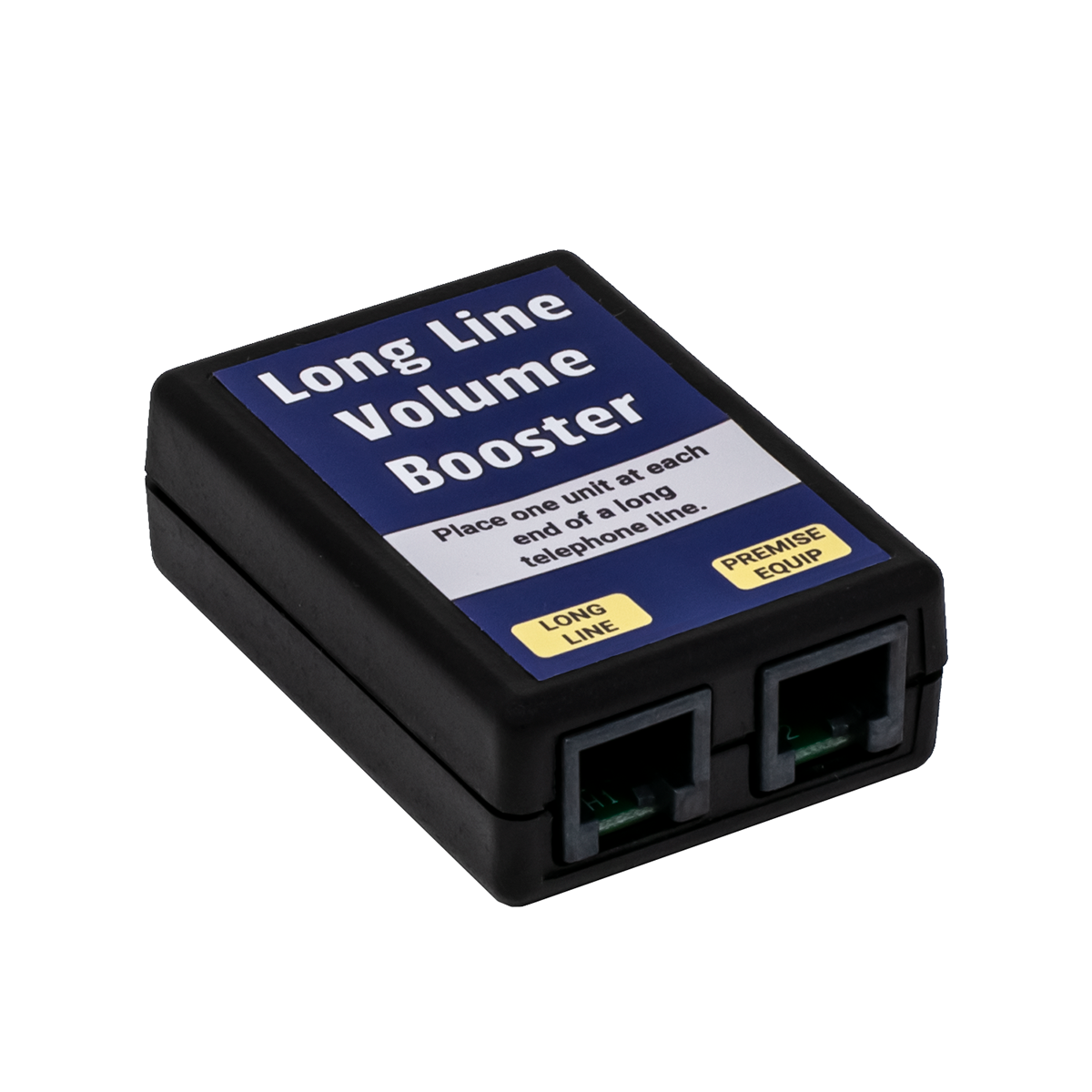
LOOP CURRENT BOOSTER™

Click to see a bigger picture of the Loop Current Booster

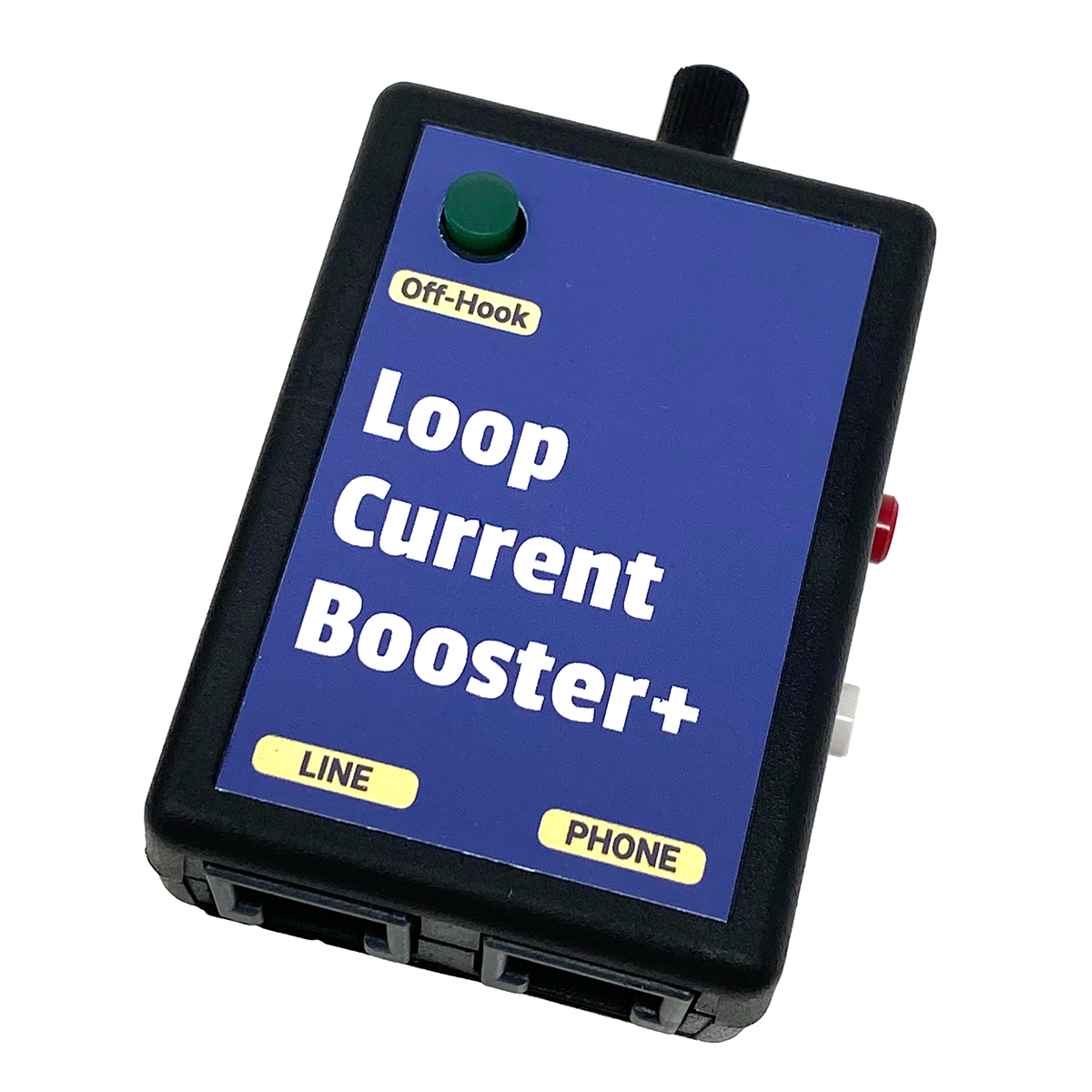
Loop Current Booster™

Increases the Loop Current to a Regulated 27ma

Increases the On-Hook Talk Battery by 24VDC

The Loop Current Booster™ simply adds 24VDC to the on-hook talk battery. If the on-hook (hung-up) talk battery on a line is 24V, the Loop Current Booster™ will raise the on-hook voltage to 48VDC.

The off-hook DC voltage would be the same as any phone line with 27ma of loop current.

The Loop Current Booster™ will boost loop current from a CO line or station port providing as low as 15ma of loop current, at 20 to 48VDC.

The Loop Current Booster™ does not change the ringing voltage or current, and does not provide any audio gain. One Loop Current Booster™ is required per line.

Some phone companies no longer offer any conditioning for an OPX. They won’t install repeaters or condition the line for you. The Loop Current Booster™ boosts the talk battery and loop current, so you can get many non-conditioned (or improperly conditioned) OPXs to work.

When used on an OPX (Off-Premise Extension), the Loop Current Booster™ is normally placed at the near-end of the circuit (where the dial tone originates). Modern phone system station ports typically have less than 48VDC talk battery, so placing the Loop Current Booster™ in-series between the station port and the telco OPX demarc will make the loop current and talk battery look more like a standard phone line to the phone company.

If there’s not enough loop current on a phone line or at the far-end of an OPX (below 23ma), phones will sometimes not work properly (they might have dialing and/or talking problems). When the Loop Current Booster™ is used in-series with the pair entering a premise, it increases the loop current and talk battery voltage. You may need a Loop Current Booster™ on each end of an OPX.

A Line In-Use LED indicator is located on the face of the Booster.

The CPE equipment (telephones) connected in-series with the Loop Current Booster™ will work without 110VAC power, but you will have no boost of the talk battery or loop current. It will simply pass the line through.

The Loop Current Booster™ has modular connections for both the telephone line or station port, and the telephone equipment.

Includes 110VAC to 24VDC 100ma unregulated power cube. Do not substitute a different power transformer!

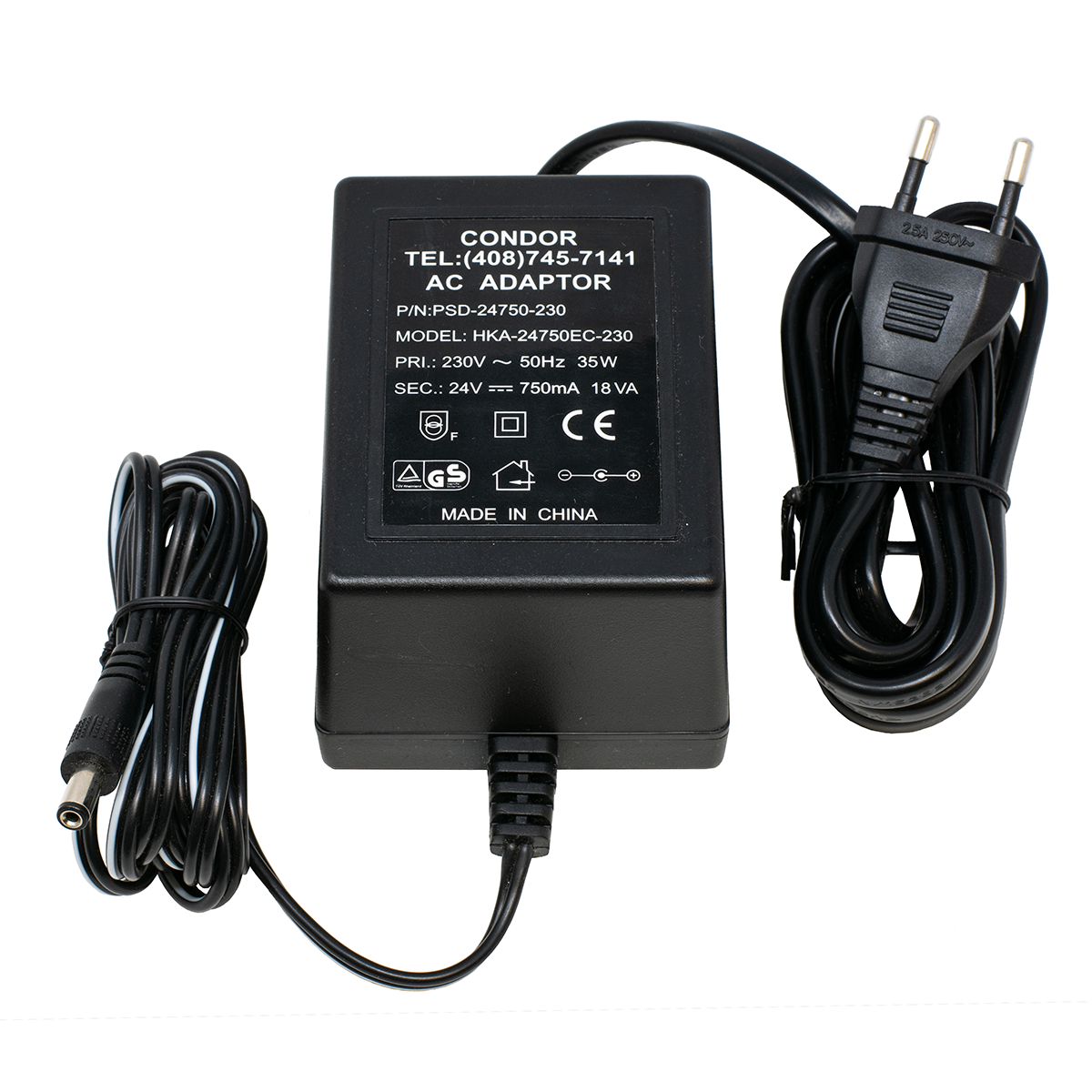
220VAC International Power Cube is available.

Part Number: KIT8L   Price: $99.95    |||    3+ Price:   $89.95


RING VOLTAGE BOOSTER II™

Ring Voltage Booster II


NEW!  Ring Voltage Booster II!


Ring Voltage Booster II™

Increases the Ring Voltage to
90VAC RMS at 20 cycles

Increases Ringing Current to 7.5 REN

True SINE WAVE should make
anything Ring!


The Ring Voltage Booster II™ provides 7.5 REN of 90VAC RMS Ringing to any telephone equipment wired in-series with the Booster. That's enough for more than 7 of the old style 2500 sets with bell ringers. Each of those phones uses 1 REN.

The Ring Voltage Booster II™ will boost ringing from as low as 30VAC RMS. It regenerates the ringing of the telephone line or station port, matching the ring pattern very closely. It does not change the talk battery voltage or loop current, and does not provide any audio gain. One Ring Voltage Booster II™ is required per line.

Boosts Ringing On:

  • Telephone Lines
  • Analog Station Ports
  • Analog ISDN Ports
  • T1 Channel Bank Ports
  • VoIP Adapter Analog Ports
  • Any Device that provides a Port for an Analog Telephone

A lot of modern telecom devices do a poor job of emulating
a real phone line, and have pretty bad ringing!

The telephone company normally provides 5 REN of ringing on a telephone line. Adding a Ring Voltage Booster™ will allow you to put over 11 REN worth of phones on a line. Plug around 4 REN directly into the line from the phone company, and plug 7 REN into the Ring Voltage Booster II™ (which would be bridged directly to the phone line).

You need to know how many REN you're putting on a phone line or adapter. The REN value is marked on the bottom of each modern phone. Most are now well under 1 REN, although some are more than 1 REN.

The Ring Voltage Booster II™ will boost the ringing from phone system analog station ports, which often have low ring voltage, less than 1 REN of ringing current, and a Square Wave for ringing (instead of a true SINE wave as provided by the real phone company).

The ring voltage standard is lower in Europe (around 60VAC RMS), so if the phone system or device providing dial tone and ring voltage was designed in Europe, the Ring Voltage Booster II™ could be the only way to get your CPE equipment to ring!

When used on an OPX (Off-Premise Extension), the Ring Voltage Booster II™ is normally placed at the far-end of the circuit (where the CPE equipment is), to regenerate the ring. You may need a Ring Voltage Booster II™ on each end of an OPX, particularly if the ringing is weak coming out of the phone system's station port and the OPX runs a long ways. You may need the Ring Voltage Booster II™ on the near end (at the PBX) if it's an OPX, and the phone company's equipment (like a repeater) doesn't recognize the ringing from the phone system's analog station port.

Has Modular Jacks for easy connection to the telephone line or station port, and the telephones.

There are no switches on the Ring Voltage Booster II™, but there is an LED will that will indicate when the ring voltage is being replaced (boosted).

The CPE equipment (telephones) on LINE-OUT will still work without 110VAC power applied to the Ring Voltage Booster II™, but you will have no boost of the ring voltage or current. It will simply pass the line through.

Comes in a plastic case, and includes a 110VAC to 12V 1000ma Regulated Power Cube.

220VAC International Power Cube is available.

Part Number: KIT8R   Price: $124.95    |||    3+ Price:   $112.00


25 LINE RING VOLTAGE BOOSTER

25 Line Ring Voltage Booster


NEW!  25 Line Ring Voltage Booster!


              25 Line Ring Voltage Booster™

                                         Populate in 5 Line Increments!

            Increases Ring Voltage to 90VAC RMS at 20 cycles

                       Increases Ringing Current to 7.5 REN

                True SINE WAVE should make anything Ring!


The 25 Line Ring Voltage Booster™ is a 19” rack mount chassis with 25 pair AMP connectors for input and output. The electronics are exactly the same as our Ring Voltage Booster II™ (above).  If you want to make sure this will solve your problem, buy a single line Ring Voltage Booster II™ to see if it will help, before ordering a 25 Line unit.

It’s placed in-series with up to 25 analog station ports or phone lines and the phone equipment that needs the increased ring voltage or current. It regenerates the ringing of the telephone line or station port, matching the ring pattern very closely.

The 25 Line Ring Voltage Booster™ will boost the ringing on a phone line or station port that’s as low as 30VAC RMS.  It regenerates the ringing of the telephone line or station port, matching the ring pattern very closely.  It does not change the talk battery voltage or DC loop current, and does not provide any audio gain. It just boosts the Ring Voltage and Current. Nothing else.

One Ring Voltage Booster™ Module is required per line, and one Ring Generator Module is required for every five lines (it’s not necessary to populate all 25 lines if they’re not needed). It's populated in 5 line increments.

Ring Voltage Booster™ Module

Ring Generator Module

5 Lines Populated

One plug-in Ring Generator Module serves each five plug-in Ring Voltage Booster™ Modules (one Booster Module is needed per line).


The chassis can be populated with up to 5 Ring Generator Modules (RG1 through 5), and 25 Ring Voltage Booster™ Modules. One 4A 12VDC Regulated Power Supply plugs into a jack on the rear panel.

Each Ring Generator Module puts out 7.5 REN of 90V Sine Wave ringing current, which is used by the five associated  Ring Voltage Booster™ Module ports.

Traffic Considerations:

If only one of the five ports associated with a Ring Generator Module is ringing, it will get the full 7.5 REN output of that Ring Generator. If two ports are ringing at the same time, each port will split the 7.5 available REN. Likewise, if three, four or all five ports are ringing simultaneously, they will all split the available 7.5 REN.

Normally you’ll only have one 1 REN or less attached to each port in a PBX environment. If all five ports ring at the same time, there will be plenty of current to ring all five.

If you have 5 REN worth of phones/ringers on each port, it will take 25 REN to ring them all simultaneously, and none will ring because that’s more current than the Ring Generator Module can provide.

The chances of all five ports ringing at the same time are slight, but it’s possible. Most phone systems stagger the ringing on analog ports so they don’t need a huge ring generator (which is fairly annoying in an office environment where several phones are programmed to ring on an incoming call).

If you have a lot of REN on each port, and you can assign stations that ring at different times to the ports associated with a single Ring Generator Module, you’ll have 7.5 REN available to each port. If you only have a few ports with a lot of phones/ringers, split them up between the five Ring Generator Modules in the 25 Line Ring Voltage Booster™

Feature Compatiblity:

The 25 Line Ring Voltage Booster™ works with CPC (Calling Party Control, or Open Loop Disconnect), Caller ID, Message Waiting (may have a problem with some Neon and LED type message waiting), Distinctive Ringing, Call Waiting, Call Transfer and 3-Way Calling. It regenerates the ringing of the telephone line or station port, matching the ring pattern very closely.

The 25 Line Ring Coltage Booster™ Boosts Ringing On:

• Telephone Lines     • Analog Station Ports     • Analog ISDN Ports     • T1 Channel Bank Ports

• VoIP Adapter Analog and Gateway Ports     • Any Device  that provides a Port for an Analog Telephone
 

Note that the ring voltage standard is lower in Europe (around 60VAC RMS), so if the phone system or device providing dial tone and ring voltage was designed in Europe, the Ring Voltage Booster™ could be the only way to get your CPE equipment to ring!

There are no switches on the 25 Line Ring Voltage Booster™.  There are LEDs to indicate power to the 25 Line Ring Voltage Booster™, when a Ring Generator Module is supplying power, when a Ring Voltage Booster™ Module is providing power (replacing the ringing for that porton), and when there is an overload on a Ring Generator Module.

The CPE equipment (telephones) on the output will still work without power applied to the 25 Line Ring Voltage Booster™, but you will have no boost of the ring voltage or current. It will simply pass the line through.

Part Number: DSI9O   Price: $899.95

25 LINE RING VOLTAGE BOOSTER™ - RING GENERATOR MODULE

25 Line Ring Voltage Booster™ Ring Generator Module (up to 5 needed per 25 Line Ring Voltage Booster™) 25 Line Ring Voltage Booster™ Ring Voltage Generator
Supports ringing for up to 5 Ring Voltage Booster™ Modules.

5 needed per 25 Line Ring Voltage Booster™.

Part Number: DSI9P   Price: $54.95

25 LINE RING VOLTAGE BOOSTER™ - 1 BOOSTER MODULE

25 Line Ring Voltage Booster Line Booster Module (up to 25 needed per 25 Line Ring Voltage Booster™) 25 Line Ring Voltage Booster™ Module
5 needed per Ring Generator Module, up to a maximum or 25 per 25 Line Ring Voltage Booster™

Part Number: DSI9Q   Price: $62.95

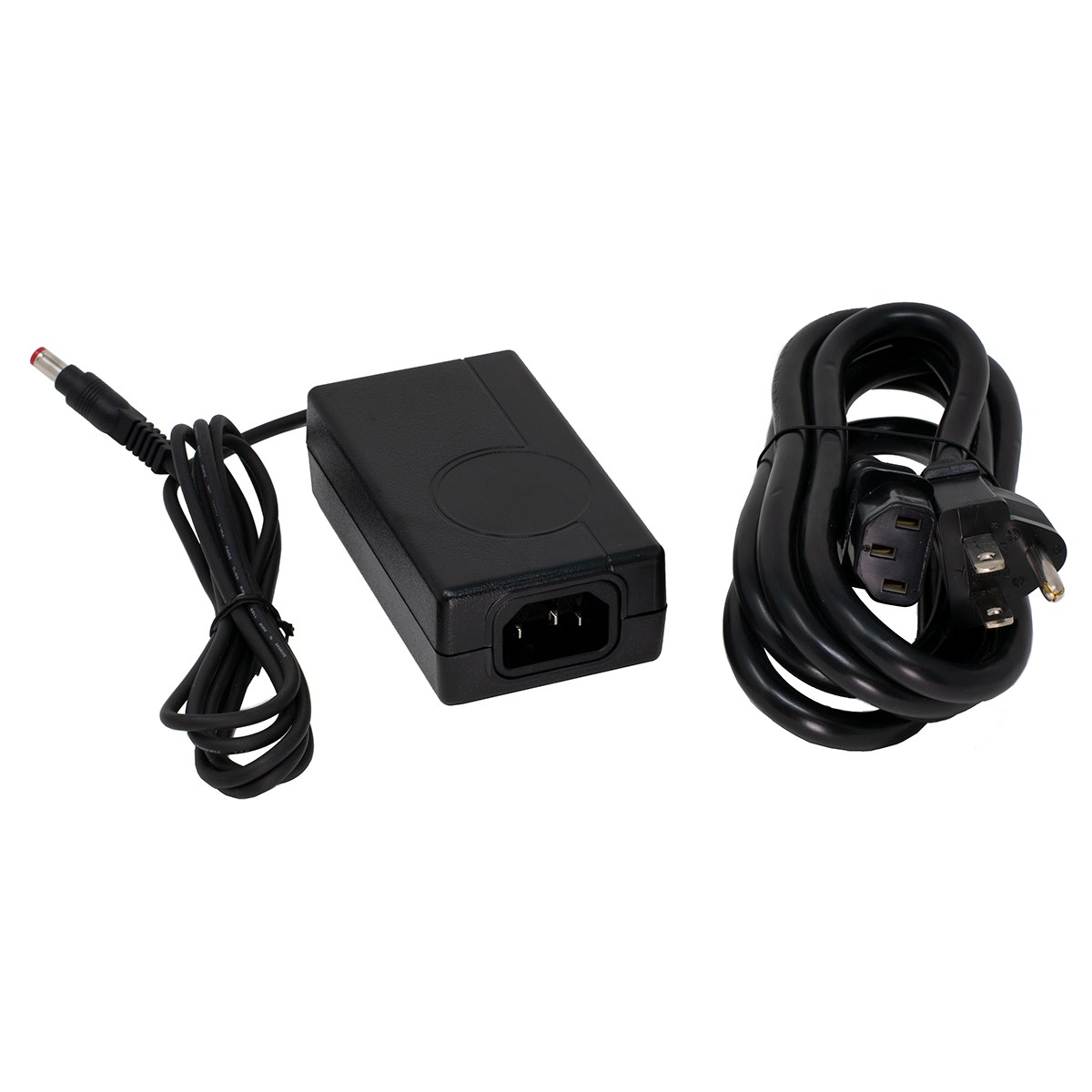
12VDC 4A (4000ma) REGULATED 110VAC POWER SUPPLY

12VDC 4A Power Supply with US 110VAC Cord

12VDC 4A Regulated Power Supply
with US Style 110VAC Cord


Comes with 110VAC US Style Cord.
Power Supply will work on 220VAC
if you use a locally sourced cord for the AC side (see picture).

Part Number: DSI9N   Price: $29.95


LOOP CURRENT TESTER

Fix the Unfixable!

High Loop Current problems are causing service calls... and you may not even know it!

Greater than 35ma Loop Current symptoms include:

  • Burned out Key, PBX and Data equipment
  • Cut-offs and squealing on lines
  • Crosstalk, echo or hollow sounds
  • Off premise equipment problems
  • Garbled data and modems that won't connect

Click to see larger picture of the Loop Current Tester
Loop Current Tester

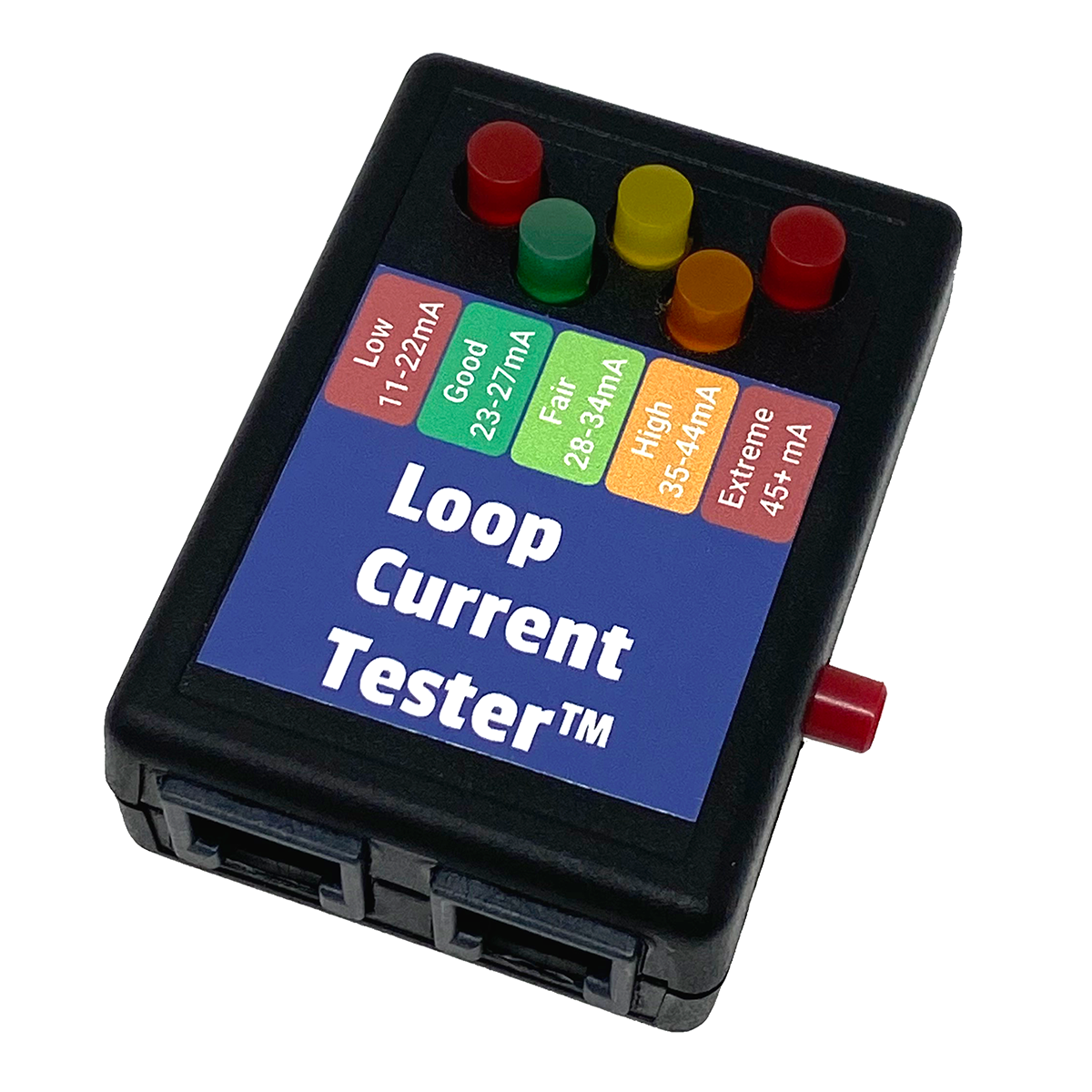
Our Loop Current Tester is the fastest and easiest way to check loop current - just push One Button. That's it!

Connect the modular plug ANYWHERE across the line (not in series). Push the TEST button and read the loop current off the five LEDs that indicate the range of loop current:

  • LOW (11 to 22ma)
  • GOOD (23 to 27ma)
  • FAIR (28 to 34ma)
  • HIGH (35 to 44ma)
  • EXTREME (45ma to 120ma)

  • It's Line Powered, and there's only ONE Button to Push!

    Because the Loop Current Tester goes anywhere across the line, our customers have told us that they find it a lot faster than getting out their digital meter and connecting it in-series with the line.

    Instructions and a diagram to measure loop current with a regular digital meter are in our Loop Current and Circuit Loss Tech Bulletin.

    See our Loop Current Regulators™ (a little farther down the page)
    to reduce Loop Current to safe levels.

    Part Number: TOH7O   Price: $35.95


    DELUXE LOOP CURRENT TESTER

    This is the case with accessories that comes with the Deluxe Loop Current Tester Kit. It will hold a bunch of testers!


    Start piecing together your complete Telephone Line Tester with our Deluxe Loop Current Tester Kit

    Same features as our Loop Current Tester (above).


    Kit includes:

    • Case to hold the Loop Current Tester, and a bunch more Testers.
    • A 66M to 1 Pair Modular Adapter so you can plug the Tester right onto a 66 Block.
    • A Modular Butt-set Cordset with Angled Bed-of-Nails Clips, so you can use the Tester
      like a Butt-set. The Bed-of-Nails will pierce the insulation on inside wire, without the need
      to strip it, and without damaging the wire!
    • A short Modular Cord with K-Plugs to make it easy to plug and unplug the Tester.


    Click for larger pictures of Accessories

    Part Number: TOH7P   Price: $74.95


    CASE and CORD KIT for TESTERS

    This is just the case with accessories, with no Tester. It will hold a bunch of testers!


    If you already have a Tester or two,
    get our
    Case and Cord Kit for Testers


    Kit includes:

    • Case to hold a bunch of Testers
    • A 66M to 1 Pair Modular Adapter so you can plug the Tester right onto a 66 Block.
    • A Modular Butt-set Cordset with Angled Bed-of-Nails Clips, so you can use the Tester
      like a Butt-set. The Bed-of-Nails will pierce the insulation on inside wire, without the need
      to strip it, and without damaging the wire!
    • A short Modular Cord with K-Plugs to make it easy to plug and unplug the Tester.

    Same as the Deluxe Loop Current Tester Kit (above), but with no Loop Current Tester.

    Part Number: TOH7T   Price: $39.95


    CIRCUIT LOSS TESTER

    Test Circuit Loss with One Button!

    CAN'T HEAR problems are tough to track down without a Circuit Loss Tester!

    If a user at a customer says they can't hear on a call occasionally, there's not much you can do about it. It's probably the long distance provider on one end or the other.

    If only a single user at a customer is complaining that they can't hear on a regular basis, an Amplified Handset will probably help that user.

    If all or several users are complaining that they can't hear on a lot of calls, or that the outside party can't hear them, it's time to do some testing to see what's wrong. I've personally carried one brand or another of a Circuit Loss Tester for many years. I don't know how a repairman can figure out what's going on without one, and Can't Hear complaints are pretty common.

    If you're a repairman, you'll have a pretty good idea of how a phone line sounds just by listening to it in your Butt-set, since that's what you do for a living. If the line is low, you really need to know how low it is, so you can go to battle with the Phone Company.

    TIP:   Through the years my ear has gotten pretty good at knowing if the level of a phone line is OK or not by simply calling a 1KC tone at the Phone Company in downtown Chicago (312-856-9996). I always call the same number. My ear seems to have a pretty good idea of how loud it should be depending on how far I am from downtown. This works on both a Butt-Set and a regular telephone handset. I press the handset to my ear to make a good seal, and then I rock it forwards a little to break the seal. It's pretty accurate as a first test. If it sounds low, I continue on to taking a Circuit Loss Reading.

    You need to measure the Circuit Loss of the phone lines in order to go to battle with the Phone Company. If you tell the Phone Company that the lines are too low, they'll just tell you that they Test OK, No Trouble Found. They aren't going to do anything about it unless you have some numbers to force them to take action (and even then they may ignore you).

    Circuit Loss is measured between the local Central Office (CO) that the lines are working out of, and the customer's premise. The CO sends out a 1004 cycle tone at 0db, and it's measured at the customer's demarc using a meter that reads the db level. Whatever the reading is, is the Circuit Loss on that line. If it reads -7.5db, the line lost 7.5 db of audio between the CO and premise. That loss is usually just the result of the resistance of the length of small copper wires. The farther the wires go, the lower the volume at the premise.

    Keep in mind that electrically, there are two parts of a phone line - the DC voltage and current, and the AC voltage (audio measured in db). The AC audio on a phone line rides on-top of the DC talk battery. While they're related, they don't always follow each other. Just because the Loop Current is OK, doesn't mean that the Circuit Loss is OK.

    Generally speaking, anything below a -7.5 gets hard to hear. The phone company doesn't have to do anything about bringing up the level on the line until it's below -8.5db. At that point, it's really hard to hear, and very annoying for the customer.

    The good news is that most Phone Companies let you order a TRUNK instead of a LINE (loop or ground start), where they'll guarantee a maximum 5.5db of loss. I've never heard anyone complain about a line that had a -5.5db Circuit Loss. Keep in mind that TRUNKS are more expensive than LINES, and require a completely new installation of conditioned pairs to the premise.

    It's very difficult and expensive to amplify a 2 wire phone line. It's a lot better to let the Phone Company do it! More details on Circuit Loss are in our Loop Current and Circuit Loss Tech Bulletin.

    The Circuit Loss Tester is easy to use:

    • Connect the first modular jack on the Circuit Loss Tester to the pair at the demarc
    • Connect your Butt-Set to the second modular jack on the Circuit Loss Tester
    • Call the 1KC tone at the local CO (you MUST use the local CO's 1KC tone, not a tone at a different CO)
    • Push the button on the Circuit Loss Tester and read the circuit loss on the Bright Red 1/2" Tall LED Display
    • The display reads from +10 to -40db
      • +10 to -20db in 1/2 db increments.
      • -20 to -40db in 1 db increments.

    It's Line Powered, and there's only ONE Button to Push!

    No batteries to worry about.  It's tiny, but VERY ACCURATE

    If you can't get the 1000 Cycle Tone (1KC) number for the local CO, the only other way to determine the Circuit Loss is to do a Loop Around Test. That means that you use two phone lines. You put a Tone Generator on one line (at the same premise), and call it from the line you're testing. See our 1KC Tone Generator (below).

    Part Number: TOH8K   Price: $99.95


    1KC TONE GENERATOR

    1KC Tone Generator 1KC Tone Generator

    Just like the Phone Company's!

    The 1KC Tone Generator sends out a 1004 cycle tone at 0db, and gives you a short period of silence (stutters) every 10 seconds... Just like the Phone Company's Tone.

    It answers the line automatically on the first ring, and will hang-up as soon as it sees a CPC signal.

    In order to get an accurate Circuit Loss reading, you MUST use the 1KC Tone at the CO the line is working out of. If you use the 1KC Tone from another CO, it's impossible to get the correct reading because there is always an unknown amount of loss between two or more COs. If you can't get the phone number for the 1KC Tone at the CO, you'll need to do a Loop Around Test, using two phone lines (one to send tone, and one to measure it), and a 1KC Tone Generator.

    The 1KC Tone Generator is easy to use:

    • Put it on a phone line (usually the last line)
    • Dial the phone number the 1KC Tone Generator is on from each of the lines you want to test, noting the db reading for each
    • Since you're doing a Loop Around Test, your reading is actually the Circuit Loss for both lines added together (you could just divide the number in-half, but one line may be bad and they may not both have the same amount of loss)
    • Just hang-up on the line you're reading the db level on, and repeat the operation on all the other lines (there's no need to read the line with the 1KC Tone Generator on it)
    • The 1KC Tone Generator will hang-up as soon as it sees the CPC signal on the phone line it's connected to
    • If there is no CPC, or the ring voltage won't trip the 1KC Tone Generator to answer the line, you can start and stop the tone manually by pressing the single button on the unit (the 1KC Tone Generator only works on a line with talk battery, it won't work on a dry pair with audio)
    • Use the worksheet included with the 1KC Tone Generator to determine the Circuit Loss of each of the separate lines from the readings you noted (the calculations will get you very close to the actual circuit loss of each line, as long as there are three or more lines)

    It's Line Powered, and it's Automatic!

    There's only ONE Button to Push in Manual Mode

    Part Number: TOH8L   Price: $62.95


    Need to know what kind of Central Office the Phone Company is using?

    How about the address of the Central Office?

    Click Here to do a CO Lookup!  
    Click Here
    to do a CO Lookup!

    Use our CO Lookup to find out which Phone Company owns the CO,
    where the CO is, and how far it is from your customer's premise
    using our
     Map It!  feature.

    You'll also find all of the exchanges in that Central Office (the actual CO switch could have many exchanges, allowing it to go over 10,000 phone numbers), and find all of the other COs (colocated) at that address (there could be several).

    Keep in mind that with the advent of Portability, there is no way to tell whether a particular phone number has been ported to another Phone Company without asking your customer (if they know!). You could try dialing 0 for the Operator, but it seems like most are now in India, and don't know who they're answering the line for (they just say they're the Operator).

    If you use the local Phone Company's 1KC Tone on a phone number that's been ported to another Phone Company's switch, the readings probably won't be accurate. You'll need the 1KC Tone phone number in the CLEC's switch.

    We need your local Test Numbers!

    Our databse will now list Test Numbers for each switch (1KC Tone and Silent Termination), when we have that information. If you know the test numbers for some of the COs in your area, you can look up that CO, and then enter the information into a form. We'll test them (we don't want to keep calling someone's Grandmother!), and put them in the list within a day or two.

    Since the database lists each CO individually, we need the information on specific COs. Although we can try to put general notes in the listing that will apply to an entire city, state or area code, the most useful information is specific test numbers for a particular CO. At this point, we don't have a lot of test numbers, but we're hoping that will change quickly!

    At most COs, the 1KC Tone is always the exchange code plus a particular last four digits. In the Chicago area, 9996 and 9940 are popular for the 1KC tone, and 9939 or 9995 for Silent Termination. 9997 or some other number is used to open a circuit automatically for a few minutes from the CO for testing in the field (to remove talk battery so you can test with a Kick Meter or Sidekick).

    If you know the common four digit station numbers that a particular Phone Company uses, you may be able to figure out the test number you need by trying those four digits with all the exchanges shown for that CO in CO Lookup (like XXX-9996). Since there are usually several exchanges working out of larger COs, the test numbers will only be on one of the exchanges.

    As an example, if you do a CO Lookup on the 630-295 exchange, you'll find that there are quite a few exchanges working out of that CO (they all have the same CLLI code). Neither 630-295-9996 or 630-295-9940 give you a 1KC Tone, but if you try each of the exchange codes in that CO, when you get to 630-980 you'll find that 630-980-9940 gives your a 1KC Tone.

    Note that on the list of exchanges working out of the same CO, there can be more than one area code in a Central Office. In the case of the CO that has the 630-295 exchange, there are several 847 area code exchanges. This is usually the result of area code splits, where the line between the two area codes went right through the area where a single Central Office served several cities.

    When you need to do a CO Lookup, you'll find it right at the top of our main page at www.sandman.com

    Click HERE to give it a try on your own CO right now!


    SILENT LINE TERMINATOR™

    Silent Line Terminator Silent Line Terminator™

    Just like the Phone Company's!

    The Silent Line Terminator™ is totally quiet when it answers the phone line it's connected to... Just like the Phone Company's Quiet Line.

    It answers the line automatically on the first ring, and will hang-up as soon as it sees a CPC signal.

    When you can't get the phone number for the Phone Company's Quiet Line, this lets you make your own Silent Line!

    Because there are no levels involved, you can put this at your office, on one of the customer's phone lines (temporarily), or on any phone line with CPC (so it will hang-up automatically).

    Although Interconnect phone men seldom have to take noise or power influence readings, those readings would only be valid dialing a Quiet Line at the CO the line is working out of. While you could do a Loop Around Test for noise, we don't provide a worksheet for determining the noise on a line.

    I couldn't do repair without having a Quiet Line to call. There are so many cases with static and noise problems that I use the Quiet Line all the time.

    It's Line Powered, and it's Automatic!

    There's only ONE Button to Push in Manual Mode

    NOTE: Some Phone Companies have a combination quiet line that gives you a 1KC Tone for a short time, and then silence (like 312-856-9998). There are also Sweep lines, that slowly step up from about 300hz to 3000hz, so you can check the loss at various frequencies. Interconnects seldom (if ever) need to check the loss at anything other than 1KC.

    Part Number: TOH8M   Price: $59.95


    NETWORK METER™ DVOM and CAT5 CABLE TESTER

    Click to see a bigger picture of the Network Meter

    Network Meter™

    Accurate  DVOM
    (Digital Volt Ohm Meter)

    and

    CAT5 Cable Tester
    with Remote to test for Continuity and Splits


    Click to see a bigger picture of the Network Meter in the Holster


    Network Meter with Remote and 1 Foot Patch Cables Includes:
    • Digital Meter with 9V Battery
    • Holster with Police Style Belt Clip
    • Test Leads with Butt-set Style Bed-of-Nails Clips
    • Regular Meter Test Probes
    • Remote for the Cable Tester
    • Two 1 Foot Patch Cords
    • Zipper Case for Accessories

    Meter Leads with Probes

    Click to see bigger picture of Accessory Case for the Network Meter

                An Unbelievably Good Meter for a Phone Man, at a Very Reasonable Price!

    We bought and tested lots of meters to find one that was accurate for the phone man who has to measure:

    • On and Off Hook DC Voltage
    • DC Loop Current
    • Induced AC Voltage on a Phone Line
    • AC Ring Voltage

    It's amazing how many meters, even expensive ones, won't measure AC on a phone line. You know you can't use a meter for telephone work if the display just hunts from 50 to 100 to 10 to 200 to 30, etc., constantly. Most Flukes work OK.

    Network Meter™ DVOM Features:

    • AC and DC Volts
    • AC and DC Current (DC mA for Loop Current)
    • Ohms
    • Continuity with Beeper
    • Hold Button to Freeze the Display
    • Large Numbers on the LCD Display
    • Bright White Backlight for the Display (Switchable On/Off)
    • CAT5 4 Pair Cable Tester with Remote (Shows Continuity and Split Pairs)
    • Flip Out Desk Stand, with Helpful Connection Tips under the Stand
    • Overvoltage Protection prevents Meter Damage
    • Comes with Regular 9V Heavy Duty Battery - Lasts an Incredibly long time!
    • NOTE: There is an RJ-11 Test on the Selector Switch that's not Implemented

    The Network Meter™ is really easy to use!

    Phone line and phone system problems are getting harder, and a meter is as important as ever for a phone man who needs to get problems fixed as quickly and efficiently as possible... before you replace the KSU!

    The Network Meter™ is at least as good at reading AC ring voltage as the $800 to $1,000 Triplett Model 5 or Sidekick T&N Meters, and it's accurate on all of the other ranges too - including DC ma (for loop current).

    I put 50VDC from a phone line into the Cable Tester and Remote RJ-45 jacks, as well as the meter's ohms range, and the meter still worked (no smoke!). Not all meters or cable testers can survive an accidental connection to a phone line - which is a real possibility when we're out in the field. With PoE (Power over Ethernet), a lot of CAT5 jacks in offices are going to have 48VDC on one of the pairs that can instantly destroy a cable tester without overvoltage protection.

    See the Ring Voltage Tech Bulletin for more information on ringing problems, and reading AC voltages on phone lines.

    Part Number: TOH3A   Price: $89.95    |||    3+ Price:   $79.95

    REPLACEMENT METER LEADS

    Replacement Meter leads with Banana Plugs Standard Replacement Banana Plug Meter Leads

    Part Number: MSC3B   Price: $6.95


    ECONOMY NETWORK METER™ DVOM and CAT5 CABLE TESTER

    Economy Network Meter - DVOM

    ECONOMY Network Meter™

    A GREAT DVOM (Meter) that reads AC on a phone line
    correctly, and also tests the continuity of CAT5 cables...
    at an Unbelievable Price!

    Accurate DVOM (Digital Volt Ohm Meter) and
    CAT5 Cable Tester with Remote
    to test for Continuity and Splits

    Includes:

    • Digital Meter with 9V Battery
    • Regular Meter Test Probes
    • Remote for the Cable Tester

                An Unbelievably Good Meter for a Phone Man, at a Very Reasonable Price!

    We bought and tested lots of meters to find one that was accurate for the phone man who has to measure:

    • On and Off Hook DC Voltage
    • DC Loop Current
    • Induced AC Voltage on a Phone Line
    • AC Ring Voltage

    It's amazing how many meters, even expensive ones, won't measure AC on a phone line. You know you can't use a meter for telephone work if the display just hunts from 50 to 100 to 10 to 200 to 30, etc., constantly. Most Flukes work OK.

    ECONOMY Network Meter™ DVOM Features:

    • AC and DC Volts
    • AC and DC Current (DC mA for Loop Current)
    • Ohms
    • Continuity with Beeper
    • Hold Button to Freeze the Display
    • Large Numbers on the LCD Display
    • Bright White Backlight for the Display (Switchable On/Off)
    • CAT5 4 Pair Cable Tester with Remote (Shows Continuity and Split Pairs)
    • Flip Out Desk Stand, with Helpful Connection Tips under the Stand
    • Overvoltage Protection prevents Meter Damage
    • Comes with Regular 9V Heavy Duty Battery - Lasts an Incredibly long time!
    • NOTE: There is an RJ-11 Test on the Selector Switch that's not Implemented

    The ECONOMY Network Meter™ is really easy to use!

    Phone line and phone system problems are getting harder, and a meter is as important as ever for a phone man who needs to get problems fixed as quickly and efficiently as possible... before you replace the KSU!

    The ECONOMY Network Meter™ is at least as good at reading AC ring voltage as the $800 to $1,000 Triplett Model 5 or Sidekick T&N Meters, and it's accurate on all of the other ranges too - including DC ma (for loop current).

    I put 50VDC from a phone line into the Cable Tester and Remote RJ-45 jacks, as well as the meter's ohms range, and the meter still worked (no smoke!). Not all meters or cable testers can survive an accidental connection to a phone line - which is a real possibility when we're out in the field. With PoE (Power over Ethernet), a lot of CAT5 jacks in offices are going to have 48VDC on one of the pairs that can instantly destroy a cable tester without overvoltage protection.

    See the Ring Voltage Tech Bulletin for more information on ringing problems, and reading AC voltages on phone lines.

    Part Number: TOH3B   Price: $44.95    |||    3+ Price:   $42.95    |||    10+ Price:   $39.90


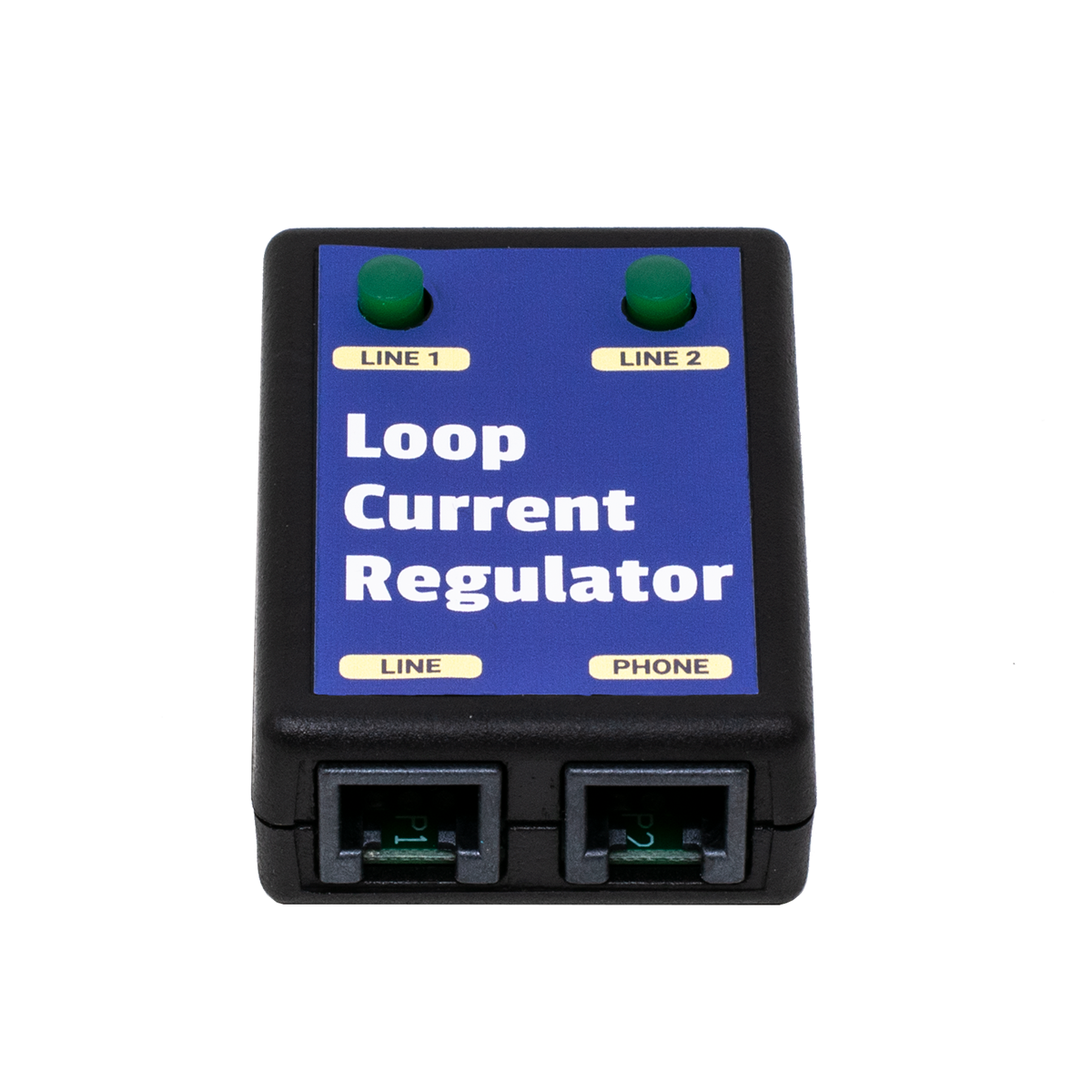
    MODULAR LOOP CURRENT REGULATOR™ - 1 LINE

    1 Line Modular Loop Current Regulator 1 Line Modular Loop Current Regulator™

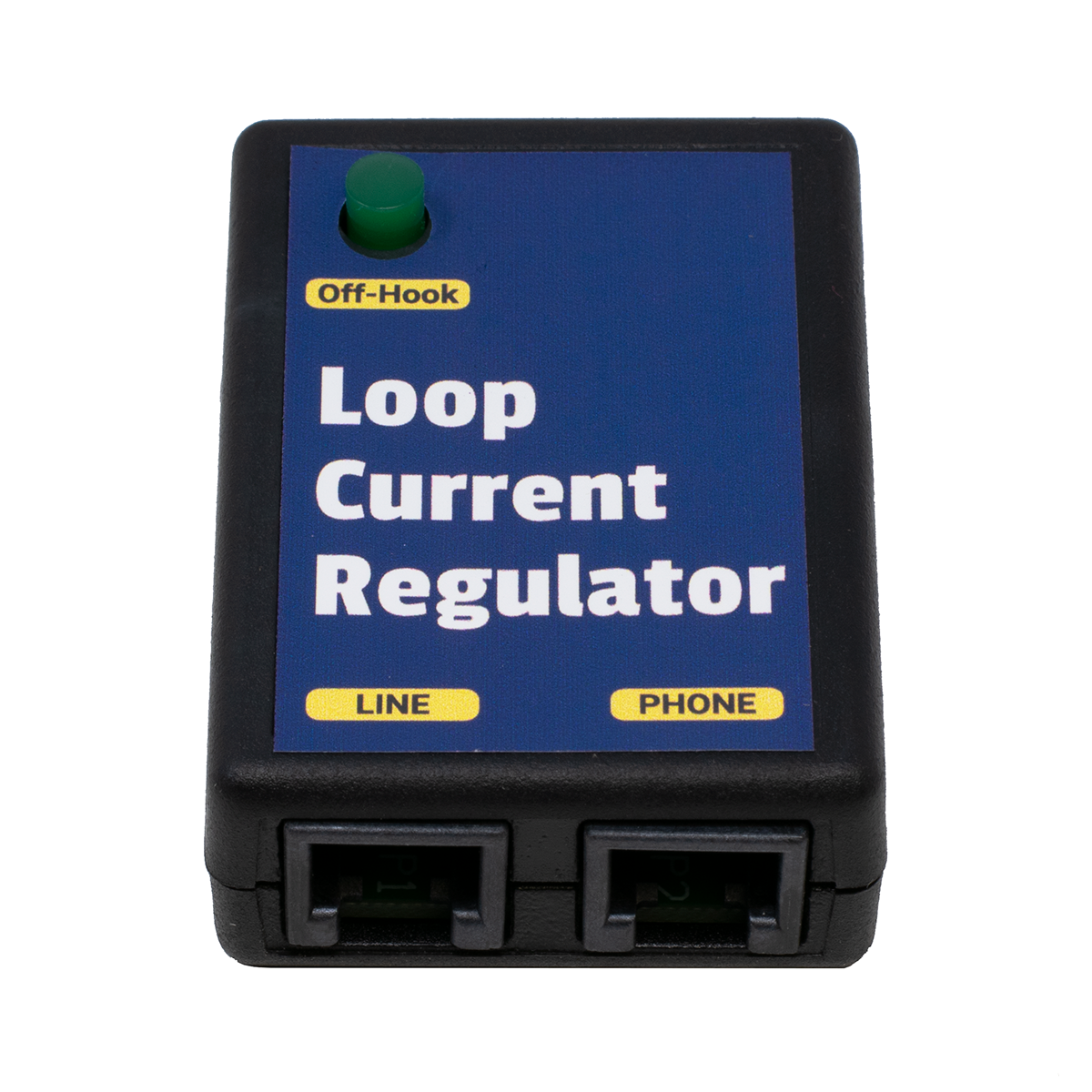
    Our Loop Current Regulator™ automatically keeps the Loop Current on a line at 25ma - no matter what!

    No dip switches, no meter, just plug it in! If the Loop Current changes down the road, the Loop Current Regulator automatically adjusts.

    Includes a BUSY (Line In-Use) LED that lights whenever anything in-series with the Loop Current Regulator™ goes off-hook.

    Greater than 35ma Loop Current symptoms include:

    • Burned out Key, PBX and Data equipment
    • Cut-offs and squealing on lines
    • Crosstalk, echo or hollow sounds
    • Off premise equipment problems
    • Garbled data and modems that won't connect

    Our Loop Current Regulator™ is a cost effective fix to High Loop Current Problems. Specially made so that it WON'T bring down the volume of the line as it reduces the Loop Current. Your customer will be able to hear even if the Loop Current Regulator™ is reducing the Loop Current by 80ma!

    Each 1 Line Modular Loop Current Regulator™ can be plugged directly into a modular jack (RJ11), with the telephone equipment plugged into its jack. It can also be hardwired to a 66 Block by cutting the twisted pair cable going to the modular plug in the middle, and punching the one pair from each of the two cut ends down to the 66 Block (the plug side to the phone line, and the Regulator side to the phone equipment).

    Keep some Loop Current Regulators™ in your case. Sometimes you've
    just got to reduce the Loop Current to see if the problem clears.

    The reason that high Loop Current causes different problems on different systems, and different problems depending on how high the Loop Current is, is that high Loop Current produces heat. Once the electronic components in a circuit get hotter than what they're rated to work at, strange problems start popping up. The problems are going to be different on every different model and brand of phone system, and at different premises, because there will be more or less Loop Current effecting different sets of components in the various systems.

    More information on Loop Current is available in our Loop Current and Circuit Loss Tech Bulletin.

    If you need to BOOST the Loop Current or Talk Battery,
    see our Loop Current Booster farther down the page.

    Part Number: WAL5S   Price: $39.95    |||    3+ Price:   $38.95


    MODULAR LOOP CURRENT REGULATOR™ - 2 LINE

    2 Line Modular Loop Current Regulator 2 Line Modular Loop Current Regulator™

    Our Loop Current Regulator™ automatically keeps the Loop Current on a line at 25ma - no matter what!   No dip switches, no meter, just plug it in!

    Includes a BUSY (Line In-Use) LED for each of the two lines that lights whenever anything in-series with that line on the Loop Current Regulator™ goes off-hook.

    Each 2 Line Modular Loop Current Regulator™ can be plugged directly into a modular jack (RJ14), with the telephone equipment plugged into its jack. It can also be hardwired to a 66 Block by cutting the twisted pair cable going to the modular plug in the middle, and punching the two pairs on each of the cut ends down to the 66 Block (the plug side to the phone line, and the Regulator side to the phone equipment).

    Same features as our 1 Line Loop Current Regulator™, but supports 2 lines (RJ-14 Configuration).

    Part Number: WAL5T   Price: $49.95    |||    3+ Price:   $48.95


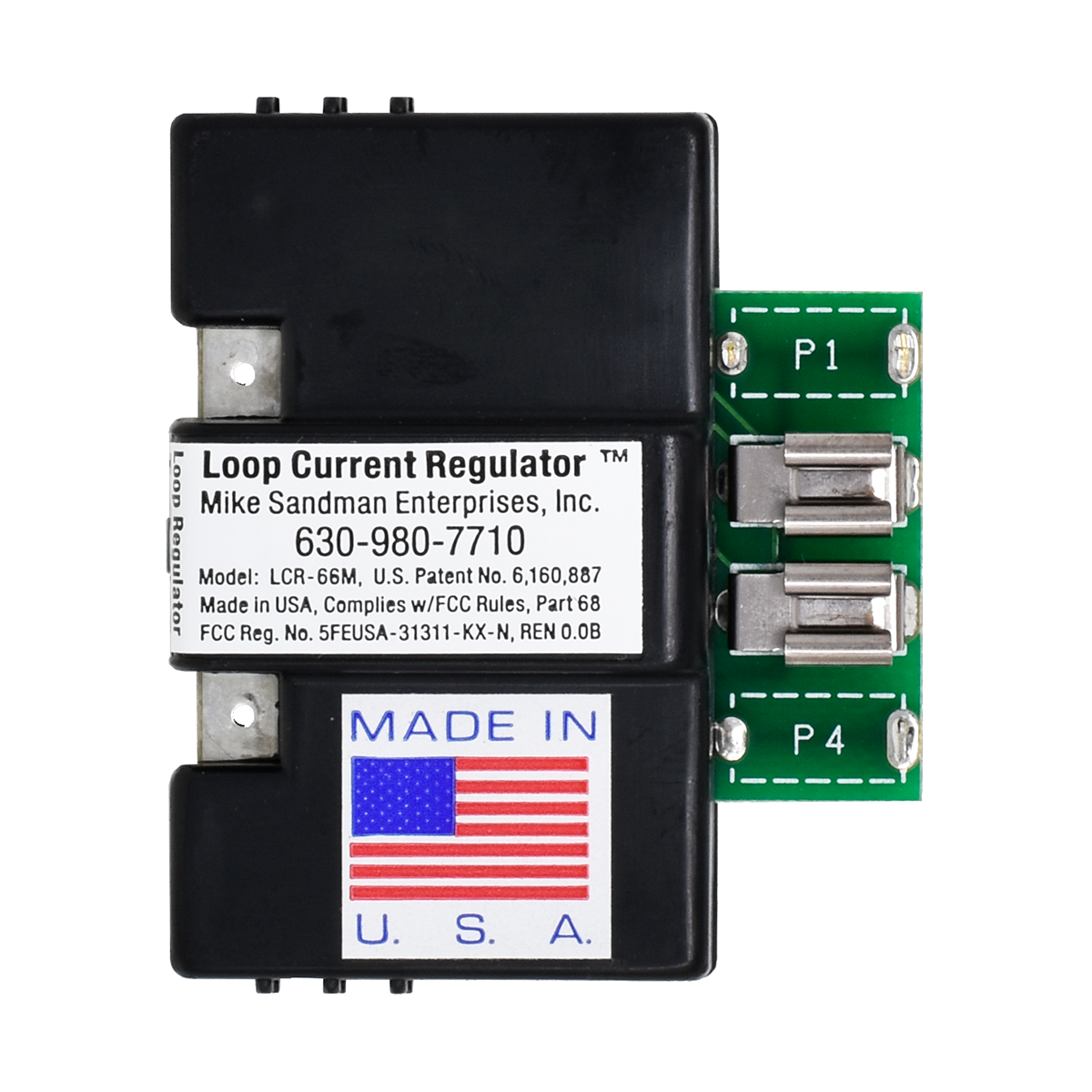
    66 BLOCK LOOP CURRENT REGULATOR™

    66 Block Loop Current Regulator 66 Block Loop Current Regulator™ Loop Current Regulators on a 66 Block, with a Test Shoe


    Includes a BUSY (Line In-Use) LED that lights whenever anything in-series with the Loop Current Regulator™ goes off-hook.

    Shown here with the 66 Block Test Shoe


    Same features as our Modular Loop Current Regulators™ (above), but the 66 Block Regulator™ simply takes the place of bridging clips on a split  66M Block. They won't fit on a 66B block.

    Connects in-series between the telephone line or analog station port on the left side of the 66 Block, and the telephone equipment on the right side of the 66 Block.

    Includes Line In-Use LED.

    Part Number: MIS1S   Price: $35.50    |||    6+ Price:   $33.50    |||    20+ Price:   $32.50


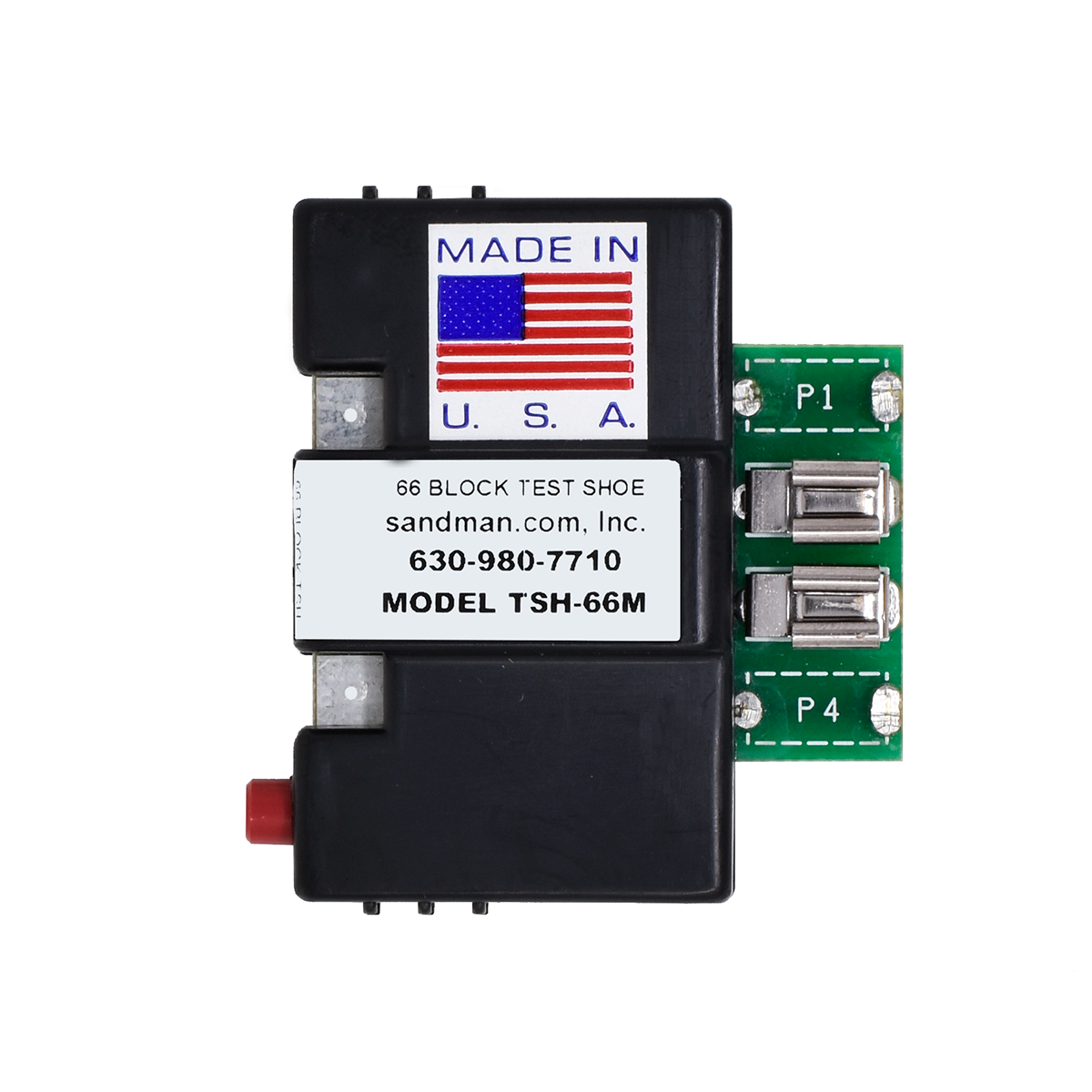
    66 BLOCK TEST SHOE

    66 Block Test ShoeClick to see bigger picture of Maximum Lightning Protection on a 66 Block with Ground Bus, with a Test Shoe

    If you need to test one line in the middle of a bunch of lines, it can be hard to get your Butt-set clips on the 66 block.

    The 66 Block Test Shoe lets you test a line by removing a 66 Regulator, 66 Lightning Protector, or 66 Line In-Use Indicator, and placing the Test Shoe in its place. Attach your Butt-set to the clips on the front, and push the red switch to open the line and disconnect the equipment during testing.

    Remember that the phone line always comes in on the left on an RJ-21X block, and the CPE equipment is always on the right.

    Part Number: MIS1T   Price: $29.95    |||    3+ Price:   $27.95


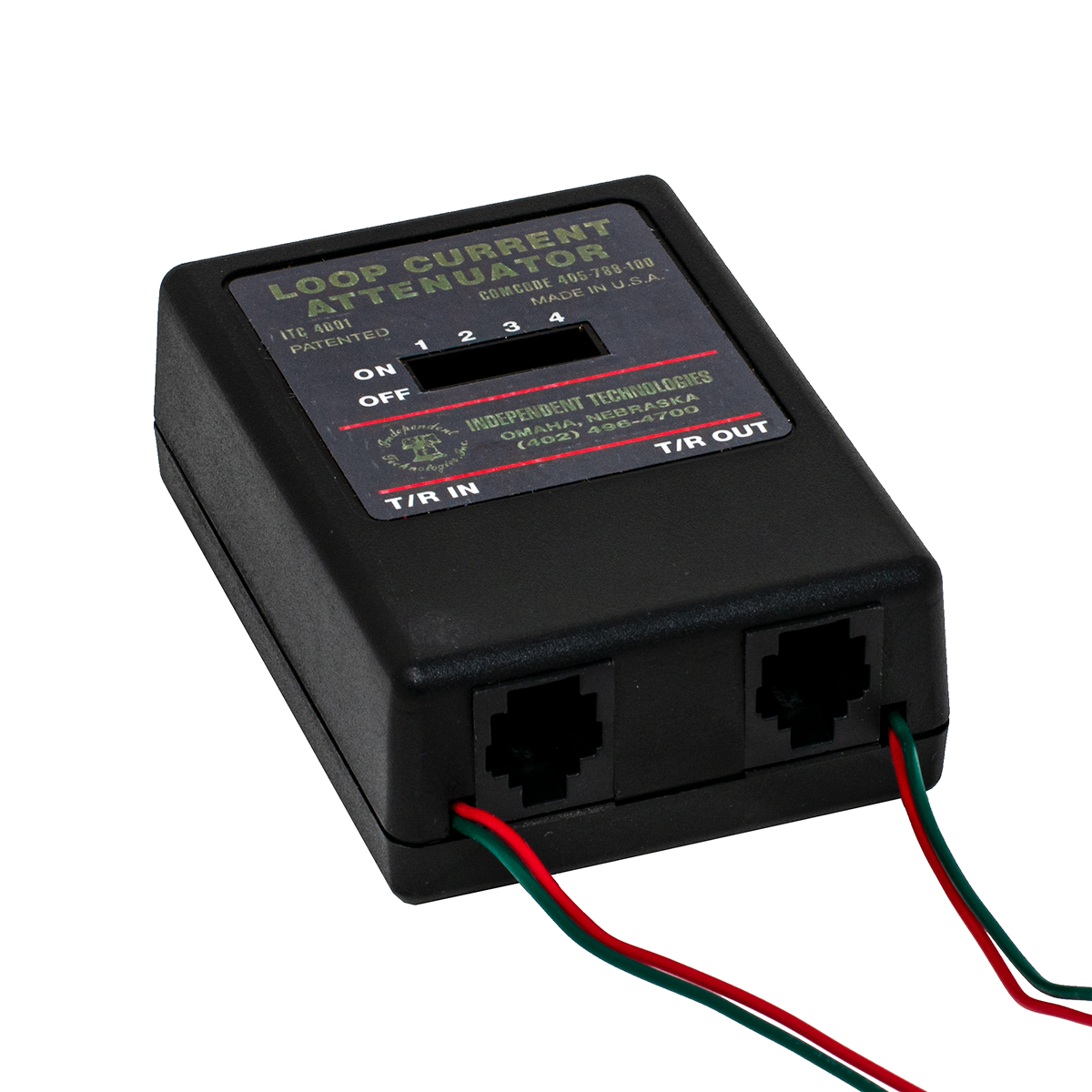
    LOOP CURRENT ATTENUATOR

    Click to see a bigger picture of the Loop Current Attenuator Loop Current Attenuator

    FIX THE UNFIXABLE!

    Our Loop Current Attenuator lets you reduce the Loop Current on a line by flipping one or more of the four DIP switches, as you watch a meter or Loop Current Tester for the current to get down to between 23 and 27ma.

    There are no electronics in this Attenuator. There are only passive electronic components.

    Greater than 35ma Loop Current symptoms include:

    • Burned out Key, PBX and Data equipment
    • Cut-offs and squealing on lines
    • Crosstalk, echo or hollow sounds
    • Off premise equipment problems
    • Garbled data and modems that won't connect

    NOTE:   Because there are no electronics in the Loop Current Attenuator, if the Loop Current on the line changes down the road, you'll need to adjust the Loop Current again by connecting a meter, and flipping the DIP switches until the Loop Current is again between 23 and 27ma.

    Part Number: WAL1T   Price: $42.95


    MODEM FILTER

    Reduce Cut-offs

    Increase Modem Speed

    It only seems like Magic!

    The MODEM FILTER filters noise you can't hear...

    Some modem problems are caused by common mode noise and spikes on the phone line.

    You can't hear these noises, but they affect:

    • The speed the modem connects at (modems retrain to find a dependable speed)
    • The data rate or throughput of the modem (greatly effected by errors causing data to be retransmitted)
    • How often calls are dropped

    If you have common mode noise on your line, the MODEM FILTER will immediately fix these problems!

    Because of the Modem Filter's design, it also stops common mode spikes on the line that can damage your modem.

    Easy to Install:

    Plug the Modem Filter into the modem, and plug the line cord into the Modem Filter.

    No other connections or power needed.

    NOTE: We also have a Modem Protector™ with a Modem Filter built-in, which will control the loop current on your line as well as eliminate common mode noise, letting you achieve the maximum modem speed possible on your particular phone line (as well as preventing damage to your modem from high loop current).

    SINGLE LINE MODEM FILTER

    One pair passes through Filter (RJ-11).

    Part Number: WAL4P   Price: $16.95

    TWO LINE MODEM FILTER

    Two pairs pass through Filter (RJ-14).

    Part Number: WAL4T   Price: $21.00


    GROUND START  POWER FAIL PHONE

    Click to see a bigger picture of the Ground Start Power Fail Phone Ground Start  Power Fail Phone

    Go off-hook, push the button on the phone,
    and it ground starts the line to get dial tone.

    Neon Lamp lets you see which phone is ringing,
    if you have several phones side-by-side.


    Incoming calls are answered normally when the phone rings and the neon lamp lights.

    Ringer on-off switch (on the bottom of the phone) lets you leave the phone plugged in all the time, and turn the ringer on only during a power failure. The Ground Start Power Failure Phone has a regular mechanical bell ringer.

    Data Port on side of phone works with a modem. To use the modem on the Ground Start line, push the button as you tell the computer to start dialing, then let it go after half a second or so.

    You MUST put ground on the White/Orange (Black) wire at the frame, going to the phone. The ring side of the line must be on the Blue/White wire (the jack must be the correct polarity) for the Ground Start Button to work properly.

    When used on a Loop Start line, it works like a standard phone... just go off-hook to get dial tone.

    Part Number: MSC1H   Price: $39.95


    Cabullet.gif (978 bytes) HOWLER  Hangup Device: Disconnects a Phone Line that's Left Off Hook!

    If your child or pet has ever knocked a phone off the hook, and nobody could call you all day, The Howler Hangup Device will hang up the phone for you!

    If your modem locked up and nobody could call you all day, The Howler Hangup Device will hang up the phone for you!

    If your mother or grandmother has ever knocked their phone off the hook, and you couldn't call them all day, The Howler Hangup Device will hang up the phone for them!

    It's like having someone checking your phone line for you, all the time!

    The Howler Hangup Device disconnects the line when it hears the loud beep-beep-beep that the phone company uses to tell you to hang up your phone when you've left it off hook (called a "Howler"). The built-in ringer will alert you if you have a call while your phone has been automatically disconnected. When you finally hang up your phone, The Howler Hangup Device reconnects it automatically, and waits for the next time!

    The Howler Hangup Device installs easily in front of a single phone, or you can install it in front of all of the phones or a phone system in the home or office (just make sure you can hear the built-in ringer which reminds you to hang up the line).

      Also works in front of phone systems, when the phone company doesn't provide a CPC Signal (Calling party Control) to release the call from hold or drop the voice mail when the outside party hangs up. The Howler Hangup Devicer disconnects the line, which will cause the phone system to drop the line so it's ready for the next call (all happens automatically).

      Because the Howler is such a distinctive tone, The Howler Hangup Device cuts off the line very quickly.

    • Complete with A/C Adapter and Built-in Ringer

    Click here to listen to a sample message followed by the howler tone.   Be sure to turn down your speakers!

    Part Number: WAL3R   Price: $49.95


    CPC TESTER

    Click to see a bigger picture of the CPC Signal Tester CPC Signal Tester

    CPC stands for Calling Party Control

    The CPC Tester will tell you whether you're getting a CPC signal,
    which tells your system the trunk has hung-up.

    In the US, a CPC signal is an open loop (0VDC), typically for 800ms. If the telephone equipment is programmed to detect an open for 500ms (usually called Open Loop Disconnect Time in the system programming), the phone system will hang-up the trunk when it detects the 0 volts for 500ms (even though the open loop continues until 800ms).

    Without the CPC Signal, voice mail, answering machines, dictation machines and any other automatic telephone equipment won't hang-up when the outside party hangs-up.

    The CPC Tester makes it incredibly easy to see if you're getting a CPC signal, and what the duration is. Once you know if you're getting a CPC and the duration, you can program the phone system to detect an open for that amount of time.

    The CPC Tester also detects a reversal, which is no longer used in the US (since the last Step-by-Step switch was upgraded). Battery Reversal is still used in some foreign countries as a CPC signal, which means that foreign telephone equipment used in the US probably won't detect an Open Loop Disconnect.

    It's easy to use:

    • Plug it into the line
    • Make a call, and have the person on the other end hang up
    • The top red LED will flash for the length of the CPC signal, and one of the lower LEDs will light up indicating the duration of the CPC signal

    It's Line Powered, and there's NO Button to Push!

    If you're not getting the CPC signal from the phone company, you can usually ask them to supply it on the phone line. If you are getting it, then you have to find out why your phone equipment isn't detecting it, or why the system isn't passing the signal through to the single line station port with voice mail, a dictation machine, etc.

    More information about CPC is in our CPC Tech Bulletin. Be sure to take a look at it before going to battle with the Phone Company!

    If you can't get a CPC signal, see our CPC Generator and DTMF
    Flash Generator, a little farther down the page

    NOTE: Most phone lines give a very short CPC (open loop) signal either as soon as you pick up the line, or as soon as you've finished dialing. You'll see this open loop on the CPC Tester. If the phone system is programmed for a very short open loop (like 20ms), you may not be able to make any phone calls because the phone system thinks it's getting a CPC signal right at the start of the call. The CPC Tester could help diagnose that type of problem, where the fix would be to simply change the Open Loop Timer in the phone system to 500ms.

    Part Number: TOH7N   Price: $49.95


    CPC GENERATOR

    MAKE A STATION PORT HANG UP!

    Many Phone Systems don't pass the CPC Signal (Calling Party Control) from the CO Line to the station port.

    Those systems then usually return dial tone or a busy signal to the station port after the CO line disconnects, which keeps the Voice Mail or other device from hanging up.

    The end result is Voice Mail messages that have a lot of junk at the end of them, or ports that stay tied up for a long time (or until manually reset). This makes it necessary to have more ports and bigger hard drives than are really needed, to make up for the lack of a CPC Signal.

    The CPC Generator is specifically made to go in-front of a voice mail system, where phone calls are never put on hold. If you put this in-front of the CO line on a phone system, where conversations are taking place and someone could be put on hold, it probably will cut the callers off when it hears music (which by definition is a repeating cadence). We do have a version of the CPC Generator that will wait for 18 seconds of repeating cadence, which is pretty safe, but that means there will be 18 seconds of busy signal at the end of each voice mail message.

    We have several models of the CPC Generator, which listen for different things. We have a model that listens for 4 seconds of steady tone and repeating cadence (reorder or busy), one that listens for 10 seconds of steady tone, repeating cadence AND silence, models that listen for ONLY steady tone (4 seconds and 10 seconds), and a model that listens for 18 seconds of repeating cadence. When you call us to order, we'll ask you what your application is. There are actually two part numbers to make a CPC Generator.

    It's generally safe to use our model that listens ONLY for 4 seconds of steady tone, since you'd almost never hear that during a conversation - but you may not be lucky enough to have dial tone when the trunk hangs-up (it's often silence or reorder/busy). The model that listens for 18 seconds of repeating cadence is also pretty safe to use (not many musicians can play the same exact beat for 18 seconds).

    It's not a good idea to use the CPC Generator to solve a paging problem, where a busy signal or dial tone will continue over the speakers for 4 seconds until the CPC Generator kicks-in (leading to bodily injury to you the next time you go back to that customer!).

    The best solution for phone systems that don't have an external page port, and where a spare CO trunk isn't available, is to use the speaker leads in an electronic station set. Find an old phone, put it in the phone room, cut the speaker out and connect the speaker leads from the phone to the input of the page amp (program that phone for the page zone you want). You may need our Audio Transformer with Volume Control, to isolate the phone system from the page amp (to prevent hum and noise).

    Station-level paging is usually hard to use on a phone system because of the lack of CPC. If you need zone paging, you may be able to use multiple electronic phones with the speaker leads wired to the Zone Paging Adapter? Our DTMF Flash Generator may also help in that case.

    Help for:

    • Voice mail
    • Dictation Machines
    • Answering Machines
    • Remote Control Systems

    Click here to go to our CPC Technical Bulletin

    Our Howler Hangup Device listens specifically for the telco Howler tone, which is safe to use on trunks. It triggers very quickly, since the howler is such a unique tone. That may also solve your problem.

    Part Number: MIS1I   Price: $74.95

    3 MINUTE SILENCE CHIP for CPC Generator

    This chip is pretty safe to use for silence detection, since it's unlikely someone wouldn't come back on the line within three minutes if they are left on hold.

    Part Number: TLS7G   

    60 SECONDS of SILENCE OR BUSY / REORDER CHIP for CPC Generator

    This chip will cause an open if it hears 60 seconds or either Silence, Busy or Reorder signals.

    Part Number: TLS7N   

    60 SECOND SILENCE CHIP for CPC Generator

    Part Number: TLS7Q   

    4 SECOND REPEATING CADENCE / STEADY TONE CHIP for CPC Generator

    Part Number: MIS2H   

    10 SECOND REPEATING CADENCE / STEADY TONE / SILENCE CHIP for CPC Generator

    Part Number: MIS9H   

    18 SECOND REPEATING CADENCE CHIP for CPC Generator

    This chip is pretty safe to use for a repeating cadence (Busy or Reorder), since it's unlikely music would have exactly the same repeating beat for 18 seconds (but not impossible).

    Part Number: TLS7R   

    4 SECOND STEADY TONE CHIP for CPC Generator

    Part Number: TLS7S   

    10 SECOND STEADY TONE CHIP for CPC Generator

    Part Number: TLS7T   


    DTMF FLASH GENERATOR

    DTMF Flash GeneratorDTMF Flash Generator

    This amazing line powered device will flash (or hang-up) the line for up to a second in response to a pre-programmed code. It's always listening on the line.

    A great device for phones without a flash key or no buttons left to program as a flash key. Put it on an Automated Attendant and allow it to do a Centrex flash right on the CO line, to transfer calls off premise. Put it on a cordless phone with no flash key. It will always flash the line for the pre-programmed time when it hears the pre-programmed trigger code. No guessing about how long to hold down the hook-switch! Dial the code from a phone on either end of the call.

    The DTMF Flash Generator works well in response to DTMF A, B, C and D tones (fourth column tones).

    The line powered DTMF Flash Generator is easily installed in-series with an analog CO line or station port using a modular jack. Programming is password protected, for remote or on-site programming via a DTMF phone.

    Using the DTMF Flash Generator to provide a CPC:

    Many phone systems allow in-band signalling to indicate to the device connected to an analog station port that the trunk has received a CPC signal from the phone company, and the outside party has hung-up. In-band signalling can be a DTMF digit (including A, B, C and D fourth column tones), dial tone, busy signal or reorder tone. These tones are usually used to signal a voice mail system that the outside party has hung-up.

    It's usually necessary to program the phone system's analog station port as a voice mail port in order to use in-band signalling (this is how integration was done in the past). If the system supports sending a DTMF digit when it receives a CPC signal on a trunk, this is the most dependable way of proving an open-loop disconnect to the device on the analog station port. Any other methods have to recognize a tone or silence, which can lead to cut-offs when you don't want them.

    Keep in mind that even if the phone system does support in-band signalling when it receives a CPC on a trunk, it may not send the DTMF digit when on a station to station call. That means that a voicemail will hang-up on trunk calls, but not on messages left from a station

    In any event, you'll have to do some programming and testing, listening to see if there's a DTMF digit as a CPC on both trunk-to-station and station-to-station calls.

    Part Number: MIS1D   Price: $52.95    |||    3+ Price:   $49.95


    MAKE A SILENCE DETECTOR, TO CREATE A CPC SIGNAL

    If you're brave, you can make a silence detector yourself out of some of our relays.

    Most voice mail systems detect silence with no problem. For the occasional phone system that returns silence instead of some kind of tone, and your voice mail won't detect it, you'll need a Silence Detector.

    This device will work fine on voice mail, where it's unlikely there will ever be much silence, but it won't work well in front of a phone system where someone could easily be put on hold - and there'd be silence on the line for a minute or more, which would cut the caller off.

    View Silence Detector DiagramHow to use our Wizard's Tool Box Relays to make a Silence Detector

    This circuit will detect from 5 to 50 seconds of silence. To be safe, you might want to add another timer relay between the VOX (Audio Controlled Relay) and the Flash Relay. Our Timer Relay can be set to operate between 1 and 60 seconds, or 1 and 60 minutes. I suppose looking for 4 minutes of silence would be pretty safe?

    This solution might also solve problems with T1 channel banks, and other types of "odd" phone lines without CPC, but I personally wouldn't take a chance since there can easily be a minute of silence on a call on-hold.


    Cabullet.gif (978 bytes) AREA CODE DIALER... Pre-Programmed for YOUR Area Code

    Area Code Dialer


    Dial 7 Digits for Your Local Calls!


    Pick up the line and dial your phone number. If it's a local call, or any area code that you dial often, just dial the 7 digit phone number. The Area Code Dialer will listen for the 7 digit number, hang-up for a moment, and then redial the phone number with 1 plus the Area Code - or just the Area Code added to the 7 digit number you dialed.

    It all happens a moment after you're done dialing the 7 digits!

    The Area Code Dialer ignores all other numbers: 10 or 11 digits, 3 digits (like 911), or 1 digit (like the Operator). It will only add the area code you need to a 7 digit number.

    We program it for you! You just tell us the area code, and whether to dial a 1 first. That's it!

    The Area Code Dialer is line powered (no external power or batteries required). It's Modular in and out, and simply goes in-series with a regular analog phone line and a phone or phone system CO port.

    If you put the Area Code Dialer on the CO line in-front of a phone system, it will work for all the phones using that line on the system.

    If you put the Area Code Dialer on the CO line in-front of all the phones in a house, it will work for all the phones using that line. Even a Burglar Alarm or another type of dialer!

    Part Number: MSC5Q   Price: $69.95


    THE MODEM PROTECTOR™ with FILTER

    Modem Disconnects?

    Modem Protector with Noise Filter

    Speed   Falls  Back?

    Modem Stopped Working at a Hotel?

    Many PBXs put out way too much loop current for a tiny PC Card Modem.

    So what happens?  It Burns Up at the WORST possible time!

    Worry Free Connections in any Hotel, Office or Home...

    The Modem Protector™ with FILTER:

    • Automatically regulates the loop current from the phone company or a PBX to 25ma.

    • Prevents PCMCIA Modems (PC Cards) and Faxes from being blown up!
    • Protects your modem if you accidentally plug it into a digital phone jack that was not designed for analog phones or modems.
    • Fixes UNFIXABLE modem connection problems if you have high loop current.
    • Also works on fax modems, fax machines and phones that have problems with high loop current.
    • Includes lightning and surge protection for your modem, and even the phone that's plugged in with it!
    • Small and lightweight with a 6' flexible modular line cord, it stores easily in your laptop's case.
    • Allows for fastest data connection possible.
    • Helps stop garbled data and disconnects.
    • Combines our Modem Filter with our Modem Protector™, all in one easy to use device.

    30 Day Money Back Guarantee

    Buy one now, or wait until you blow up your modem when you need it most!

    See our Modem Protector™ Tech Bulletin to see how The Modem Protector™ protects your modem.

    See our Loop Current Tech Bulletin for complete technical information on Loop Current.

    Part Number: WAL4O   Price: $53.95


    ECHO STOPPER™ LINE IMPEDANCE MATCHER - ADJUSTS THE IMPEDANCE!


    Echo Stopper™ Line Impedance Matcher

    Echo Stopper™
    Adjustable Line Impedance Matcher
    Patent Pending

    Matches telephone equipment
    to the phone line to reduce echo
    and fix DTMF recognition problems.

    Makes up for impedance mismatches between the phone line and the
    trunk card's hybrid transformer.

    Stops Echo on VoIP Phone Systems!

    The Echo Stopper™ Adjustable Line Impedance Matcher changes the impedance from about 600 to 1200 ohms, depending on which way the Red Range Switch is pushed, and how you adjust the recessed POT.

    If you always hear echo on every call, and you don't
    hear echo using your Butt-set,
    there's a 99% chance
    the Echo Stopper™ will eliminate the echo.

    That's it!

    The Echo Stopper™ enables a technician to adjust the impedance of a phone line to match the hybrid transformer on the CO line card on a phone system. VoIP phone systems are most likely to have echo problems because of the time it takes to convert analog to VoIP packets.

    Cellular to POTS adapters (like Telular®) also have a lot of delay, and are likely to have echo if there's an impedance mismatch that's greater than the built-in echo canceller can handle.

    Because the technician can adjust the Echo Stopper™, impedance mismatches caused by improperly placed load coils can be adjusted to make the telephone system's hybrid as efficient as possible, reducing reflected signals and echo. It's difficult to detect improperly placed load coils, and most phone companies will ignore a trouble call like this.

    Since DTMF digits are easily distorted by impedance mismatches, the technician may be able to improve DTMF digit recognition on automated attendants and voice mail systems with the Echo Stopper™.

    If you can reproduce the echo or DTMF digit recognition problems, you should be
    able to determine if the Echo Stopper™ will help in minutes.

    To use the Echo Stopper™, the technician must be able to reproduce the echo. If the echo is intermittent, it probably can't be fixed by the Echo Stopper™ since it's either coming from the other end of the call, or caused by the lack of echo cancellers on only some trunks in the CO. When you hit a trunk in the CO without an echo canceller, you hear echo on that call. There's nothing that a technician can do to fix that problem, unless the phone company will help (unlikely!).

    The technician can listen for the echo by either calling in to the system from another line, or using a phone on the system to call out. The technician simply tries the Echo Stopper™ on the line being tested by putting it in-series and adjusting the POT until the echo goes away. If the echo doesn't go away, just hit the Red Range Switch, and try adjusting the POT again. It's modular in and out (direction doesn't matter, use either mod jack).

    The Echo Stopper™ comes with a 2 foot solid copper mod cord which can be cut, and punched down on a 66 or 110 block.

    In the old days, telephone system manufacturers often put jumpers on the trunk card, or allowed the technician to choose a 600 or 900 ohm termination in programming to match the impedance of the phone line. Many manufacturers have stopped giving technicians that option, which has made it impossible to get rid of problems caused by the impedance mismatch.

    Today, simply choosing 600 or 900 ohms may not be enough. If there are improperly placed load coils on a line, it might take 850 or 1150 ohms to best match the impedance of the line to the phone system's hybrid. The Echo Stopper's™ patent pending technology lets the technician adjust for the closest impedance match, giving you the best shot at eliminating echo and DTMF problems.

    There are no testers that are easily used in the field to allow a technician to determine the impedance of the telephone line or CPE equipment. The quick test is to put the Echo Stopper™ in-series with the telephone line or analog station port, then adjust the POT/Range Switch to see if your problem clears.

    Changing the impedance of the line can correct quite a few problems:

    • DTMF Recognition Problems
    • Volume Problems
    • Distortion Problems (funny sounding voice)
    • Echo Problems
    • Modem Speed or Connection Problems
    • Cellular to POTS adapters (like Telular®)

    The Echo Stopper™ isn't Magic... But it's Close!

    The Echo Stopper™ is not an echo canceller, which is usually built-into VoIP phone systems. The Echo Stopper™ changes the impedance of the line before it gets into the phone system, which reduces audio that's reflected by the hybrid (that causes echo). There's only so much echo that a phone system's echo canceller will eliminate. If you hear echo for the first second or two of a call, the built-in echo canceller is training itself. Using the Echo Stopper™ in-front of the phone system can reduce echo to the point where the built-in echo canceler can work.

    If you'd like more information on how the impedance of the phone system, analog station port or phone line can cause problems, see our Echo Elimination and DTMF Problem Tech Bulletin.

    Keep an Echo Stopper™ in your case...

    It will only take you a few minutes to try it, and there's
    no way to know if it will work if you don't try it!

    Part Number: WAL5F   Price: $49.95    |||    3+ Price:   $47.95    |||    10+ Price:   $45.95


    TECHNICIAN'S ECHO STOPPER™ KIT

    Echo Stopper™ Line Impedance Matcher

    66M to 2 Pin Modular Adapter66M to 2 Pin Modular Adapter

               Echo Stopper™                Loss Insertion Tester    Half REN Terminator™         Mod Adapters & Case
     

    Everything you need to adjust the impedance and db level of a phone
    or VoIP line to fix echo and DTMF problems, in one small case

    Detailed information on the separate items in the kit are further up and down the page

    This handy Kit lets you test at the RJ-21X by:

    • Removing the bridging clips
    • Place a 66 to Modular Adapters on each side of the split block
    • Plugging the devices between them (you can put them in-series,
      like the Loss Insertion Tester in-series with the Echo Stopper™)

    Or just plug them in to the phone system's modular jack.

    Although the Echo Stopper™ will probably fix most echo problems, if you can fix the problem with the Half REN Terminator™ or the Loss Insertion Tester (and then use the appropriate db Attenuator), it will cost less than the Echo Stopper™. Any of these devices will be cheaper than fixing the echo with a fractional T1 and T1 card!

    NOTE: Don't put in more than 1 or 2db of loss in-front of a VoIP system with the Loss Insertion Tester. Putting too much loss in the line can make an impedance mismatch worse, creating more echo (possibly in the opposite direction from before). It will only take a minute or two to see if a little attenuation will help the echo.

    Keep this Kit in your truck!

    Part Number: WAL5J   Price: $109.95


    MODULAR 1 to 4db LOSS INSERTION TESTER

    Click to see a bigger picture of the 1 Loss Insertion Tester


    1 to 4db Loss Insertion (Attenuation) Tester

    There are times when you have to reduce the audio level of a telephone line.

    High audio levels can lead to Touch Tone (DTMF) recognition problems, echo, and distorted sound.


    The Loss Insertion Tester will let you insert 1 to 4db of loss into the line, to let you see if reducing the volume on the line will fix your problem.

    Temporarily install the Loss Insertion Tester in-series between the telephone line or analog station port, and the telephone equipment. By pressing the two switches, you can insert 1, 2, 3 or 4db of loss into the pair.

    There are two components to a telephone line. The DC talk battery, and the AC audio. Other devices like our Loop Current Regulator and Loop Current Attenuator only affect the DC voltage and loop current of the phone line. They're specifically made NOT to lower the AC audio on the line, since that would cause Can't Hear problems as you lowered the loop current.

    The Loss Insertion Tester and Fixed Value Attenuators reduce both the DC voltage and the AC audio on the line (even though you probably only want to lower the AC audio level with these devices).

    Modular 4db Telephone Line AttenuatorBy putting a Modular 4db Fixed Attenuator (not included) in-series with the Loss Insertion Tester, you can insert 5, 6, 7 or 8db of loss into the pair when you push the switches.

    It's unlikely you'll need to insert more than 8db of loss onto a regular phone line. For each 1db of loss you insert, it reduces the loop current on the line by about 1ma.

    If you insert too much loss, and bring the loop current below 23ma, you'll create other problems on the line like cut-offs, answering and dialing problems. You should be watching the loop current on your meter or Loop Current Tester as you attenuate the line, to make sure you don't go below 23ma.

    NOTE: Don't put in more than 1 or 2db of loss in-front of a VoIP system with the Loss Insertion Tester. Putting too much loss in the line can make an impedance mismatch worse, creating echo (rather than fixing it). It will only take a minute or two to see if a little attenuation will help echo problems on a VoIP phone system or line.

    We have both Modular and 66 Block versions
    of our Fixed Attenuators
    (below)

    Part Number: CID9I   Price: $34.95


    MODULAR TELEPHONE LINE ATTENUATORS

    Click to see a bigger picture of the Modular Telephone Line Fixed Value Attenuator


    Modular Telephone Line Fixed Value Attenuators

    There are times when you have to reduce the audio level of a telephone line.

    Our Modular Fixed Value Attenuators come in 1, 2, 3, 4, 6 and 8db values. They are very useful for reducing echo on a phone line or station port.

    The loop current will drop by about 1ma for every 1db of attenuation you add to the line.

    You can cascade the Modular Fixed Value Attenuators in-series with each other to add attenuation. A 1db Attenuator and 8db Attenuator would give you a total of 9db of attenuation.

    If you insert too much loss, and bring the loop current below 23ma, you'll create other problems on the line like cut-offs, answering and dialing problems. You should be watching the loop current on your meter or Loop Current Tester as you attenuate the line, to make sure you don't go below 23ma.

    MODULAR 1db ATTENUATOR

    One pair passes through Attenuator (RJ-11).

    Part Number: CID9J   Price: $18.95    |||   3+ Price:   $16.95

    MODULAR 2db ATTENUATOR

    One pair passes through Attenuator (RJ-11).

    Part Number: CID9K   Price: $18.95    |||   3+ Price:   $16.95

    MODULAR 3db ATTENUATOR

    One pair passes through Attenuator (RJ-11).

    Part Number: CID9L   Price: $18.95    |||   3+ Price:   $16.95

    MODULAR 4db ATTENUATOR

    One pair passes through Attenuator (RJ-11).

    Part Number: CID9M   Price: $18.95    |||   3+ Price:   $16.95

    MODULAR 6db ATTENUATOR

    One pair passes through Attenuator (RJ-11).

    Part Number: CID9N   Price: $18.95    |||   3+ Price:   $16.95

    MODULAR 8db ATTENUATOR

    One pair passes through Attenuator (RJ-11).

    Part Number: CID9O   Price: $18.95    |||   3+ Price:   $16.95


    66 BLOCK TELEPHONE LINE ATTENUATORS

    Click to see a bigger picture of the 66 Block Telephone Line Fixed Value Attenuator


    66 Type Telephone Line Fixed Value Attenuators

    There are times when you have to reduce the audio level of a telephone line.

    Our 66 Block Fixed Value Attenuators come in 1, 2, 3, 4, 6 and 8db values. They are very useful for reducing echo on a phone line or station port.

    They're made to be used on a split  66M block (66M1-50). They won't fit on a 66B block.

    Connects in-series between the telephone line or analog station port on the left side of the 66 Block, and the telephone equipment on the right side of the 66 Block.

    The loop current will drop by about 1ma for every 1db of attenuation you add to the line.

    If you insert too much loss, and bring the loop current below 23ma, you'll create other problems on the line like cut-offs, answering and dialing problems. You should be watching the loop current on your meter or Loop Current Tester as you attenuate the line, to make sure you don't go below 23ma.

    66 BLOCK 1db ATTENUATOR

    Only fits on a split  66M block.

    Part Number: CID9C   Price: $18.95    |||   3+ Price:   $16.95

    66 BLOCK 2db ATTENUATOR

    Only fits on a split  66M block.

    Part Number: CID9D   Price: $18.95    |||   3+ Price:   $16.95

    66 BLOCK 3db ATTENUATOR

    Only fits on a split  66M block.

    Part Number: CID9E   Price: $18.95    |||   3+ Price:   $16.95

    66 BLOCK 4db ATTENUATOR

    Only fits on a split  66M block.

    Part Number: CID9F   Price: $18.95    |||   3+ Price:   $16.95

    66 BLOCK 6db ATTENUATOR

    Only fits on a split  66M block.

    Part Number: CID9G   Price: $18.95    |||   3+ Price:   $16.95

    66 BLOCK 8db ATTENUATOR

    Only fits on a split  66M block.

    Part Number: CID9H   Price: $18.95    |||   3+ Price:   $16.95


    MODULAR HALF REN LINE TERMINATOR™

    Click to see a bigger picture of the Modular Half REN Line Terminator


    Modular Half REN Line Terminator™

    Simulates a telephone with .5 REN on the line.

    The Modular Half REN Box™ terminates a telephone line or analog station port at voice frequencies, changing the impedance of the line.

    Changing the impedance of the line can correct quite a few problems:

    • DTMF Recognition Problems
    • Volume Problems
    • Distortion Problems
    • Echo Problems

    The Half REN Box™ has proven to be very valuable for fixing voice mail and faxback DTMF and CNG tone recognition problems!

    Connects in-series with a modular jack and plug, between the telephone line or analog station port, and the telephone equipment.

    Keep some in your case!

    Part Number: CID9A   Price: $18.95    |||    3+ Price:   $16.95


    66 TYPE HALF REN LINE TERMINATOR™

    Click to see a bigger picture of the 66 Block Half REN Line Terminator


    66 Type Half REN Line Terminator™

    Simulates a telephone with .5 REN on the line.

    The 66 Type Half REN Box™ terminates a telephone line or analog station port at voice frequencies, changing the impedance of the line.

    Changing the impedance of the line can correct quite a few problems:

    • DTMF Recognition Problems
    • Volume Problems
    • Distortion Problems
    • Echo Problems

    The Half REN Box™ has proven to be very valuable for fixing voice mail and faxback DTMF and CNG tone recognition problems!

    They're made to be used on a split  66M block (66M1-50). They won't fit on a 66B block.

    Connects in-series between the telephone line or analog station port on the left side of the 66 Block, and the telephone equipment on the right side of the 66 Block.

    Keep some in your case!

    Part Number: CID9B   Price: $18.95    |||    3+ Price:   $16.95


    TAGS WITH STRINGS

    Tag a Line,
    Tag a Card,
    Tag a Phone,
    Tag a Swap...
    Just Tag It!

    3 1/4" by 1 5/8"

    Bundles of 50 Tags with String. Your choice of Orange or White.

    Just like the Phone Company Issues!

    Tagging your work lets the next repairman know what the previous guy did.

    50 Orange Tags with String

    Part Number: MIS1Q   Price: $4.99    |||   10+ Price:   $3.99    |||   100+ Price:   $3.49

    50 White Tags with String

    Part Number: MIS1R   Price: $4.99    |||   10+ Price:   $3.99


    BLUE / GRAY 814 TYPE PUNCH TOOL with 66 and 110 BLADES

    Click to see a bigger picture of the Blue/Gray 814 Type Punch Tool
    Blue / Gray Punch Tool
    with 66 and 110 Blades


    Highest Quality Punch Tool  with industry standard  Twist-to-Release Blades.

    Click to see a bigger picture of the blade holder in the Blue/Gray Punch Tool


    Heavy Duty Punch Tool has High/Low Impact Selector, and a Cavity in the Top  to store a 66 or 110 Blade (both are included).

    Spare Blade locks into the Cavity in the tool, and releases easily with a twist of the Release Knob.

    Uses industry standard 814 Type Blades.

    NOTE: You MUST use a Punch Tool to terminate wires onto 66, 110, BIX and Krone Blocks and Jacks. If you use a screwdriver to force the wire into the connection, you'll destroy the connection (spreading out the pin), causing strange intermittent problems until the Block is replaced.

    Part Number: HND9D   Price: $47.95

    BLUE / GRAY 814 TYPE PUNCH TOOL with 66 BLADE

    Blue/Gray 814 Type Punch Tool with 66 Blade

    Same Punch Tool as above, but with just a 66 Blade (no 110 Blade).

    Part Number: HND9E   Price: $44.99

    66 BLADE for 814 TYPE PUNCH TOOL

    66 Punch Tool BladeReplacement 66 Punch Blade

    Industry standard 66 Blade. Flip it around for CUT or NON-CUT.

    Part Number: HND9F   Price: $14.95

    110 BLADE for 814 TYPE PUNCH TOOL

    110 Punch Tool BladeReplacement 110 Punch Blade

    The 110 Blade is used on 110 Blocks, and just about all of the CAT5 and CAT6 Keystone jacks made.

    Industry standard 110 Blade. Flip it around for CUT or NON-CUT.

    Part Number: HND9G   Price: $14.95

    KRONE BLADE for 814 TYPE PUNCH TOOL

    Krone Punch Tool BladeKRONE Blade

    The KRONE Blade is used on all Blocks manufactured by KRONE (now ADC). The most popular use of these Blocks has been as RJ-21X Blocks installed in Nynex (Verizon) areas.

    This Blade is a good choice for a phone man who only occasionally needs to punch down wires on a KRONE block, and it works fine. The regular KRONE Blade (above) has a fancy scissors action to cut the wire, which makes it very expensive - especially for occasional use.

    The regular KRONE Blade cuts the wires every time you use it. There's actually a tiny scissors built-in to the Blade.

    NOTE: This KRONE Blade does NOT fit in the Cavity at the end of an industry standard 814 Type Punch Tool (it's too big). Because it's so expensive, make sure you find a safe place to store it when you're not using it!

    Part Number: HND5I   Price: $54.50

    ECONOMY KRONE BLADE for 814 TYPE PUNCH TOOL

    Economy Krone Punch Tool BladeEconomy  KRONE Blade

    The KRONE Blade is used on all Blocks manufactured by KRONE (now ADC). The most popular use of these Blocks has been as RJ-21X Blocks installed in Nynex (Verizon) areas.

    This Blade is a good choice for a phone man who only occasionally needs to punch down wires on a KRONE block, and it works fine. The regular KRONE Blade (above) has a fancy scissors action to cut the wire, which makes it very expensive - especially for occasional use.

    Flip the Economy KRONE Blade around for CUT or NON-CUT.

    Part Number: HND5E   Price: $14.95

    BIX BLADE for 814 TYPE PUNCH TOOL

    BIX Punch Tool BladeNorthern Telecom BIX Blade

    The BIX Blade is used on all BIX Blocks manufactured by Northern Telecom. In the US, the most popular use of these Blocks has been on Northern Telecom/Nortel PBX frames. This is the most popular Block used in Canada.

    The BIX Blade cuts the wires every time you use it. There's actually a tiny scissors built-in to the Blade.

    NOTE: The BIX Blade does NOT fit in the Cavity at the end of an industry standard 814 Type Punch Tool (it's too big). Because it's so expensive, make sure you find a safe place to store it when you're not using it!

    Part Number: HND5J   Price: $53.00


    Cabullet.gif (978 bytes) SECRET PHONE MAN'S TOOL KIT™

    Secret Tool Kit Open Secret Tool Kit Closed

    With Police Style Belt Clip

    Secret Phone Man's™ Blades in PouchSecret Phone Man's™ Punch Tool

    View Punch Tool on 66 BlockPunching Down a 66 Block

    The Perfect Set of Tools for a Repairman!

    • 66 & 110 Punch Tool
    • Storage Pouches for Punch Blades
    • Beanie Crimper
    • Reversible #1 Phillips & 3/16" Slotted Screwdriver
    • Screwdrivers Built-into Multi-Tool
    • High Quality Pliers with Precise Jaws
    • Wire Cutter & Stripper
    • Scissors
    • Knife
    • File
    • AAA Mini-Maglite Flashlight
    • Cordura Pouch with Police Style Belt Clip, and Velcro Closure
    • Quality Multi-Tool
      • Every blade Locks safely into place
      • Pliers snaps out and locks with a Flick of the Wrist
      • High Quality Scissors
      • Can & Bottle Opener
      • Sharp Awl
      • Half Serrated Super Sharp Knife Blade

    NOTE: This Kit is made for a repairman. Fix the problem and get out. It would be painful to punch a lot of blocks with this tool!

    Part Number: TLS2F   Price: $155.95

    Replacement Cordura Pouch for Secret Tool Kit™

    Part Number: TLS2G   Price: $19.95

    Replacement Multi-Tool

    Part Number: TLS2H   Price: $79.95

    Replacement 66 BLADE for Secret Tool Kit™

    Part Number: TLS2I   Price: $25.95

    Replacement 110 BLADE for Secret Tool Kit™

    Part Number: TLS2J   Price: $25.95


    SCISSORS with STRIPPING NOTCHES

    Telephone Man's Scissors with Stripping Notches
    Scissors

    with Stripping Notches


    Scissors Stripping Notches

    The highest quality Phone Man's Scissors we've found!

    The edge of the blade is serrated, which keeps the cable or wire(s) from slipping forward out of the Scissors as you try to cut it.

    It has two Stripping Notches. One for 24 gauge wire, and one for 22 gauge wire.
    The Stripping Notch is the safest way to strip the insulation from telephone wire. It won't put a notch in the wire (like a set of Dikes would), which would cause the wire to break after it was flexed a few times.

    To strip a wire, hold your finger over the wire in the notch, and pull the insulation off by moving the Scissors, which holds the insulation - allowing it to slide off the wire.

    Part Number: HND1A   Price: $15.95    |||    2+ Price:   $13.49


    SMALL SCISSORS POUCH

    Small Scissors Pouch with Police Style ClipSmall Scissors Pouch with Police Style ClipNEW!

    Small Scissors Pouch
    with Police Style Belt Clip


    Small Scissors Pouch holds just the blade. You can grab the
    Scissors quickly by the handles.

    Won't fall off your belt! This is much easier than threading
    your belt through a Pouch!

    Genuine Leather with Riveted Construction. This pouch will last for many years!

    Part Number: HND1B   Price: $11.95


    LARGE SCISSORS POUCH

    Large Scissors Pouch

    Large
    Scissors Pouch


    Large Scissors Pouch holds the blade and most of the handles, but it's still easy to grab the Scissors quickly.

    Has large Tunnel Belt Loop.

    Genuine Leather with Sewn and Riveted Construction. This pouch will last for many years!

    Part Number: HND1C   Price: $11.95


    Cabullet.gif (978 bytes) ECONOMY LONG NOSE PLIERS with STRIPPING NOTCH

    Economy Long Nose Pliers with Stripping Notch


    Economy Long Nose Pliers
    with Stripping Notch


    Stripping Notch allows you to strip 24 gauge wire without nicking it!

    Includes Cutter!

    A very nice Heavy Duty Tool, at a great price.

    Part Number: TLS1J   Price: $12.95    |||    3+ Price:   $11.95


    Cabullet.gif (978 bytes) ECONOMY DIKES with STRIPPING NOTCHES

    Economy Dikes with Stripping Notches


    Economy Dikes (Side Cutters)
    with Stripping Notches


    Stripping Notches allow you to strip 22 and 24 gauge wire without nicking it!

    A very nice Heavy Duty Tool, at a great price.

    Part Number: TLS1I   Price: $12.95    |||    3+ Price:   $11.95


    Cabullet.gif (978 bytes) LONG NOSE PLIERS with STRIPPING NOTCH

    Long Nose Pliers with Stripping Notch


    Long Nose Pliers
    with Stripping Notch


    Stripping Notch allows you to strip 24 gauge wire without nicking it!

    Includes Cutter!

    Yellow Handled Top Quality Tool!

    Part Number: HND7R   Price: $21.95


    Cabullet.gif (978 bytes) DIKES with STRIPPING NOTCHES

    Dikes with Stripping Notches


    Dikes (Side Cutters)
    with Stripping Notches


    Two Stripping Notches allow you to strip 22 and 24 gauge wire without nicking it!

    Red Handled Top Quality Tool!

    Part Number: HND7S   Price: $18.95


    BOOTH WRENCH

    Blue Booth Wrench for Telco NI
    Blue Booth Wrench


    Special Security Wrench for Telco Network Interfaces,
    Payphones, and CATV Equipment

    The SECRET TOOL that unlocks the Phone Company!

    Gets you into the Telco side of a Network Interface (left side). Sometimes you just 'gotta do the Phone Company's work for them.

    8.75 inch total length, with a 5.25 inch shaft. Small diameter handle makes it easy to fit into your tool pouch or case.

    Part Number: HND1Q   Price: $10.95


    3/8 and 7/16 Inch CAN WRENCH

    Standard 3/8 and 7/16 inch Can Wrench
    Standard Can Wrench


    Standard Can Wrench for Binding Posts, Ground Clamps, Telco and CATV Pedestals and LOTS MORE!

    Has one 3/8 inch socket, and one 7/16" socket.

    5 5/8 inch total length, with 1 1/2 inch deep sockets. Small size makes it easy to fit into your tool pouch or case.

    Part Number: HND1I   Price: $19.95


    3/8 Inch CAN WRENCH with NI SECURITY BIT

    3/8 inch Can Wrench with NI Security Bit 3/8 Inch Can Wrench with
             NI Security Bit


    The most popular 3/8 Inch Size Socket with a Telco Network Interface Security Bit.

    5 5/8 inch total length, with 1 1/2 inch deep socket. Small size makes it easy to fit into your tool pouch or case.

    Part Number: HND1J   Price: $26.95


    SUPER CAN WRENCH with NI SECURITY BIT

    3/8 and 7/16 Inch Can Wrench with NI Security Bit

    SUPER 3/8 and 7/16 Inch Can Wrench with
    NI Security Bit

    3/8 and 7/16 Inch Can Wrench with NI Security Bit

    Standard Can Wrench for Binding Posts, Ground Clamps, Telco and CATV Pedestals, with an NI Security Wrench that stores in the handle!

    Has one 3/8 inch socket, one 7/16" socket. and a special NI Security Bit that stores in the handle.

    Also has Wire Stripping Notches, and a Drop Wire Slitter.

    Part Number: HND1M   Price: $28.95    |||    3+ Price:   $27.95


    KOREAN BUTT-SET


    Korean Butt-Set! Korean Butt-Set Compared to old WE Set - Front View Korean Butt-Set Compared to old WE Set - Side View
    Click for Bigger Picture, Comparing Korean Butt-Set to Old Rotary WE Butt-Set
    It's the World's Cheapest Butt-Set... But it's GREAT!

    Used since the late 1980's by the Korean Phone Company!

    Knock-off of both the TS-21 and the old Rotary WE Butt-Sets. Nice!

    NEW  Speaker Version has an amplified speaker, at an incredible price!

    View Korean Butt-Set Buttons Buttons for Speaker (with LED Indicator), Mute and Redial

    This is the World's Best Value in a Butt-Set!

    Korean Butt-Sets Feature:

  • Ringer
  • Polarity Test
  • Last Number Redial
  • Tone and Rotary Dialing
  • Mic Mute - Great for Noisy Phone Rooms!
  • Cloth Cordset
  • Bent Nose Clips with Spike
  • Butt-Set Snap Hook
  • 1 Year Warranty
  • 30 Day Moneyback Guarantee!

  • Believe it or not, we get fewer of these Butt-Sets back for repair than any other Butt-Set around!

    Click to see bigger picture of Butt-Set Belt Clip on BeltButt-Set Belt Clip (slides on your belt - like the Phone Company issued!)

    Only $3.95 with Butt-Set purchase... Saves your pants belt loops!


    KOREAN BUTT-SET

    Part Number: TOH4R   Price: $89.95    |||   3+ Price:   $79.95

    KOREAN SPEAKER BUTT-SET NEW Speaker Butt-Set!

    This is an Incredible Deal on a Speaker Butt-Set!

    Amplified Speaker makes it very convenient to dial a number over the speaker, and then talk to the person on the handset when they answer. Also great for looking for a particular conversation or test tone among many lines

    This Butt-Set is not a full 2-way speakerphone.

    Powered by a 9V battery (included), it has a timeout circuit that powers down the amplifier when the Butt-Set has been disconnected from the line for a few minutes.

    Speaker works in both Monitor and Talk Modes. LED indicates when Speaker is on.

    Part Number: TOH4S   Price: $109.95    |||   3+ Price:   $99.95


    WORLD'S BEST TONER and PROBE KIT  (Includes Pouch)

    Our World's Best Toner & Probe makes finding unmarked cables FAST!

    Finding unmarked cables is a fact of life!

    Our Toner is MUCH louder than any others. It's loud enough to make finding CAT-5 cables easy.

    This is the same Toner and Probe issued by Phone Companies

    Toner Features:

    • Easy to see Orange Case
    • Red and Black Rubber Cords
    • Butt-set type Bent Nose Bed-of-Nails Clips (with spike)
    • Red and Black Boots
    • Modular Cord with Snag-free Mod Plug
    • Lanyard to hang the toner on the frame (instead of from the clips!)
    • Water resistant construction
    • Continuity Test LED
    • Polarity LED
    • LED to indicate the Toner is on
    • Push-Button Steady and Warble Tone selector buttons on front of Toner
    • Push and hold the Tone selector button for 2 seconds to get a much higher frequency
    • Trace Coax by clipping from local (building) ground to the Shield of the coax cable
    • Non-conductive Tip is impregnated with silver particles, so touching the Probe to a wire will give you a scratch sound and louder tone
    • Includes standard jack for radio type headset if the tone through the speaker would disturb the office
    • Standard 9V battery included

    Probe Features:

    • Easy to see Orange Case
    • Lanyard
    • Water resistant construction
    • Press and hold the High or Low (volume) buttons to hear the tone through the built-in speaker
    • If the Toner is clipped to local (building) ground and the Shield of a coax cable, you'll hear the tone on the coax with the Probe
    • Standard 9V battery included

    Pouch Features:

    • Velcro Flap keeps Toner & Probe safely in the Pouch
    • Unique adjustable Belt Loop uses Velcro to wrap around a belt

    The World's Best Toner has professional Bed of Nails Clips. The Bed of Nails Clip has lots of tiny pins that go through insulation easily. The tiny holes in the insulation then "HEAL" themselves when the Clip is removed!

    The modular plug on the mod cord has a special plug whose clip won't break off!

    These are the same tools used by RBOCs for years.

    Separate Toner, Probe and Pouch available (below).

    Part Number: TOO5B   Price: $99.50    |||    3+ Price:   $96.50


    ECONOMY  TONER and PROBE KIT  (Includes Pouch)

    Our Economy Toner & Probe makes finding unmarked cables FAST!

    Has Standard Alligator Clips on the Toner...  NOT  Butt-set Type Clips with Bed-of-Nails

    Finding unmarked cables is a fact of life!

    Our Toner is MUCH louder than any others. It's loud enough to make finding CAT-5 cables easy.

    Toner Features:

    • Easy to see Orange Case
    • Red and Black Rubber Cords with Standard Alligator Clips
    • Modular Cord with Snag-free Mod Plug
    • Lanyard to hang the toner on the frame (instead of from the clips!)
    • Water resistant construction
    • Continuity Test LED
    • Polarity LED
    • LED to indicate the Toner is on
    • Push-Button Steady and Warble Tone selector buttons on front of Toner
    • Push and hold the Tone selector button for 2 seconds to get a much higher frequency
    • Trace Coax by clipping from local (building) ground to the Shield of the coax cable
    • Non-conductive Tip is impregnated with silver particles, so touching the Probe to a wire will give you a scratch sound and louder tone
    • Includes standard jack for radio type headset if the tone through the speaker would disturb the office
    • Standard 9V battery included

    Probe Features:

    • Easy to see Orange Case
    • Lanyard
    • Water resistant construction
    • Press and hold the High or Low (volume) buttons to hear the tone through the built-in speaker
    • If the Toner is clipped to local (building) ground and the Shield of a coax cable, you'll hear the tone on the coax with the Probe
    • Standard 9V battery included

    Pouch Features:

    • Velcro Flap keeps Toner & Probe safely in the Pouch
    • Unique adjustable Belt Loop uses Velcro to wrap around a belt

    The modular plug on the mod cord has a special plug whose clip won't break off!

    Part Number: TOO5K   Price: $89.95    |||    3+ Price:   $85.50


    WORLD'S BEST TONER with Butt-Set Type Clips


    World's Best Toner
    with Butt-Set Type Clips

    Our World's Best Toner makes finding
    unmarked cables FAST!


    Finding unmarked cables is a fact of life!


    Our Toner is MUCH louder than any others. It's loud enough to make finding CAT-5 cables easy.

    This is the same Toner issued by Phone Companies

    Toner Features:

    • Easy to see Orange Case
    • Red and Black Rubber Cords
    • Butt-set type Bent Nose Bed-of-Nails Clips (with spike)
    • Red and Black Boots
    • Modular Cord with Snag-free Mod Plug
    • Lanyard to hang the Toner on the frame (instead of from the clips!)
    • Water resistant construction
    • Continuity Test LED
    • Polarity LED
    • LED to indicate the Toner is on
    • Push-Button Steady and Warble Tone selector buttons on front of Toner
    • Push and hold the Tone selector button for 2 seconds to get a much higher frequency
    • Trace Coax by clipping from local (building) ground to the Shield of the coax cable
    • Non-conductive Tip is impregnated with silver particles, so touching the Probe to a wire will give you a scratch sound and louder tone
    • Includes standard jack for radio type headset if the tone through the speaker would disturb the office
    • Standard 9V battery included

    The World's Best Toner has professional Bed of Nails Clips. The Bed of Nails Clip has lots of tiny pins that go through insulation easily. The tiny holes in the insulation then "HEAL" themselves when the Clip is removed!

    The modular plug on the mod cord has a special plug whose clip won't break off!

    This is the same Toner used by RBOCs for years.

    Part Number: TOO5D   Price: $57.95    |||    3+ Price:   $54.95


    ECONOMY  WORLD'S BEST TONER with Standard Alligator Clips


    World's Best Toner
    with
    Standard Alligator Clips

    Our World's Best Toner makes finding
    unmarked cables FAST!


    Finding unmarked cables is a fact of life!


    Our Toner is MUCH louder than any others. It's loud enough to make finding CAT-5 cables easy.

    Toner Features:

    • Easy to see Orange Case
    • Red and Black Rubber Cords with Standard Alligator Clips
    • Modular Cord with Snag-free Mod Plug
    • Lanyard to hang the Toner on the frame (instead of from the clips!)
    • Water resistant construction
    • Continuity Test LED
    • Polarity LED
    • LED to indicate the Toner is on
    • Push-Button Steady and Warble Tone selector buttons on front of Toner
    • Push and hold the Tone selector button for 2 seconds to get a much higher frequency
    • Trace Coax by clipping from local (building) ground to the Shield of the coax cable
    • Non-conductive Tip is impregnated with silver particles, so touching the Probe to a wire will give you a scratch sound and louder tone
    • Includes standard jack for radio type headset if the tone through the speaker would disturb the office
    • Standard 9V battery included

    The modular plug on the mod cord has a special plug whose clip won't break off!

    Part Number: TOO5C   Price: $47.95    |||    3+ Price:   $44.95


    WORLD'S BEST SPEAKERPROBE


    Our World's Best Speakerprobe
    makes finding unmarked cables
    FAST!

    This is the same Probe issued by
    Phone Companies

    Probe Features:

    • Easy to see Orange Case
    • Lanyard
    • Water resistant construction
    • Press and hold the High or Low (volume) buttons to hear the tone through the built-in speaker
    • If the Toner is clipped to local (building) ground and the Shield of a coax cable, you'll hear the tone on the coax with the Probe
    • Standard 9V battery included

    This is the same Speakerprobe used by RBOCs for years.

    Part Number: TOO5E   Price: $44.95    |||    3+ Price:   $42.95


    TONER & PROBE POUCH (Only)


    Toner & Probe Pouch


    Pouch Features:

    • Velcro Flap keeps Toner & Probe safely in the Pouch
    • Unique adjustable Belt Loop uses Velcro to wrap around a belt

    Part Number: TOO5F   Price: $9.95


    CORDURA TONER and PROBE POUCH with POLICE STYLE BELT CLIP

    Holds most brands of Toners and Probes.

    Has Velcro Flap, and Police Style Belt Clip


          Police Style Belt Clip

    Part Number: TOO7S   Price: $16.95


    Cabullet.gif (978 bytes) DIALER BUDDY DTMF DECODER

    View Bigger Picture of the Dialer Buddy DTMF Decoder 

    Our Most Popular DTMF Decoder...

    Now with Logging Software that works with XP!!


    Has 2K Memory, 19.2K baud RS-232, Windows Logger Program & Digit Analysis!

    Leave it on a job site connected to an old Laptop, go do some other calls, then come back and see the exact time that everything happened on that line - to spot Intermittent Problems!

    • Tone & Rotary DTMF Digit Decoder
    • Does BOTH Tone and Rotary DID
    • Speaker with Volume Control
    • Tells you the duration of a CPC signal
    • 2 Line Display
      - 32 Character Digit Display Scrolls through Memory
      - 16 Character Analysis Display with Digit ON/OFF, Hookflash and CPC timing!
    • Displays Digit ON/OFF Times
    • Scroll through the last 2,000 Characters in Normal mode, or the last 400 characters in Analysis mode.
    • See everything you see on the screen, out the serial port!
    • Auto Shut-off Feature (Programmable)
    • Includes Windows Event Logging Software that time and date stamps each string of digits (including timing in Analysis mode). Note that software might have to be run as Administrator in Vista.
    • RS-232 output to any communications program, like Hyperterminal or Procomm
    • Complete with Case, Windows Logger/Time Stamper Program, DB9 serial cable, 9V Battery & AC Adapter

    NOTE: If you bought a Dialer Buddy in the past and received the old WIndows software that would only run on 95/98, just give us a call or send us an e-mail, and we'll e-mail you the new Windows version that works with XP and Vista (as well as older Windows operating systems).

    Part Number: TOH3C   Price: $254.95

    DIALER BUDDY 9VDC ADAPTER (Power Cube)

    This is the replacement Power Cube for the Dialer Buddy DTMF Decoder (included with the Dialer Buddy).

    Part Number: TOH9O   Price: $8.95


    Cabullet.gif (978 bytes) DSL FILTERS

    Put one in front of every phone, except the DSL Modem or Router.

    ADSL is delivered over a regular working phone line (it can be on a dedicated pair). Since voice or modems use from about 300 to 3000 hertz, DSL uses the remaining bandwidth - and there's a lot of it, which gives you the broadband speeds.

    The DSL Filter filters out all audio over 4000 hertz, so you don't hear the hiss and noise of the data on the phones, and at the same time any harmonics of voice above 4000 hertz don't interfere with the DSL data.

    If you still hear data noise on the phones after installing a DSL Filter, try putting two DSL Filters in-series.

    NOTE: If DSL is delivered on a dedicated pair (without dial tone), a DSL Filter isn't necessary. That's usually called SDSL, but some phone companies will agree to put ADSL on a dedicated pair without dial tone.

    IN-LINE DSL FILTER

    In-line DSL Filter In-Line DSL Filter

    All phones plugged into this filter will be filtered. Simply plug the filter in-series with each modular phone, answering machine, regular modem etc. NEVER put it in-front of the DSL modem!

    As an alternative to putting a filter in front of each phone, you can put one filter at the demarc, so all of the phones are in-series with that filter. That requires you to put the DSL modem on a dedicated or spare pair, so there is no filter in-front of it.

    Part Number: MIS6Q   Price: $4.29    |||   3+ Price:   $3.79    |||   20+ Price:   $3.39

    2 Line IN-LINE DSL FILTER

    Same as our 1 Line DSL Filter (above), but both pairs are filtered.

    Part Number: MIS6H   Price: $5.59    |||   3+ Price:   $4.89    |||   20+ Price:   $4.59

    DSL Y-ADAPTER

    DSL Y-Adapter DSL Y-Adapter

    Has a short cord and 2 jacks. One is filtered for the phone(s), and the other one is unfiltered for the DSL modem.

    Quick and Easy to install!

    Part Number: MIS6E   Price: $4.29    |||   3+ Price:   $3.89    |||   20+ Price:   $3.49

    1 Line WALL JACK DSL FILTER

    Unbelievably easy to use!

    Wall Phone DSL Filter Wall Phone DSL FilterWall Phone DSL Filter

    Has a regular modular jack on each side...

    One for a phone (filtered), and one for the DSL modem (unfiltered).

    Wall Phone DSL FilterInstalls in seconds without tools!

    Just flip out the tabs, put the Wall Phone DSL Filter on top of your existing wall phone jack,
    flip the tabs closed, and you're done!

    The wall phone hangs on the front. Plug a modular cord for a desk phone into the side of the DSL Filter. There's even an unfiltered jack if your DSL modem is going to be next to this jack.

    It can't be easier!

    Part Number: MIS6P   Price: $4.79    |||   3+ Price:   $4.29

    2 Line WALL JACK DSL FILTER

    Same as our 1 Line DSL Filter (above), but both pairs are filtered on the jacks. Use with wall and/or desk phones.

    Part Number: MIS6N   Price: $5.19

    RJ-31X ALARM SYSTEM IN-LINE DSL FILTER

    RJ-31X Alarm System In-line DSL Filter RJ-31X Alarm System In-Line DSL Filter

    Has an 8 pin plug and jack.

    This filter simply plugs in to the RJ-31X jack, and the alarm system plugs into the filter. Takes only a second to install!

    NOTE: The RJ-31X Alarm System DSL Filter filters the DSL signal from the alarm system, but you still need DSL Filters in-front of all of the telephones.

    Part Number: MIS6M   Price: $21.95

    OUTDOOR DSL FILTER in a WEATHERPROOF BOX

    Outdoor DSL Filter/Splitter Outdoor DSL Filter / Splitter in an Outdoor Box Click to see a bigger picture of the Outdoor DSL Filter/Splitter, opened

    1 Line DSL Filter in a Weatherproof Box has terminals for the CO line from the Phone Company (Network), filtered terminals for the phones (Voice), and unfiltered terminals for the DSL modem (Data). Click on the open box above for a bigger picture.

    Even if you don't need the DSL filter, this is an inexpensive Outdoor Terminal!

    This terminal DOES NOT contain lightning protection. Be sure to install it after the lightning protection from the Phone Company.

    Part Number: MIS6J   Price: $32.95    |||   10+ Price:   $30.50

    NID DSL FILTER MODULE

    NID DSL Filter Module


    Network Interface DSL Filter Module

    This DSL Filter Module fits inside NIDs that use this shape of module on the customer side.

    Has 6 inches of wire with green and red terminals that attach after the modular plug on the customer side fo the NID.

    Inside wiring to the phones attach to the screws for tip and ring on top of the module. Do NOT connect the DSL modem to these screws, or the DSL signal will be filtered out. The DSL modem pair must be attached after the modular plug on the customer side fo the NID, where you connected the green and red terminals for the DSL Filter Module.

    This Module DOES NOT contain lightning protection. Be sure to install it after the lightning protector in the NID.

    Part Number: MIS6B   Price: $28.95    |||   3+ Price:   $27.95


    RESISTORS FOR PHONE MEN

    These resistors are rated to take the kind of current you'll see on a phone line. Regular 1/4 and 1/2 watt resistors may burn up.

    They must be used in pairs, one on the tip and one on the ring, when wired in-series (keeps the line balanced).

    Generally speaking, the loop current will drop by about 1ma, and the level of the line will go down by around 1db for every 100 ohms you put in-series with the tip and ring.

    Keep some in your case!

    100 Ohm 2W Resistor (Bag of 10)

    Bag of 10

    Part Number: SER8A   Price: $1.69

    200 Ohm 2W Resistor (Bag of 10)

    Bag of 10

    Part Number: SER8B   Price: $1.69

    120 Ohm 5W Resistor

    Sold Individually

    Part Number: SER8C   Price: $1.39


    QUICK MODULAR LINE TESTER

    Click to see a bigger picture of the Quick Modular Line Tester
    Quick Modular Line Tester


    Flip the Modular Plug around from its storage position, and insert the Plug into a Modular Jack with a phone line.

    The LED mounted at the end of the flip-out Modular Plug will glow Green or Red, depending on the polarity, and if a working phone line is present.

    Inexpensive, small and convenient, this is the Quickest Way to test a phone line's polarity, or if there's a working line on the jack.

    This Tester only works on analog station ports or regular telephone lines. It won't test digital or electronic station ports, or digital telephone lines (like a T1).

    Part Number: HND1R   Price: $1.95


    6 CONDUCTOR K-PLUG

    Non-Snag K-PlugNon-Snag K-Plug


    This is the Plug to use with any Telephone Line Tester!

    Non-Snag K-Plug in Tester

    Ask for a Special Price on our 4-6-8 Pin Ratcheting Modular Crimp Tool!

    Non-Snag Clip on the Modular K-Plug is long enough to push with a pair of gloves on, and it won't break off!

    Because it's longer than a standard Modular Plug, it's much easier to use with Testers that you need to plug-in and out all the time.

    Use any regular 8 Pin Modular Crimping Tool. Mention you saw it here on the Internet, and our Ratcheting 4, 6, and 8 Pin Modular Crimp Tool is only $34.95 (Regular $44.95).

    Works 2, 4 or 6 conductor cable (flat and round).

    Works with both Solid and Stranded wire, but if you're using it with a Tester, you should always use Stranded wire which can be flexed many more times than solid copper wire, without breaking.

    Part Number: TLS1D   Price: $2.19    |||    100+ Price:   $1.99


    8 CONDUCTOR K-PLUG

    Non-Snag K-Plug


    Same as 6 Conductor K-Plug (above),
    but will take 8 Conductor wire (RJ-45).

    Part Number: TLS1E   Price: $2.69    |||    100+ Price:   $2.49


    Cabullet.gif (978 bytes) IVORY ADAPTER TO CONVERT AN RJ-45 JACK TO AN RJ-11 SIZED JACK

    Ivory Adapter to Convert an RJ-45 Jack to an RJ-11 Jack
    Ivory Adapter to Convert an
    RJ-45 8 Pin Jack to an RJ-11 Jack

    Small plastic insert slides into any regular RJ-45 8 Pin jack (8P8C), to change it to an RJ-11 sized jack (6P4C).

    If you plug an RJ-11 or RJ14 (6P6C or 6P4C) plug into an RJ-45 (8P8C) jack without this Adapter, the plug will be loose and sloppy, causing the pins in the jack to short or move out of place.

    We also have a similar Adapter that converts an RJ-14 sized jack to a Handset jack.

    Part Number: SER7O   Price: $0.45


    Cabullet.gif (978 bytes) WHITE ADAPTER TO CONVERT AN RJ-45 JACK TO AN RJ-11 SIZED JACK

    Same as above, but in White.

    Part Number: SER7N   Price: $0.45


    BLUE UNIVERSAL 2-4-6-8 PIN MODULAR PLUG

    Blue Universal Modular 2-4-6-8 Modular Plug
    Blue Universal

    2-4-6-8 Pin Modular Plug


    An 8 Pin Mod Plug that slides into any Modular Jack - 2, 4, 6 or 8 Pins!

    Ask for a Special Price on our 4-6-8 Pin Ratcheting Modular Crimp Tool!

    Use any regular 8 Pin Modular Crimping Tool. Mention you saw it here on the Internet, and our Ratcheting 4, 6, and 8 Pin Modular Crimp Tool is only $34.95 (Regular $44.95).

    Works with both Solid and Stranded wire (flat and round).

    Part Number: TOO5O   Price: $0.75


    WORLD'S BEST BUTT-SET MODULAR ADAPTER (BANJO)

    Click to see a bigger picture of the World's Best Modular Butt-set AdapterClick to see a bigger picture of the World's Best Modular Butt-set Adapter
    4 Pair Modular

    Butt-Set Adapter (Banjo)


    The World's Most Flexible Butt-Set Adapter!

    Universal 2-4-6-8 Pin Mod Plugs are included on the short Modular Cord- fit in any Modular Jack!

    Breaks out all 8 pins (4 Pairs) of any Modular Jack

    Using this tool is a lot easier than removing the cover on a Modular Jack, to clip your Butt-Set to the screws!

    Because it has a Jack, if you can't get to the jack on the wall because it's behind a piece of furniture, you can just remove the Modular Cord from the back of the phone, and plug it into the Modular Butt-Set Adapter.

    Comes with a short Modular Cord with special  Universal 2-4-6 and 8 Pin Mod Plugs. These 8 Pin Plugs are shaved on the sides to allow them to go into any Modular jack (except a handset jack).

    Pinout Chart printed on the Modular Butt-Set Adapter for USOC, 568B (WECO) and 568A wiring. Just clip your Butt-Set or Tester to the correct clips (4 and 5 is the middle pair of any jack), and you're ready to go!

    Two Modular Jacks with a Short Modular Cord allows you to insert the Butt-Set Adapter in-series with a Modular phone or other device.

    Part Number: TOO6G   Price: $16.95


    66M to 2 PIN MODULAR ADAPTER

    66M to 2 Pin Modular Adapter

    66M to 2 Pin Modular Adapter

    66M to 2 Pin Modular Adapter

    Fits over the pins on a standard 66M Block (won't fit on a 66B Block), and brings the pins out to a 2 Pin Modular Jack so you can use any two wire Modular Tester or phone.

    This is the 66 to Modular Adapter that's included in the Deluxe Loop Current Tester, and the Case and Cord Kit for our Testers.

    NOTE: Because of the size, you can't use these Adapters on adjacent lines (pins) on the 66M Block.

    Part Number: TOO6B   Price: $11.99


    66M to 4 PIN MODULAR ADAPTER

    66M to 4 Pin Modular Adapter

    Same as the 2 Pin 66M to Modular Adapter (above) ,
    but goes over 4 pins on a 66M block,
    and has a 4 Pin Modular Jack (RJ-14).

    Part Number: TOO6C   Price: $11.99


    66M to 6 PIN MODULAR ADAPTER

    66M to 6 Pin Modular Adapter

    Same as the 2 Pin 66M to Modular Adapter (above) ,
    but goes over 6 pins on a 66M block,
    and has a 6 Pin Modular Jack (RJ-12).

    Part Number: TOO6D   Price: $11.99


    66M to 8 PIN USOC MODULAR ADAPTER

    66M to 8 Pin Modular USOC Adapter

    Same as the 2 Pin 66M to Modular Adapter (above) ,
    but goes over 8 pins on a 66M block,
    and has an 8 Pin Modular Jack wired USOC.


    NOTE: This Adapter is wired USOC, not  WECO, so it doesn't work with Ethernet or Merlin equipment (see our 8 Pin WECO to Modular Adapter below). 8 Pin USOC wiring isn't used much any more.

    Part Number: TOO6E   Price: $19.95


    66M to 8 PIN WECO MODULAR ADAPTER

    66M to 8 Pin Modular WECO Adapter

    Same as the 2 Pin 66M to Modular Adapter (above) ,
    but goes over 8 pins on a 66M block,
    and has an 8 Pin Modular Jack wired WECO (568B).


    NOTE: This Adapter is wired WECO, so it works with Ethernet or Merlin equipment. It's not CAT5 rated (see the CAT5 rated version, below).

    Part Number: TOO6F   Price: $14.99


    66M to 8 PIN WECO CAT5 RATED MODULAR ADAPTER

    66M to 8 Pin Modular CAT5 Adapter


    Same as the 2 Pin 66M to Modular Adapter (above),
    but goes over 8 pins on a 66M block,
    and has a 8 Pin Modular Jack wired WECO (568B).

    NOTE: This Adapter is wired WECO (568B) and is CAT5 Rated,
    so it works with CAT5 568B Ethernet equipment.

    Part Number: TOO6K   Price: $34.95


    66M and  66B 8 PIN WECO MODULAR ADAPTER

    66M and 66B Block to WECO Modular Adapter

    66M and 66B
    8 Pin WECO Modular Adapter

    Fits over the pins on a standard 66M Block or the larger (older) 66B Block, and brings the pins out to an 8 Pin WECO 568B Modular Jack,

    There is a row of sockets designed to accept the pins on a 66M Block along one side, and another row of sockets designed to accept the pins on a 66B Block on another side. Both rows of sockets are wired 568B to the Modular Jack on the Adapter.

    NOTE: Because of the size, you can't use this Adapter on adjacent lines (pins) on the 66 Block.

    Part Number: TOO6T   Price: $19.95


    TAC TEST 66M and 66B BLOCK ADAPTER

    Tac Test 66 Block Adapter


    TAC TEST
    66M and 66B Block
    Adapter

    Fits over a single pair on either a 66M or 66B Block. Large lugs allow you to solder a pair of wire to, or they provide a bigger target to clip your Butt-Set clips to.

    Great for use on a permanently wired test phone at the frame. Just put the TAC TEST Adapter on the pair you want to test. Move it to another pair whenever you need to.

    NOTE: Because of the size, you can't use these Adapters on adjacent lines (pins) on the 66 Block.

    Part Number: TOO6P   Price: $6.99


    YELLOW SPUDGER

    Yellow Spudger Yellow Spudger

    Spudger Metal Hook End All of our Spudgers have a bent metal hook on one end.

    Spudger Blunt End The other side is a blunt end.

    Part Number: TOO1H   Price: $1.35


    BLACK SPUDGER

    Black Spudger Black Spudger

    Part Number: TOO1I   Price: $1.35


    RED SPUDGER

    Red Spudger Red Spudger

    Part Number: TOO1J   Price: $1.35


    RED SPUDGER with INSULATED METAL HOOK

    Red Spudger with Insulated Metal Hook Red Spudger with INSULATED Metal Hook

    Part Number: TOO1K   Price: $1.99


    METAL CLIP for SPUDGER

    Metal Pocket Clip for Spudger Metal Pocket Clip for Spudger

    Red Spudger with Metal Pocket Clip The Metal Pocket Clip will slide on to any of our Spudgers
    without a molded pocket clip, and will also fit most pencils and stick pens.

    Don't lose your Spudger!

    Part Number: TOO1D   Price: $0.29


    WHITE SPUDGER with SHARP POINT

    White Spudger with Sharp Point White Spudger with SHARP POINT

    This Spudger is smooth, and the blunt end doesn't have the hook shape.

    The Metal Hook has a sharpened point.

    Part Number: TOO1C   Price: $3.49


    WHITE SPUDGER with CLIP and CAP

    White Spudger with Clip and Cap White Spudger with Pocket Clip and Cap

    This Spudger is smooth, the blunt end doesn't have the hook shape, and the pocket clip is molded in.

    Part Number: TOO1L   Price: $3.59


    KRONE SPLITTING BUTT-SET ADAPTER

    Click for a bigger picture of the Krone SPLITTING Butt-Set Adapter


    KRONE
    Splitting Butt-Set Adapter

    The KRONE Splitting Butt-Set Adapter is made to be used on KRONE Disconnect Blocks, used for an RJ-21X (primarily in Nynex areas).

    KRONE Disconnect Blocks are specially made so that when you insert this Adapter, it disconnects the CPE equipment automatically - which is like opening the Bridging Clips on a 66 Block.

    No other Adapter should be used on the KRONE Disconnect Blocks, since it will NOT open the pair to the equipment, which could cause you to think the phone line is bad when it isn't.

    The KRONE Splitting Butt-Set Adapter has four Banana plugs. Two are labeled To Equipment, and the other two are labeled To Telephone Company. You simply clip your Butt-Set on the appropriate pair to look OUT (towards the CO), or IN (towards the CPE).

    The telephone line is automatically reconnected to the CPE as soon as the Adapter Plug is removed.

    Part Number: HND5K   Price: $34.95


    110 BLOCK 1 PAIR BUTT-SET ADAPTER

    Click for a bigger picture of the 1 Pair 110 Block Butt-Set Adapter


    110 Block
    Butt-Set Adapter

    This specially made Adapter clips onto a C-Clip that already has a pair punched down to it.

    Spring Loaded Metal Clips grab the C-Clip, and keep the Adapter in-place until you remove it.

    Clip your Butt-Set or Tester on the two Ring Terminals.

    Part Number: HND4M   Price: $54.95


    110 to WECO MODULAR ADAPTER

    Click for a bigger picture of the 110 to Modular Adapter


    110 Block
    to WECO Modular Adapter

    This Adapter only clips onto a C-Clip that has no wires punched down on it.

    Allows you to put a Tester or your Butt-Set Modular Adapter on the 110 Block.

    Part Number: TOO6S   Price: $13.99


    BIX to WECO MODULAR ADAPTER

    Click for a bigger picture of the BIX to Modular Adapter


    Northern Telecom
    BIX Block
    to WECO Modular Adapter

    Allows you to put a Tester or your Butt-Set Modular Adapter on a BIX Block.

    Part Number: TOO6Q   Price: $13.99


    SPLICING WIRES

    Static on a Phone Line can be Fixed or Prevented!

    Left Ear Noise! Customers HATE Static! Right Ear Noise

    How you Splice a Cable Makes All the Difference

    Because a telephone line always has DC voltage on it, with AC audio riding on top of it, if there's a bad connection of any kind anywhere along the line you'll hear static.   Connections on a phone line have to be perfect!

    Just twisting two wires together may look like a good connection, but oxidation eventually develops on the surface of the wires where they're touching each other, which adds resistance to the connection. On a telephone line with DC voltage, you'll hear that resistance as static.

    Click to see a bigger copy of the old Combination Torch and Soldering Iron ad

    It wasn't that long ago that phone men
    were soldering wires together!

    The first splices to telephone wires were done with a big soldering iron that was heated with a gas torch (it wasn't electric).

    Big electric Black Beauty Soldering Irons were used on solder frames on PBXs through the 80's. Why did the phone men go through all that effort to solder the wires instead of just twisting them together? Because they had to avoid static, and that was the only way to do it.

    Maybe you twisted the wires together on your stereo speakers, and they work fine? There's no static. That's because there's no DC coming out of an amplifier going to speakers. It's strictly AC audio. When the oxidation develops on the speaker wires that you twisted together, the resistance that eventually develops from the oxidation makes the speaker volume sound a little lower - so you just turn up the volume on the stereo. Since there's no DC, there's no static on the speakers.

    Likewise, you can use wirenuts on 110VAC or speaker lines, but they're eventually going to cause static if you use them on a telephone line.

    On a telephone line, you can also get static from a short from one or both sides of the line to a foreign voltage or ground. The foreign voltage or ground may be because water has invaded the cable. Water conducts electricity, and is shorting the telephone line to conductors in another pair(s), or to earth. The static may also be caused by a nick in the insulation, shorting the bare copper wire to other conductors or earth (ground).

    Intermittent static is often caused by aerial lines that have nicks in the insulation. When they swing in the wind, the bare copper wire shorts to other conductors or pole hardware. These are called Swingers.

    While you may be able to tape up a wire with a nick in the insulation to prevent it from shorting, in the telephone business it's more common to cut out the bad piece of cable, and splice the ends together, or splice a good piece in if the cable wouldn't be long enough.

    If it's a buried cable, you need to use gel filled (waterproof) splices, and put the whole splice in a Waterproof Splice Enclosure, which keeps water from getting into the cable from the open ends (where the jacket has been cut). No matter how much tape you use, it won't be enough to prevent water from eventually seeping into that splice!   Use a Splice Enclosure.

    So Why Aren't We Still Soldering Telephone Wires?

    IDC

    Insulation Displacement Connectors

    IDC Connection   Modular Plug UR Connector UY Connector

    Insulation Displacement Connectors are simply squeezed onto a wire. They have a little slit that cuts into the insulation (displaces it) and slices into the copper wire as it's pushed into it. There are lots of different types of IDC connectors, including the 66 Block, CAT5 and CAT6 jacks, Krone and 110 Blocks, and even regular Modular Plugs.

    There was actually one type of splice connector that came out before IDC connectors. The Beanie or B-Wire Connector was the splice of choice at all of the phone companies for many years. The Beanie is just a little metal tube that's big enough to stick about three 24 gauge telephone wires into, with a vinyl insulating jacket. The tube has lots of little sharp points in it that slice into the insulation and the wire, creating a GAS TIGHT CONNECTION.

    The Gas Tight Connection is the secret of making a good splice. When the metal in the splice is pushed into the wire so tightly that no air can get to where the metals meet, no oxidation can occur - and you'll never get static from that splice.

    A pin sticking into a copper wire won't give you a Gas Tight Connection. That pin would be sitting on-top of the solid copper wire, and a layer of oxidation would eventually form (unless there was constant hard pressure on the pin). The Gas Tight Connection is formed when the material used in the splice actually slices into the sides of the copper. The pressure created by the small U shaped slot, that the wire is forced into, creates the Gas Tight Connection.

    All Telephone Splices and Connecting Blocks
    Provide
    Gas Tight Connections

    If you hear static at the Phone Company demarc, with the pair to the premise open, the Phone Company will have to fix the static. The only way to get rid of static is to repair the bad connection. There are no filters that will get rid of static, since by the time you hear it - it's just audio. If you filter out enough of the audio spectrum to get rid of the static, you'll also get rid of the speech!

    Telephone Cross Connect Wire

    B-WIRE CONNECTORS (BEANIES) - Non-Filled!

    Click to see a bigger picture of the B-Wire Connector (Beanie)
    B-Wire Connector

    Bag of 500 Plain Beanies

    Splices up to three 24 Gauge Telephone Wires Together

    B-Wire Connector (Beanie) Crimping a B-Wire Connector (Beanie) with a pair of Dikes

    Don't strip the wires!

    Just stick the wires into the Beanie, and squeeze it
    with a Pliers or the heel of a set of Dikes.

    The inside of the Beanie is full of little sharp points that go right through the insulation
    when it's squeezed, and slice into the wire, creating a Gas Tight Connection.

    B-Wire Connectors aren't used by phone companies any more (they use UY and UR connectors), because they couldn't stop phone men from stripping the jacket off the wire before putting it into the Beanie. Stripping the wire isn't bad if it's done with the correct stripper (like the notch in a phone man's scissors, long nose or dikes), but a lot of the phone men just squeezed the wire in the blade of the Dikes, and pulled the insulation off. That creates a little notch in the copper wire where they squeezed the dikes on the wire. Once the notch is in the wire, it's very easy to break the wire right at the notch, after it's moved a few times. That left lots of cases of dead phone lines, just because the phone man didn't do his job properly.

    Don't Strip The Wire!

    B-Wire Connectors are made to be used on solid copper telephone wire, which has a very thin insulation. There's no need to strip the wire, although it won't cause any problems if you strip it properly.

    You can use B-Wire Connectors on other types of small gauge wire, both solid and stranded, but you'll have to strip the heavier insulation off of those wires because the little teeth in the Beanies won't be long enough to pierce the insulation.

    I personally like using these better than UY/UR connectors (below). Probably because they're cheaper, and give me a little more flexibility (they take 2 or 3 wires). I have gotten four wires in a Beanie by stripping the insulation, but I don't think it's a good idea.

    On a historical note, in the old days Beanies were available taped together on reels. The splicer would feed these into a breadbox sized metal box, which used compressed air to crimp the Beanie, when he stuck the wires in and stepped on a foot operated switch.

    NOTE: Don't smash a B-Wire Connector when you squeeze it! If it's squeezed too hard, it will bend over the sharp points, and they won't slice into the wire correctly.

    These B-Wire Connectors are PLAIN, not filled with waterproofing gel. For splicing wires outside or in wet locations, see our FILLED Beanies (below).

    Bag of 500

    Part Number: HND2M   Price: $27.95


    B-WIRE CONNECTORS (BEANIES) - Filled!

    Click to see a bigger picture of the B-Wire Connector (Beanie)
    B-Wire Connector

    Bag of 500 Sealant FILLED Beanies

    Same as our PLAIN Beanies (above), but with a small amount of waterproofing gel inside to protect the splice from water.

    Because a small amount of the gel is squeezed out of the Beanie when you crimp it, these are kind of messy to use. For regular inside work, the PLAIN Beanies are much easier and neater to use!

    NOTE: Don't smash a B-Wire Connector when you squeeze it! If it's squeezed too hard, it will bend over the sharp points, and they won't slice into the wire correctly.

    Keep both types in your case!

    Bag of 500

    Part Number: HND2L   Price: $23.95


    BELL STYLE B-WIRE (BEANIE) CRIMPER

    B-Wire Connector Presser

    B-Wire Connector Presser


    Ratcheting Crimper

    Crimps each Beanie with exactly the right pressure.

    Crimp depth is easily adjusted with shims.

    This is what the Phone Company issued for years, but it's probably overkill unless you have a lot of splices to make. A Pliers works fine as long as you don't smash the B-Wire Connector.

    Part Number: TLS1Q   Price: $279.95


    UY 2-WIRE CONNECTOR

    UY Connector (Splice) UY Connector (Splice)

    Box of 100

    Splices two 22 to 24 Gauge Solid Copper Telephone Wires

    Don't strip the wires!

    Just stick the wires into the two holes on the UY Connector as far as they will go (you'll be able to see them through the plastic), and squeeze the Yellow top all the way down so it's flat, with a Pliers or UY/UR Crimp Tool (below).

    That's it!

    UY and UR Connectors are the splice of choice of all the Phone Companies in the US.

    UY Connectors are made to be used on solid copper 22 to 24 gauge telephone wire, which has a very thin insulation. Do NOT strip the wires!

    NOTE: If you strip the wires before inserting them into the UY Connector, it won't be a good splice!

    UY Connectors are filled with a small amount of waterproofing gel.

    Box of 100

    Part Number: HND2N   Price: $13.95


    UY 2-WIRE CONNECTORS in CARTRIDGES

    UY Connector (Splice)

    Same as the regular UY Connectors (above), but 16 to a Cartridge.

    This is a pretty convenient way to carry UY Connectors, even if you're not going to use the Cartridge Type Crimp Tool (below).

    Box of 160... 16 in a Cartridge, 10 Cartridges per Box

    Part Number: HND3L   Price: $19.99


    UR 3-WIRE CONNECTOR

    UR Connector (Splice) UR Connector (Splice)

    Box of 100

    Splices two or three 22 to 24 Gauge Solid Copper Telephone Wires

    Don't strip the wires!

    Just stick the wires into the holes on the UR Connector as far as they will go (you'll be able to see them through the plastic), and squeeze the Red top all the way down so it's flat, with a Pliers or UY/UR Crimp Tool (below).

    That's it!

    There are three holes on the UR Connectors. You can use all three, or just splice two wires together, leaving one empty.

    UY and UR Connector are the splice of choice of all the Phone Companies in the US.

    UR Connectors are made to be used on solid copper 22 to 24 gauge telephone wire, which has a very thin insulation. Do NOT strip the wires!

    NOTE: If you strip the wires before inserting them into the UR Connector, it won't be a good splice!

    UR Connectors are filled with a small amount of waterproofing gel.

    Box of 100

    Part Number: HND2O   Price: $16.95


    UR 3-WIRE CONNECTORS in CARTRIDGES

    UR Connector (Splice)

    Same as the regular UR Connectors (above), but 10 to a Cartridge.

    This is a pretty convenient way to carry UR Connectors, even if you're not going to use the Cartridge Type Crimp Tool (below).


    Box of 100... 10 in a Cartridge, 10 Cartridges per Box

    Part Number: HND3M   Price: $14.99


    UG 2-WIRE TAP CONNECTOR

    UG Connector (Tap) UG Connector (Tap)

    Box of 100

    Taps one 22 to 24 Gauge Solid Copper Telephone Wire onto another wire.

    UG Connector Schematic

    There's no need to cut the second wire!

    Don't strip the wires!

    Just stick the wire that you're tapping off of (that you don't want to cut) into the slot on the side of the UG Connector. Put the new wire into the hole on the UG Connector as far as it will go (you'll be able to see it through the plastic), and squeeze the Green top all the way down so it's flat, with a Pliers or UY/UR Crimp Tool (below).

    That's it!

    There is one hole and one slot on the UG Connector. You can use the UG Connector as a splice by putting one cut wire into the slot (so it sticks out past the end of the UG), and the other into the hole.

    UG Connectors are made to be used on solid copper 22 to 24 gauge telephone wire, which has a very thin insulation. Do NOT strip the wires!

    NOTE: If you strip the wires before inserting them into the UG Connector, it won't be a good splice!

    UG Connectors are filled with a small amount of waterproofing gel.

    Box of 100

    Part Number: HND3K   Price: $17.99


    PLIER TYPE UY/UR CRIMP TOOL

    Yellow Handled UY/UR Crimp Tool


    Yellow Handled UY/UR Crimp Tool


    Crimps the top of a UY / UR / UG Connector down just the right amount.

    Built-in wire cutter.

    About the same size as a regular Long Nose Pliers.

    Part Number: HND3O   Price: $15.99


    CARTRIDGE TYPE UY / UR CRIMP TOOL

    Cartridge Type UY/UR Crimp Tool

    Cartridge Type
    UY / UR Crimp Tool


    Stick a Cartridge of UY or UR Connectors in the Tool, stick the wires in the Connector, and squeeze the handle.

    Crimps the UY / UR Connector just the right amount, and feeds the next Connector up when you remove the newly spliced Connector.

    This is a neat tool!

    Part Number: HND3P   Price: $179.95


    66 BLOCK SPECIAL SERVICE MARKER - RED

    66 Block Special Service Markers


    66 Block Special Service Marker - RED


    66 Block Special Service Markers


    Bag of 20


    Lets the phone man know these are important lines,
    and insulates the 66 pins to help prevent the line from
    being shorted accidentally.


    Part Number: MIS2S   Price: $6.59


    66 BLOCK SPECIAL SERVICE MARKER - YELLOW

    Same as above, in YELLOW

    Bag of 20

    Part Number: MIS2T   Price: $6.59


    COAX and TWISTED PAIR SPLICE ENCLOSURE

    Coax and Twisted Pair Splice Enclosure Coax and Twisted Pair Splice Enclosure

    6" long X 3/4" diameter. Shipped with Rubber Grommets that seal by compression when the ends (caps) are tightened.

    Never just splice, tape, and bury the wire

    Use a SPLICE ENCLOSURE!

    Use a Splice Enclosure to keep water from getting to the individually spliced wires. Tape just doesn't make it!

    The Splice Enclosure is for a direct burial splice of RG6, RG11, and RG59 coax, and 2 to 4 pair telephone cable.

    Quick and easy to install. No special tools are required. No mixing of any compounds or messy gels.

    Re-enterable for visual inspection. Just unscrew the cap that holds the special rubber grommet that seals around the cable.

    Use Waterproof F-Connectors to splice coax, or Sealant Filled Beanies or UY Connectors to splice twisted pair cable.

    Part Number: TLS4T   Price: $9.95


    CAPACITORS FOR PHONE MEN

    These capacitors are rated to take the ring voltage on a phone line (90-100VAC). More common 50V capacitors may burn up.

    Capacitors are used to block DC voltage. The most common use for capacitors in Telephony is in the ringing circuit, where they are always in-series with the ringer or bell.

    Without a capacitor in series with a bell, when the phone rang the line would be tripped (or would stay off hook all of the time). The capacitor allows the AC ring voltage to pass through to the bell, while blocking the DC voltage which would take the line off-hook.

    Another common usage for capacitors is getting audio off of a line with talk battery. If you put a line with talk battery into an amplifier or recorder, the DC voltage will probably look like foreign voltage to the device - and it won't sound too hot. Putting a .47 or 1mf cap in-series with one side of the line going to the amp will block the DC and just pass the audio (which is AC).

    Keep in mind that if the line rings, it may blow up the amp or recorder! Ring voltage is AC, just like audio.

    You do not have to put capacitors in series with both sides of the line feeding the amp (or whatever), since there is no DC path to become imbalanced (the cap blocks the DC). You wouldn't want to run an audio pair a long distance after the capacitor.

    Keep some of these in your case!

    .47mf 100V Capacitor

    Sold individually

    Part Number: SER9H   Price: $0.89

    1.0mf 100V Capacitor

    Sold individually

    Part Number: SER9I   Price: $1.99


    CAPACITORS FOR FIXING RF PROBLEMS

    They must be used in pairs, one on the tip to ground, and one on the ring to ground.

    These will work well for lower frequencies like AM, but will have little or no effect on FM. Using capacitors to drain the RF to ground can cause other problems on the line, because of increased capacitance.

    Keep some in your case!

    .01mf 100V Capacitor

    Bag of 10

    Part Number: SER9F   Price: $1.69

    .02mf 100V Capacitor

    Bag of 10

    Part Number: SER9G   Price: $1.69


    BOOK and DISK: INSTALLATION CHECKLIST™

    BOOK and DISK: Installation Checklist

    Installation Checklist™

    Book and Disk Combination

                       BOOK and DISK: Installation Checklist NEW  Third Edition Includes VoIP!

    Phone systems are more complicated today than ever, and customer's are looking for lots of features...
         That they may forget to tell you about!


    Can your salesperson remember everything they need to ask the customer, so you can give them a proposal you don't lose your shirt on?

    Have you ever sold a phone system to find out that you or the customer forgot to notice a feature that they use all the time in their old system, but that the new system doesn't provide?

    Have you went to install a system that you already sold, but realized that it needs plenum cable and tie wraps, and firestop material?

    Have you installed a new system and the phone lines the customer ordered didn't work right? Maybe VoIP lines?

    The Installation Checklist™ contains a Site Survey that lets you ask the right questions to give the customer a complete proposal... That you can make money on!

    OH NO! I can't believe I did that!
    I Forgot...


    And now the customer won't pay!


    Don't let this happen to you!

    You can change the Site Survey to add items that are important in your particular area, or for the particular brand of phone system you sell, using Microsoft Word.

    The Installation Checklist contains:

    • Our SITE SURVEY that helps you ask the questions to you need to ask to make sure the right stuff gets installed (including VoIP)... At the Cutover!
    • Our KEY SHEET will make sure that every phone is programmed and designated correctly... At the Cutover!
    • The CO LINE SHEET will make sure that the phone lines get ordered and installed correctly... At the Cutover!
    • The TELEPHONE LINE DIAGNOSTIC TABLE lets you take some quick measurements on the customer's phone lines, so you'll know if something is wrong... Before you propose the system!
    • The JOB MATERIAL SHEET will make sure that all of the equipment the installer needs is staged for him...
      So he can cut the system!

    A CD is included, with the files in Word format (except the Telephone Line Diagnostic Table PDF). It's easy (and important) to make changes to suit your needs.

    A referral is the best sales lead you can get.  A customer will remember how the cutover went more than anything else about your company. If the system isn't complete, you might not get paid... and it will cost you many years of referrals!

    Pays for itself on your next job!

    A Great Training Aid!

    NOTE: If you purchased a previous edition of the Installation Checklist,
    we'll email you the files for the newest edition for FREE!

    Part Number: CID2A   Price: $39.95


    BOOK: NEWTON'S TELECOM DICTIONARY

    Click to see a bigger picture of the BOOK: Newton's Telecom Dictionary

    Newton's Telecom Dictionary

    By Harry Newton

    The Official Dictionary of Telecom, Networking and the Internet

    More than 20,000 Terms Defined!

    Softcover • 900+ Pages

    If your sick of the Phone Company, phone system vendors, VoIP vendors, long distance vendors, computer vendors and even your customers throwing around telecom terms that you don't know, Newton's Telecom Dictionary can be your Secret Weapon!

    Where do these people learn all these new terms? Probably their own copy of the Newton's Telecom Dictionary!

    Every Interconnect company should have at least one copy in the office. The phone business is changing quickly. If you want to keep up with it, having Newton's Telecom Dictionary around will help!

    Part Number: CID4A   Price: $29.95


    BOOK: UNDERSTANDING TELEPHONE ELECTRONICS

    Click to see a bigger picture of the BOOK: Understanding Telephone Electronics

    Understanding Telephone Electronics

    By Stephen J. Bigelow,  Joseph J. Carr,  and Steve Winder

    4th Edition • Softcover • 432 Pages


    This is the ONLY book around that tells you:

    • How the telephone network and Central Office works
    • How analog telephones work
    • How the handset transmitter and receiver work
    • How the network and hybrids in telephones works
    • How tone and rotary dials work
    • How electronic telephones work

    This is your chance to get the big picture and a basic understanding of telephone lines and telephones.

    It's all in easy to understand language!

    Part Number: CID1M   Price: $49.95


    BOOK: GETTING STARTED IN ELECTRONICS

    Click to see a bigger picture of the BOOK: Getting Started in Electronics

    Getting Started in Electronics

    By Forrest Mims, III

    I've used this Softcover 128 page book for many years. It's the handiest electronics reference book I've ever had!

    I have a terrible memory for names, numbers and formulas!  It really doesn't matter, as long as I know where to find the information I need to get a job done. This is the book I count on to give me resistor color codes, capacitor value abbreviations, the formulas for putting resistors and capacitors in-series and parallel, the markings for polarity on a diode, and a whole lot more.

    We've got a copy of this book right next to the benches in our shop. It's not only fast to look stuff up, but it's easy to understand. Forrest Mims did a great job of writing this book so that just about anybody can understand electronics. It's perfect for what we use electronics for in the telephone business.

    This book isn't full of rocket science. Just practical information about basic electronics.

    Look up only what you need, when you need it:

    Begin With the Basics - Learn about static electricity and how to make magnets and solenoids. Find out about direct current and alternating current. Then learn about electrical circuits that use batteries and lamps.

    Basic Electronic Components - Find out how switches, relays, meters, resistors, capacitors and transformers are used.

    Diodes and Transistors - These components (including LEDs) are they key ingredients of modern electronic circuits. Find out what they do, and how they work.

    Integrated Circuits - How dozens to thousands of electronic components can be formed on tiny chips of silicon.

    Digital Integrated Circuits - Learn the basics about digital logic gates using switches and transformers.

    Linear Integrated Circuits - Linear circuits respond to the presence or absences of voltage, giving them a wide range of applications.

    Circuit Assembly Tips - Learn how to use electronic components to make temporary circuits and permanent circuits using wire and solder.

    100 Electronic Circuits - Build any or even all of the 100 tested and working circuits included in the book. The categories of circuits include basic, photonic, digital, and linear.

    Can you be a better phone man if you know a little about electronics?  YES!   Customers need odd problems solved. Sometimes as simple as adding loud bells, ringing over paging, or even an amplified speaker to an electronic phone for loud ringing. Since analog telephones are just basic electricity, there's a pretty good chance you can help your customers tailor their phone system to their particular needs if you know a little about electronics.

    Click HERE to take a look at our Wizard's Toolbox page. It has lots of ideas on how to make a phone system do just about anything!

    Part Number: CID1D   Price: $21.00


    Click me to go to


    Lightning and Surge Protection Products

    Click me to go to


    RF Eliminators (Radio Frequency Filters)

    Google
    Web sandman.com

      
    Site Index Page Request Catalog Search our Site Ordering Info Send us Email

    VISA MASTERCARD AMEX
    630-980-7710

    Copyright © 2009 Mike Sandman Enterprises, Inc.